Salta al contenuto principale
Unisciti alla Community delle riparazioni - Crea un account

Google Home Sound Driver Replacement

Cosa ti serve

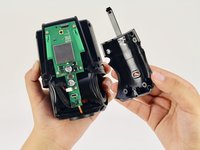
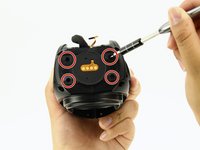
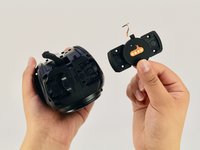
    1. Google Home Sound Driver Replacement, Interconnect Cable: passo 1, immagine 1 di 3 Google Home Sound Driver Replacement, Interconnect Cable: passo 1, immagine 2 di 3 Google Home Sound Driver Replacement, Interconnect Cable: passo 1, immagine 3 di 3
      • Removing the lid too quickly could cause you to tear the interconnect cable that attaches the base to the top of the lid.

      • Pull off the Google Home’s magnetically attached base and set it aside.

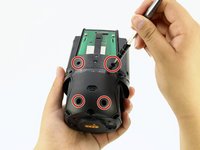
      • Using a Torx T6 screwdriver head, unscrew the four 1.7mm Torx screws deep in the speaker recess so that you can remove the lid.

      • After all four screws are out, pop the lid off the device to open the capsule.

      Chiedi a FixBot

      Aggiungi Commento

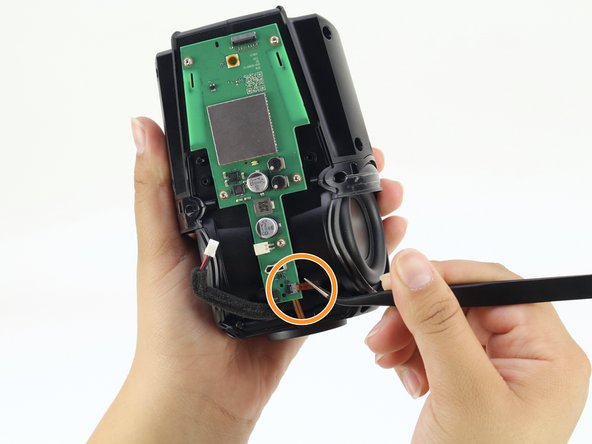
    2. Google Home Sound Driver Replacement: passo 2, immagine 1 di 1
      Strumento utilizzato in questo passaggio:
      Tweezers
      $4.99
      • Carefully remove the interconnect cable using a pair of tweezers.

      Chiedi a FixBot

      Aggiungi Commento

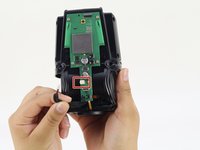
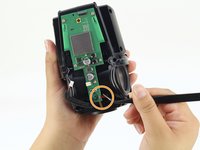
    1. Google Home Sound Driver Replacement, Mute Button Switch: passo 3, immagine 1 di 2 Google Home Sound Driver Replacement, Mute Button Switch: passo 3, immagine 2 di 2
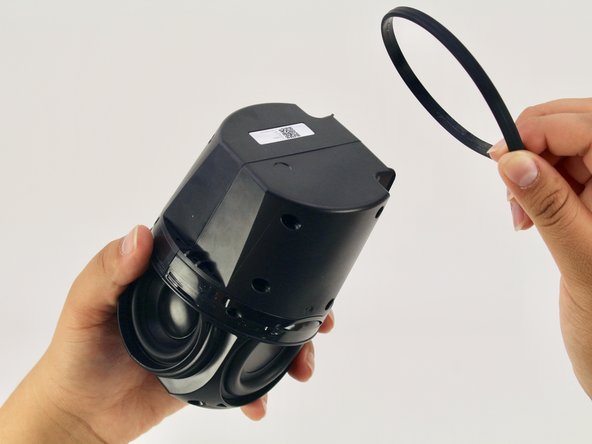
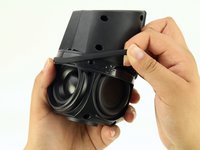
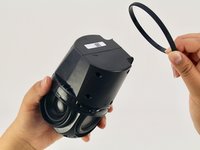
      • Remove the ‘O-ring’ that wraps around the device holding the switch panel in place.

      Chiedi a FixBot

      Aggiungi Commento

    2. Google Home Sound Driver Replacement: passo 4, immagine 1 di 2 Google Home Sound Driver Replacement: passo 4, immagine 2 di 2
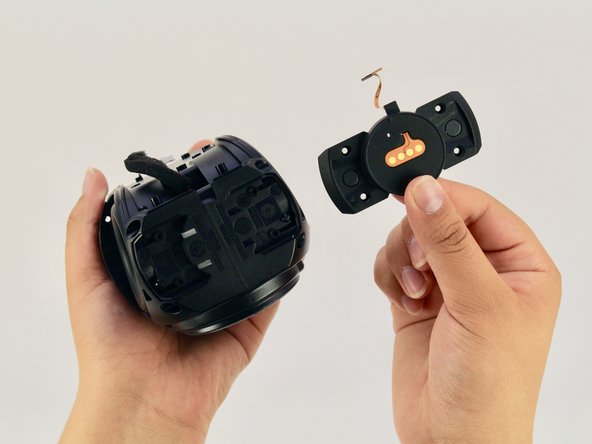
      • Using a Torx T6 screwdriver head, unscrew the four black 1.7mm Torx screws.

      • Remove the panel and the mute button switch. If done correctly you should now be able to see the device’s guitar-shaped motherboard.

      Chiedi a FixBot

      Aggiungi Commento

    1. Google Home Sound Driver Replacement, Motherboard: passo 5, immagine 1 di 2 Google Home Sound Driver Replacement, Motherboard: passo 5, immagine 2 di 2
      • Disconnect the foam-padded, red and black cable that connects the motherboard to the sound driver, by squeezing and pulling on the tab

      • Disconnect the orange interconnect cable that connects the bottom of the device to the motherboard by pulling straight out on the orange tab.

      Chiedi a FixBot

      Aggiungi Commento

    2. Google Home Sound Driver Replacement: passo 6, immagine 1 di 2 Google Home Sound Driver Replacement: passo 6, immagine 2 di 2
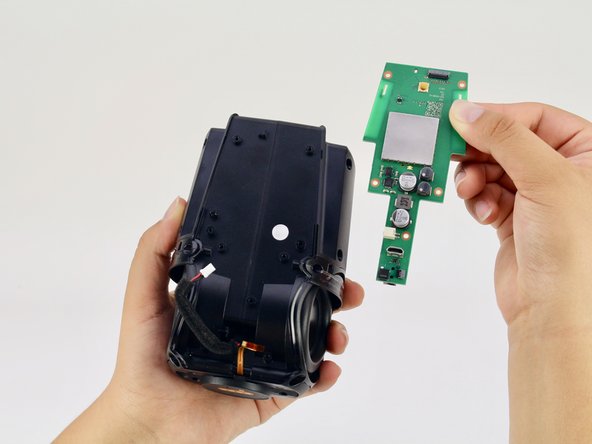
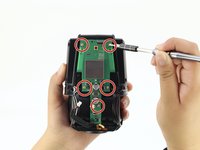
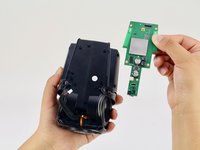
      • Using a Torx T6 screwdriver head, unscrew the five silver 1.7mm Torx screws keeping the motherboard in place.

      • Remove the motherboard.

      Chiedi a FixBot

      Aggiungi Commento

    1. Google Home Sound Driver Replacement, Sound Driver: passo 7, immagine 1 di 2 Google Home Sound Driver Replacement, Sound Driver: passo 7, immagine 2 di 2
      • Using a Torx T6 screwdriver head, unscrew the four black 1.7mm Torx screws on the bottom of the device.

      • For this step you will need a T6 screwdriver with an extra long head to reach the screws.

      Chiedi a FixBot

      Aggiungi Commento

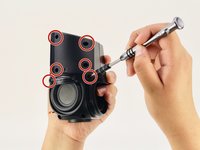
    2. Google Home Sound Driver Replacement: passo 8, immagine 1 di 2 Google Home Sound Driver Replacement: passo 8, immagine 2 di 2
      • Using a Torx T6 screwdriver head, unscrew the six black 1.7mm Torx screws on the side of the device.

      Chiedi a FixBot

      Aggiungi Commento

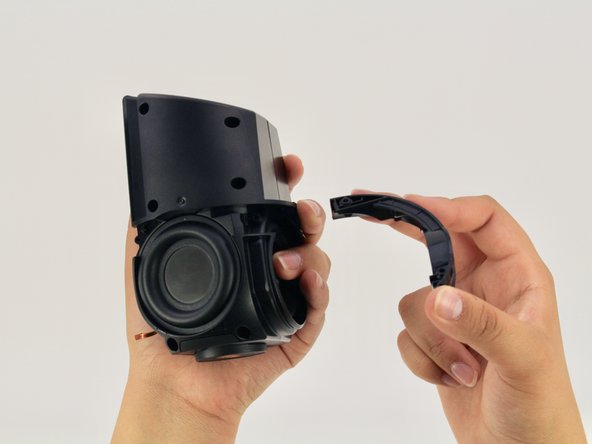
    3. Google Home Sound Driver Replacement: passo 9, immagine 1 di 2 Google Home Sound Driver Replacement: passo 9, immagine 2 di 2
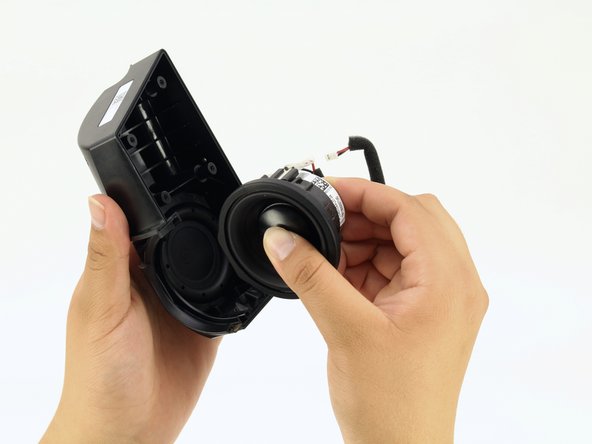
      • Pull apart the black casing to reveal the sound driver.

      • Remove the sound driver.

      Chiedi a FixBot

      Aggiungi Commento

Conclusione

To reassemble your device, follow these instructions in reverse order.

Annulla: non ho completato questa guida.

Altre 6 persone hanno completato questa guida.

Gabe Hyun

Membro da: 04/17/18

847 Reputazione

4 guide realizzate

Team

Cal Poly, Team S24-G11, Maness Spring 2018 Membro di Cal Poly, Team S24-G11, Maness Spring 2018

CPSU-MANESS-S18S24G11

4 Membri

35 guide realizzate

4Commenti sulla guida

I have a torn speaker cone. Can these be replaced and where can I buy the parts

rchrdsmmnds - Rispondi Condividi

I would like to know where I can buy a replacement speaker for my Google Home. Thanks in advance P.s has anybody else had their speaker blow on them on the Google Home?

Mark Goff - Rispondi Condividi

Looking for replacement speaker, where do I find?

Corey Anderson - Rispondi Condividi

replacement speaker for google home, someone knows here i find?


model:PLS -50N25AL07-04

or compatible speaker

vinyboylima - Rispondi Condividi

Aggiungi Commento

Visualizza statistiche:

Ultime 24 ore: 1

Ultimi 7 giorni: 11

Ultimi 30 giorni: 40

Tutti i Tempi: 3,068