Salta al contenuto principale
Unisciti alla Community delle riparazioni - Crea un account

Giant Reign 2 Headset Replacement

Cosa ti serve

  1. Giant Reign 2 Headset Replacement, Hex Screws: passo 1, immagine 1 di 1
    • Using the 4mm Allen wrench, partially unscrew the 4 (22mm) hex screws on the front of the axle casing to allow the axle to slide freely.

    Chiedi a FixBot

    Aggiungi Commento

  2. Giant Reign 2 Headset Replacement, Axle Screw: passo 2, immagine 1 di 2 Giant Reign 2 Headset Replacement, Axle Screw: passo 2, immagine 2 di 2
    • Using the 8mm Allen wrench, loosen the axle screw until 1/2 of the axle screw is visible.

    • Push the axle screw to reveal the axle rod on the other side.

    Chiedi a FixBot

    Aggiungi Commento

  3. Giant Reign 2 Headset Replacement: passo 3, immagine 1 di 1
    • Using the Allen wrench, finish unscrewing the axle screw and pull it out.

    • Hold the wheel when pulling out the axle rod so that the bike does not fall.

    Chiedi a FixBot

    Aggiungi Commento

  4. Giant Reign 2 Headset Replacement, Front Wheel: passo 4, immagine 1 di 1
    • Pull the wheel from the fork.

    Chiedi a FixBot

    Aggiungi Commento

  5. Giant Reign 2 Headset Replacement, Headset: passo 5, immagine 1 di 2 Giant Reign 2 Headset Replacement, Headset: passo 5, immagine 2 di 2
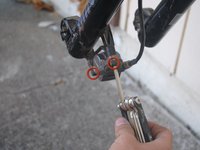
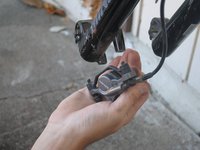
    • Using the 8mm Allen wrench, unscrew 2 (32mm) screws to release the brake calipers from the fork.

    • If necessary use wire cutters to release zip ties attaching cables to the forks.

    Chiedi a FixBot

    Aggiungi Commento

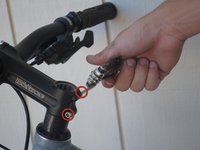
  6. Giant Reign 2 Headset Replacement: passo 6, immagine 1 di 3 Giant Reign 2 Headset Replacement: passo 6, immagine 2 di 3 Giant Reign 2 Headset Replacement: passo 6, immagine 3 di 3
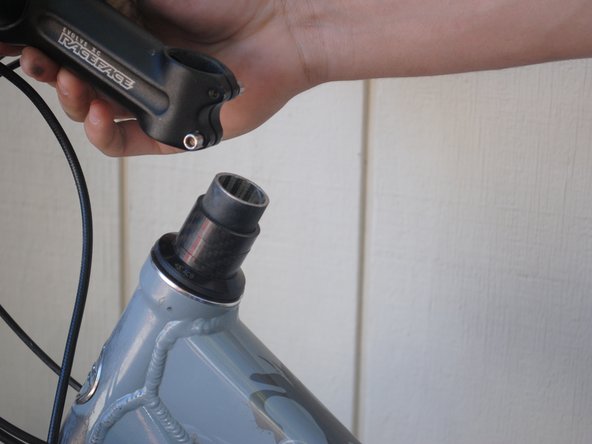
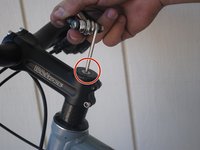
    • Using the 8mm Allen wrench, unscrew the 30mm head screw located on top of the steam.

    • Using the 4mm Allen wrench, loosen the side screw on both sides.

    • Lift off the handlebar.

    • Hang the handlebar gently from the cables. Do not pull the cables as you may damage the brake/derailleur lines.

    Chiedi a FixBot

    Aggiungi Commento

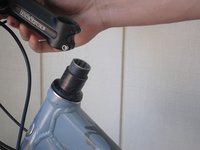
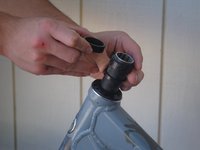
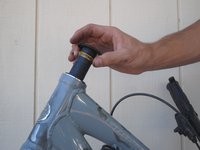
  7. Giant Reign 2 Headset Replacement: passo 7, immagine 1 di 3 Giant Reign 2 Headset Replacement: passo 7, immagine 2 di 3 Giant Reign 2 Headset Replacement: passo 7, immagine 3 di 3
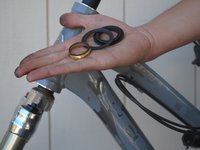
    • Slide off the spacers.

    • Lift off the seal.

    Chiedi a FixBot

    Aggiungi Commento

  8. Giant Reign 2 Headset Replacement: passo 8, immagine 1 di 1
    • Slide the fork out of the casing.

    Chiedi a FixBot

    Aggiungi Commento

  9. Giant Reign 2 Headset Replacement: passo 9, immagine 1 di 1
    • Using your fingers, pry the bearings from the top and bottom of the headset.

    Chiedi a FixBot

    Aggiungi Commento

  10. Giant Reign 2 Headset Replacement: passo 10, immagine 1 di 1
    • Apply WD-40 to both ends of the headset and bearings.

    • Dry headset and bearings with paper towels.

    • Repeat as necessary until clean.

    Chiedi a FixBot

    Aggiungi Commento

  11. Giant Reign 2 Headset Replacement: passo 11, immagine 1 di 2 Giant Reign 2 Headset Replacement: passo 11, immagine 2 di 2
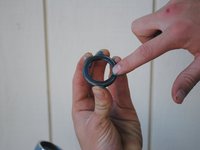
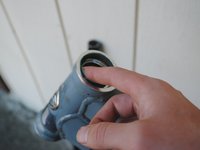
    • Using your finger, apply all-purpose lube to the bearings and each end of the headset.

    • Insert the bearings into the headset with the beveled side facing into the headset.

    Chiedi a FixBot

    Aggiungi Commento

Conclusione

To reassemble your device, follow these instructions in reverse order.

Annulla: non ho completato questa guida.

Un'altra persona ha completato questa guida.

Team

Cal Poly, Team 9-14, Amido Fall 2012 Membro di Cal Poly, Team 9-14, Amido Fall 2012

CPSU-AMIDO-F12S9G14

4 Membri

10 guide realizzate

0Commenti sulla guida

Aggiungi Commento

Visualizza statistiche:

Ultime 24 ore: 1

Ultimi 7 giorni: 7

Ultimi 30 giorni: 53

Tutti i Tempi: 4,615