Salta al contenuto principale

Disassembling Power Mac G5 Side Panel

Solo Prerequisita
Questa è una guida che contiene solo i prerequisiti! Questa guida fa parte di un'altra procedura e non è destinata ad essere utilizzata da sola.
  1. Disassembling Power Mac G5 Side Panel, Side Panel: passo 1, immagine 1 di 1
    • To avoid electrocution, shut down the computer. Do not open the computer or attempt to install any items inside it while the computer is on.

    • To avoid being burned, wait at least 10 minutes to allow the computer's internal components to cool.

  2. Disassembling Power Mac G5 Side Panel: passo 2, immagine 1 di 1
    • Remove all the cables, including the power cables before opening the unit.

  3. Disassembling Power Mac G5 Side Panel: passo 3, immagine 1 di 2 Disassembling Power Mac G5 Side Panel: passo 3, immagine 2 di 2
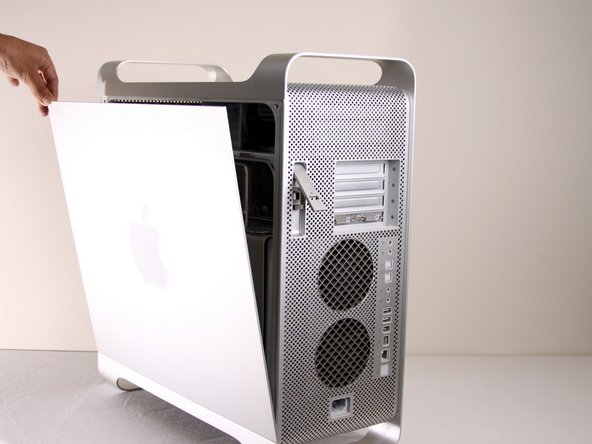
    • Lift the tab to unlock the side panel.

    • The panel should fall out. If the panel does not fall out by itself pull a little from the edges.

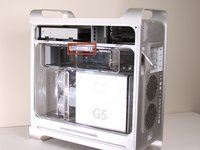
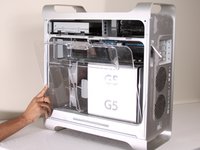
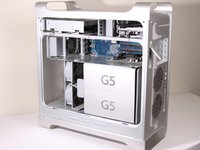
  4. Disassembling Power Mac G5 Side Panel: passo 4, immagine 1 di 3 Disassembling Power Mac G5 Side Panel: passo 4, immagine 2 di 3 Disassembling Power Mac G5 Side Panel: passo 4, immagine 3 di 3
    • Remove the air deflector (the clear plastic cover) by pulling on the handle.

Linea Traguardo

Altre 2 persone hanno completato questa guida.

Team

Cal Poly, Team 5-8, Forte Winter 2010 Membro di Cal Poly, Team 5-8, Forte Winter 2010

CPSU-FORTE-W10S5G8

7 Membri

30 Guide realizzate

0Commenti sulla guida

Aggiungi Commento

Visualizza Statistiche:

Ultime 24 Ore: 0

Ultimi 7 Giorni: 0

Ultimi 30 Giorni: 2

Tutti i Tempi: 3,659