Salta al contenuto principale
Unisciti alla Community delle riparazioni - Crea un account

Disassembling HTC One V Back Case

Cosa ti serve

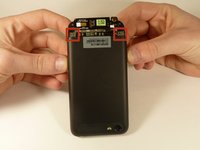
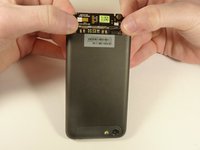
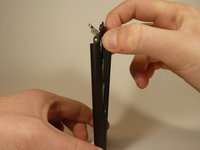
  1. Disassembling HTC One V Back Case, Disassembling HTC ONE V Bottom Assembly: passo 1, immagine 1 di 3 Disassembling HTC One V Back Case, Disassembling HTC ONE V Bottom Assembly: passo 1, immagine 2 di 3 Disassembling HTC One V Back Case, Disassembling HTC ONE V Bottom Assembly: passo 1, immagine 3 di 3
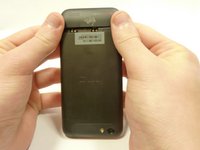
    • Power off your device.

    • Remove the bottom cover by sliding it off.

    Chiedi a FixBot
  2. Disassembling HTC One V Back Case: passo 2, immagine 1 di 1
    • Remove the SIM card.

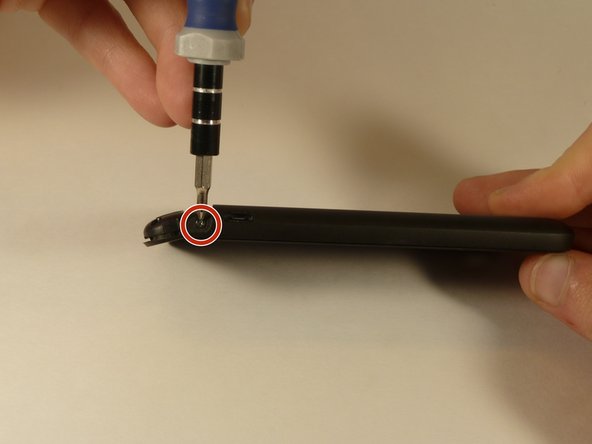
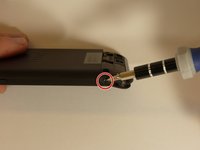
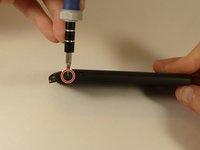
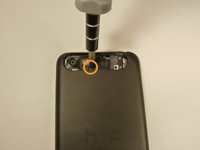
    • Remove the four screws securing the bottom casing.

    • Two 3.0 mm Phillips #0 screws in the top left and right corners.

    • Two 2.0 mm Phillips #0 screws in the bottom left and right corners.

    Chiedi a FixBot
  3. Disassembling HTC One V Back Case: passo 3, immagine 1 di 2 Disassembling HTC One V Back Case: passo 3, immagine 2 di 2
    • Remove the 2.0 mm Phillips #0 screws on either side of the phone.

    Chiedi a FixBot
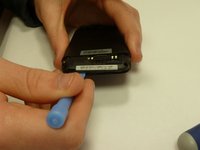
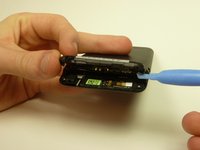
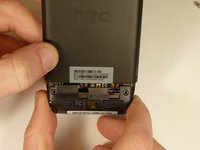
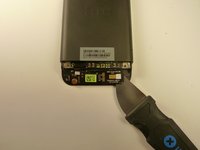
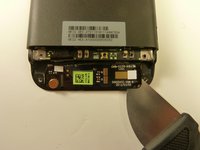
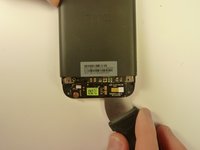
  4. Disassembling HTC One V Back Case: passo 4, immagine 1 di 3 Disassembling HTC One V Back Case: passo 4, immagine 2 di 3 Disassembling HTC One V Back Case: passo 4, immagine 3 di 3
    • Use a plastic opening tool to pry open the bottom casing.

    • Remove the bottom casing by pulling it towards you.

    Chiedi a FixBot
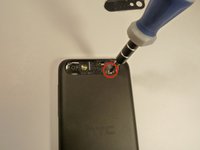
  5. Disassembling HTC One V Back Case, Disassembling HTC One V Back Case: passo 5, immagine 1 di 3 Disassembling HTC One V Back Case, Disassembling HTC One V Back Case: passo 5, immagine 2 di 3 Disassembling HTC One V Back Case, Disassembling HTC One V Back Case: passo 5, immagine 3 di 3
    • Use the plastic opening tool to pry open the rear camera panel.

    • Remove both screws that are securing the back case.

    • One 4.0 mm Phillips #0 screw.

    • One 3.0 mm Phillips #0 screw.

    Chiedi a FixBot
  6. Disassembling HTC One V Back Case: passo 6, immagine 1 di 3 Disassembling HTC One V Back Case: passo 6, immagine 2 di 3 Disassembling HTC One V Back Case: passo 6, immagine 3 di 3
    • Use a Jimmy to pry up the OEM SIM and SD card reader contact.

    • Pry from right to left to avoid potential damages to the ribbon.

    Chiedi a FixBot
  7. Disassembling HTC One V Back Case: passo 7, immagine 1 di 3 Disassembling HTC One V Back Case: passo 7, immagine 2 di 3 Disassembling HTC One V Back Case: passo 7, immagine 3 di 3
    • Using both thumbs, gently push on the two bottom rear corners of the motherboard.

    • Gently and slowly pull the screen out from the front of the phone, while feeding the OEM reader contact through the opening.

    Chiedi a FixBot
Conclusione

To reassemble your device, follow these instructions in reverse order.

Altre 3 persone hanno completato questa guida.

Team

USF Tampa, Team 1-3, Blackwell Winter 2015 Membro di USF Tampa, Team 1-3, Blackwell Winter 2015

USFT-BLACKWELL-W15S1G3

4 Membri

16 guide realizzate

0Commenti sulla guida

Aggiungi Commento

Visualizza statistiche:

Ultime 24 ore: 0

Ultimi 7 giorni: 7

Ultimi 30 giorni: 64

Tutti i Tempi: 3,496