Introduzione
If one or both of the footswitches works inconsistently or not at all, refer to this guide.
Cosa ti serve
-
-
Remove the four 8mm Phillips #0 screws located on the back panel.
 Chiedi a FixBot
-
-
-
-
Remove the two 11mm #0 Phillips screws located at the bottom of the motherboard.
-
-
-
Lift the indented end of the motherboard opposite the input/output jacks. Then, pull away from the input/output jacks to slide the motherboard out of the casing.
-
-
-
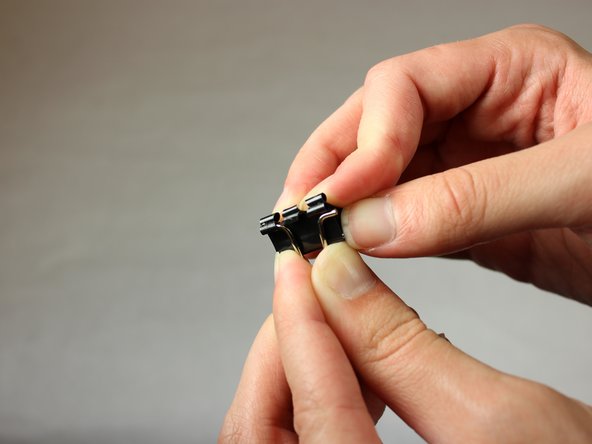
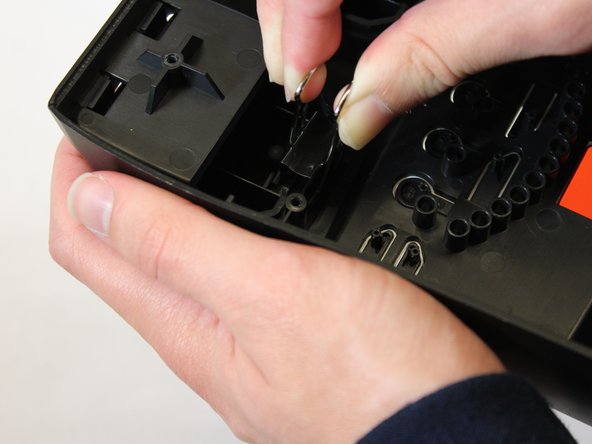
Pull firmly on the binder clips that are holding the footswitches in place to remove them.
-


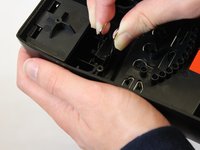

To reassemble your device, follow these instructions in reverse order.
Annulla: non ho completato questa guida.
Altre 2 persone hanno completato questa guida.

Team

Appalachian State University, Team S2-G2, Menagarishvili Fall 2018 Membro di Appalachian State University, Team S2-G2, Menagarishvili Fall 2018
APSU-MENAGARISHVILI-F18S2G2
3 Membri
6 guide realizzate
1Commento della guida
So what is the fix? Replacing both foot switches with new ones? Or removing them and reinstalling them will fix the problem of them not working at all? What’s Step 7? If you stop after completing Step 6 you now just have a casing without foot switches. What will fix the problem of them not working qt all after removing the foot switches?
