Introduzione
Do you find your laptop is running slowly when you have multiple programs running? You may find the solution simpler than you may think. By upgrading your RAM, your computer may see some improvements in speed and performance.
Cosa ti serve
-
-
-
Slide the two tabs to release the battery.
-
Pull the battery out.
 Chiedi a FixBot
-
-
-
-
-
-
Using a Phillips #00 screwdriver, remove the three 2.5mm screws from the panel.
-
Pull back the panel and set it aside.
-
-
-
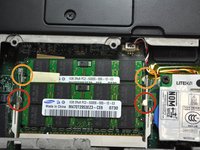
Spread apart the securing clips on both ends of the chip until the module pops out.
-
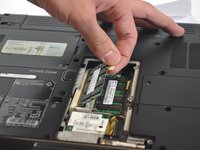
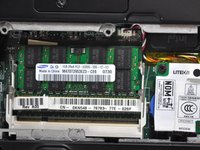
Remove the RAM from the connector.
-
These represent the clips of a second module
-
-


To reassemble your device, follow these instructions in reverse order.
Annulla: non ho completato questa guida.
Altre 2 persone hanno completato questa guida.

Team

USF Tampa, Team 2-4, Blackwell Fall 2014 Membro di USF Tampa, Team 2-4, Blackwell Fall 2014
USFT-BLACKWELL-F14S2G4
4 Membri
5 guide realizzate
