Salta al contenuto principale
Unisciti alla Community delle riparazioni - Crea un account

Brother PT-1010 Battery Replacement

    1. Brother PT-1010 Battery Replacement, Removing Back Panel: passo 1, immagine 1 di 1
      • Turn device so you are looking down at the top

      Chiedi a FixBot

      Aggiungi Commento

    2. Brother PT-1010 Battery Replacement: passo 2, immagine 1 di 2 Brother PT-1010 Battery Replacement: passo 2, immagine 2 di 2
      • Press firmly on arrow indicator and pull panel toward you.

      Chiedi a FixBot

      Aggiungi Commento

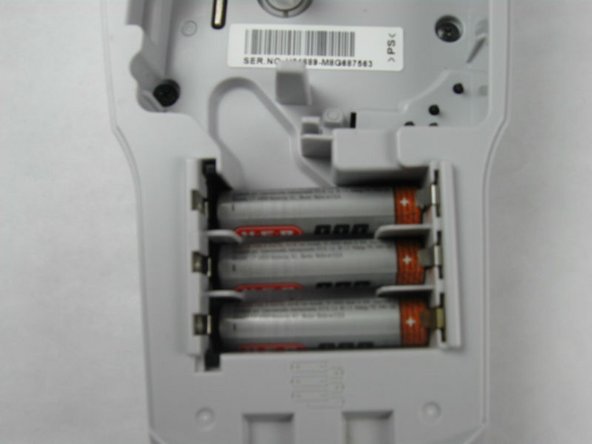
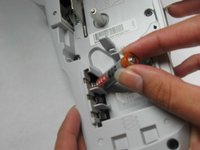
    3. Brother PT-1010 Battery Replacement, Remove Dead Batteries: passo 3, immagine 1 di 1
      • Remove dead batteries one at a time by pulling up on the side indicated with a + symbol.

      • Make sure the battery compartment is empty and clear of debris.

      Chiedi a FixBot

      Aggiungi Commento

    4. Brother PT-1010 Battery Replacement: passo 4, immagine 1 di 2 Brother PT-1010 Battery Replacement: passo 4, immagine 2 di 2
      • Insert the first battery with the flat side (indicated by a - symbol on the battery) facing to the left of the battery compartment.

      • Do the same thing to insert the next 2 batteries.

      Chiedi a FixBot

      Aggiungi Commento

    5. Brother PT-1010 Battery Replacement: passo 5, immagine 1 di 1
      • The next 3 batteries will be inserted on top of the others.

      • Insert the 4th battery with the flat side (indicated by the - symbol on the battery) facing to the right of the battery compartment.

      Chiedi a FixBot

      Aggiungi Commento

    6. Brother PT-1010 Battery Replacement: passo 6, immagine 1 di 1
      • Repeat step 5 to insert the last 2 batteries.

      Chiedi a FixBot

      Aggiungi Commento

    7. Brother PT-1010 Battery Replacement, Replace Back Panel: passo 7, immagine 1 di 1
      • Reinsert back panel.

      Chiedi a FixBot

      Aggiungi Commento

Conclusione

To reassemble your device, follow these instructions in reverse order.

Annulla: non ho completato questa guida.

Un'altra persona ha completato questa guida.

Haley Sweet

Membro da: 10/30/14

460 Reputazione

4 guide realizzate

Team

Baylor, Team 4-4, Williams Fall 2014 Membro di Baylor, Team 4-4, Williams Fall 2014

BU-WILLIAMS-F14S4G4

4 Membri

4 guide realizzate

0Commenti sulla guida

Aggiungi Commento

Visualizza statistiche:

Ultime 24 ore: 1

Ultimi 7 giorni: 12

Ultimi 30 giorni: 40

Tutti i Tempi: 5,305