Introduzione
This replacement guide will show you how to replace a dead, or broken battery for the BLU Tank II cell phone. Tools, or prerequisite knowledge, will not be required for the replacement of the battery.
-
-
With the screen facing you, find the left corner of the phone. There should be a visible groove.
-
With your fingers, carefully press a fingernail into the slot and separate the back panel from the phone.
 Chiedi a FixBot
-
-
-
-
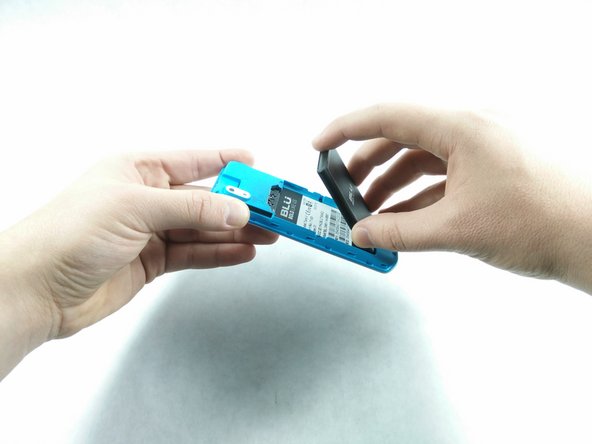
After the back panel has been removed, put your finger on and press down on the bottom part of the battery.
-
Lift the battery up and carefully remove the battery.
-


To reassemble your device, follow these instructions in reverse order.
Annulla: non ho completato questa guida.
Un'altra persona ha completato questa guida.

Team

UMass Dartmouth, Team S6-G2, Isaacson Spring 2017 Membro di UMass Dartmouth, Team S6-G2, Isaacson Spring 2017
UMASSD-ISAACSON-S17S6G2
4 Membri
12 guide realizzate
