Introduzione
The front camera may become damaged or scratched over time, causing poor quality pictures. This guide will explain how to access, remove, and replace your BLU Life X8 front camera.
Cosa ti serve
-
-
Flip the phone over so that the screen is facing down.
-
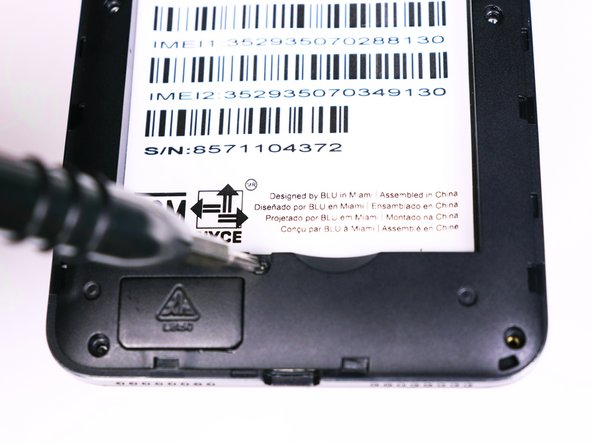
Slide the opening tool between the micro-USB port and the back cover.
-
Use the opening tool to create a gap.
 Chiedi a FixBot
-
-
-
Use your thumb to pry off the back panel once the gap is large enough.
-
-
-
Once the back panel is off, locate the indent at the bottom of the battery.
-
Use your thumb to slip the battery out of the case.
-
-
-
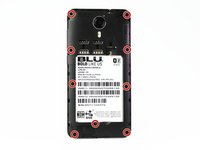
Use the Phillips #00 bit to undo the nine 1.5mm screws from the back of the device.
-
-
-
-
Wedge the opening tool into the seam of between the screen and the gray frame.
-
Run the opening tool along the seam to release the clips that hold the two pieces together.
-
-
-
Once all the clips have been released, lift the frame and set it aside.
-
-
-
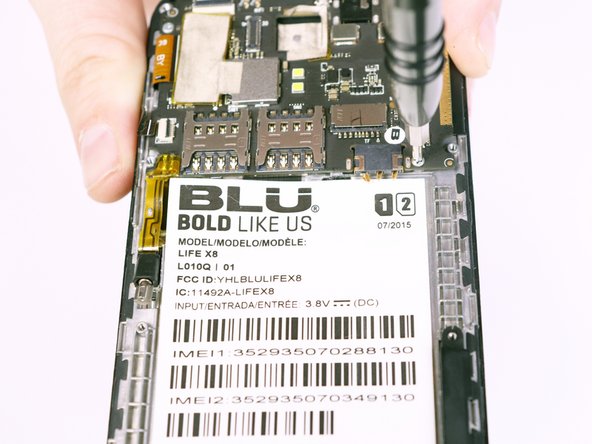
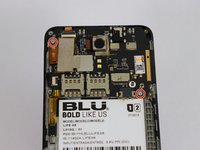
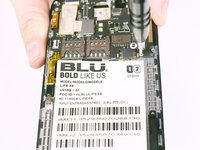
Use the Phillips #00 Phillips bit to undo the two 1.5mm screws from the motherboard.
-
-
Strumento utilizzato in questo passaggio:Tweezers$4.99
-
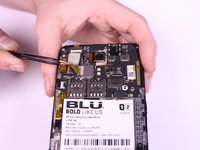
Use the tweezers to peel away the mesh tape and reveal the ribbon connectors.
-
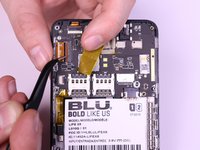
Use the tweezers to lift the brown and black tabs to release the ribbon cables and unlock them.
-
-
-
The ribbon cables should be free. Pull back on the ribbons to release them from their connectors.
-
-
-
Slowly lift the vibration motor away from the frame and peel up the tape.
-
-
-
Flip the motherboard over.
-
Lift the front camera from its housing.
-






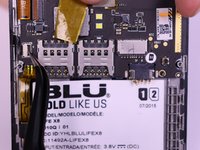


To reassemble your device, follow these instructions in reverse order.

Team

USF Tampa, Team S1-G2, Nance Fall 2017 Membro di USF Tampa, Team S1-G2, Nance Fall 2017
USFT-NANCE-F17S1G2
4 Membri
12 guide realizzate
