Salta al contenuto principale
Unisciti alla Community delle riparazioni - Crea un account

August Smart Lock Accelerometer Replacement

Cosa ti serve

    1. August Smart Lock Accelerometer Replacement, Accelerometer: passo 1, immagine 1 di 3 August Smart Lock Accelerometer Replacement, Accelerometer: passo 1, immagine 2 di 3 August Smart Lock Accelerometer Replacement, Accelerometer: passo 1, immagine 3 di 3
      • Flip device over so the black bottom is facing you.

      • Undo latches on both sides to remove the metal cover.

      • Using a Phillips #0 screwdriver, remove the black screws to release the back cover.

      • To unscrew all of the screws, you will need to close the latches again.

      • When you lift off the cover, be careful not to lift to far up. The cover contains the speaker which is connected to the motherboard.

      Chiedi a FixBot

      Aggiungi Commento

    2. August Smart Lock Accelerometer Replacement: passo 2, immagine 1 di 3 August Smart Lock Accelerometer Replacement: passo 2, immagine 2 di 3 August Smart Lock Accelerometer Replacement: passo 2, immagine 3 di 3
      • Grab the gears and lift them up to remove from the device

      Chiedi a FixBot

      Aggiungi Commento

    3. August Smart Lock Accelerometer Replacement: passo 3, immagine 1 di 3 August Smart Lock Accelerometer Replacement: passo 3, immagine 2 di 3 August Smart Lock Accelerometer Replacement: passo 3, immagine 3 di 3
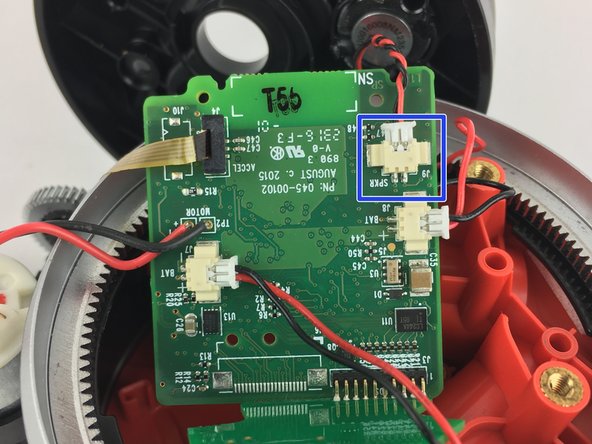
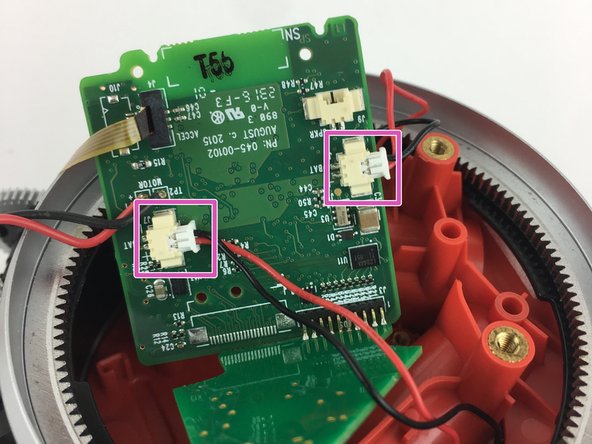
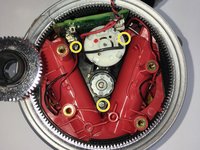
      • Remove the (3) three silver screws by the motor using a Phillips #0 screwdriver.

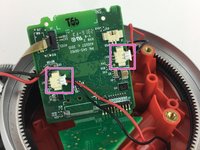
      • Disconnect the speaker plug from the motherboard

      • Disconnect the battery plugs from the motherboard.

      Chiedi a FixBot

      Aggiungi Commento

    4. August Smart Lock Accelerometer Replacement: passo 4, immagine 1 di 1
      • Once the speaker is disconnected, remove the back cover.

      • Lift up the motherboard and motor assembly out of the device.

      Chiedi a FixBot

      Aggiungi Commento

    5. August Smart Lock Accelerometer Replacement: passo 5, immagine 1 di 2 August Smart Lock Accelerometer Replacement: passo 5, immagine 2 di 2
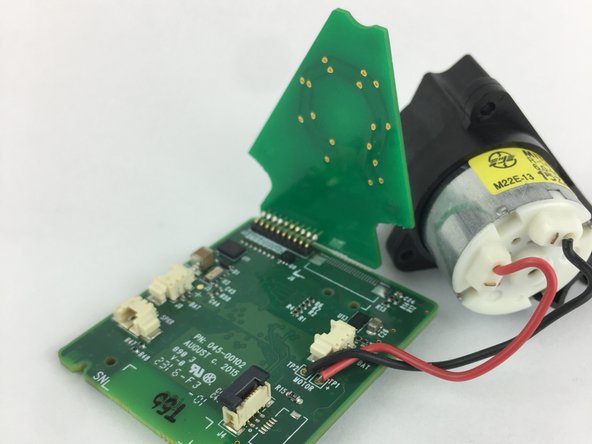
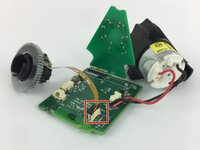
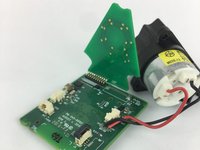
      • Locate the Accelerometer. It is attached to the motherboard by a ribbon.

      • Lift up the black tab to remove the ribbon from the motherboard.

      Chiedi a FixBot

      Aggiungi Commento

Conclusione

To reassemble your device, follow these instructions in reverse order.

Annulla: non ho completato questa guida.

Altre 8 persone hanno completato questa guida.

Team

USF Tampa, Team S11-G6, Passmore Fall 2017 Membro di USF Tampa, Team S11-G6, Passmore Fall 2017

USFT-PASSMORE-F17S11G6

4 Membri

6 guide realizzate

7Commenti sulla guida

Any idea where can I get a new accelerometer to complete this repair?

Thai Nguyen - Rispondi Condividi

Where can we get a new accelerometer. My phone was not connecting because of the ribbon was broken inside

Dinesh Sharma - Rispondi Condividi

Same as above…. where to locate an accelerometer??

osallabe - Rispondi Condividi

Did anyone find out where to buy the part?

LBurd - Rispondi Condividi

Where can I find one

Jeff Wasilewski - Rispondi Condividi

Aggiungi Commento

Visualizza statistiche:

Ultime 24 ore: 2

Ultimi 7 giorni: 13

Ultimi 30 giorni: 60

Tutti i Tempi: 8,882