Introduzione
It is important for your screen lock to be fully functional to prevent potential damages. This guide will help you replace the screen lock assembly. If it has chipped or broken, it may not stay closed.
Cosa ti serve
-
-
Remove the eight 7 mm screws around the edge of the screen using a Phillips #1 screwdriver.
-
-
-
-
Insert the plastic opening tool and gently slide it around the edge of the screen to lift the face of the screen away from its base.
-
-
-
Remove the two 3 mm Phillips #1 screws using a Phillips #1 screwdriver.
-
Pull the assembly grip away to remove it.
-
Remove the two 5 mm screws using a Phillips #1 screwdriver.
-
-
-
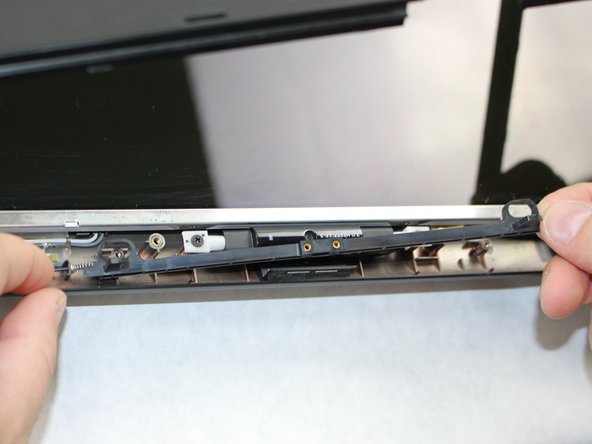
Push in the assembly towards the spring.
-
Gently lift the slider from the side opposite to the spring and pull the slider away from the spring.
-
-
-
If the spring is defective, slide it off the end of the assembly and replace it.
-

 Chiedi a FixBot




To reassemble your device, follow these instructions in reverse order.

Team

Sam Houston State, Team S15-G2, Blackburne Fall 2018 Membro di Sam Houston State, Team S15-G2, Blackburne Fall 2018
SHSU-BLACKBURNE-F18S15G2
4 Membri
5 guide realizzate
