Introduzione
The DC input of the Nokia 3100b is where the cell phone's charger plugs in to. This guide shows you how to access the input and replace it if it has become damaged.
Cosa ti serve
-
-
Press the button on the back of the phone and slide the back panel off.
-
Remove the battery by pulling it from the phone.
-
-
-
Gently pull back the small metal frame holding the SIM card into place, and lift open the frame.
-
-
-
-
Separate the front cover from the base.
-
-
-
Using a T6 Torx screwdriver, remove the screws from the screen assembly.
-
-
Strumento utilizzato in questo passaggio:Tweezers$4.99
-
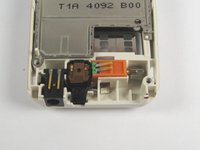
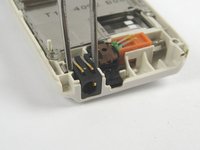
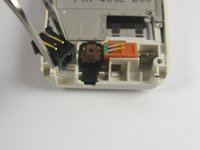
Use a pair of tweezers to remove the DC input from the base.
-

 Chiedi a FixBot


To reassemble your device, follow these instructions in reverse order.
Annulla: non ho completato questa guida.
Un'altra persona ha completato questa guida.

Team

Cal Poly, Team 29-64, Johann Spring 2010 Membro di Cal Poly, Team 29-64, Johann Spring 2010
CPSU-JOHANN-S10S29G64
3 Membri
8 guide realizzate
