Domande popolari nel forum
Fai una domandaNon ci sono domande. Sii il primo a porre una domanda!
Informazioni generali
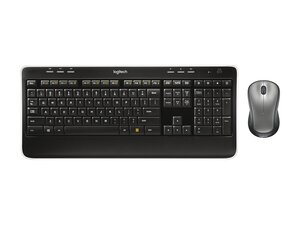
Il Wireless Combo MK520 è una combinazione di tastiera full-size e mouse ergonomico di Logitech, progettata per la produttività quotidiana. Utilizza un ricevitore USB Logitech Unifying per una connessione wireless affidabile con una portata fino a 10 metri, offrendo la semplicità plug-and-play. Il set è realizzato in plastica resistente, con un mouse ergonomico full-size e una tastiera full-size pensati per un uso quotidiano prolungato. Le caratteristiche principali includono la forma ergonomica e confortevole del mouse, tasti full-size e la compatibilità con i ricevitori dotati di tecnologia Logitech Unifying.
Identificazione
Il Logitech Wireless Combo MK520 include la tastiera (M/N Y-R0012), il mouse (M/N M-R0050) e il ricevitore USB (M/N C-U0007). Le etichette dei modelli sono posizionate come segue: Tastiera: sull'etichetta del prodotto sul lato inferiore; Mouse: sull'etichetta del prodotto sul lato inferiore; Ricevitore USB: stampato sulla faccia piatta o sul lato dell'alloggiamento del ricevitore vicino al connettore USB. Ogni componente riporta i propri identificativi di modello (M/N) e di serie (S/N).
Specifiche
- Fattore di forma: Tastiera full-size con mouse full-size ergonomico per destrorsi
- Modello / SKU: Combo MPN / SKU 920-002553 (productID: mk520-wireless-keyboard-mouse)
- Connettività: Ricevitore USB Logitech Unifying (wireless proprietaria a 2,4 GHz)
- Portata wireless: Fino a 10 metri (come da pagina del prodotto)
- Tipo di switch: Meccanismo a membrana / cupola di gomma (produttore non specificato sulla pagina del prodotto)
- Produttore switch dei tasti: Non specificato da Logitech sulla pagina del prodotto (set di tasti a membrana con cupola in gomma)
- Tipo di mouse: Mouse ottico full-size ergonomico (design confortevole per destrorsi; il modello specifico del mouse non è elencato separatamente sulla pagina del prodotto)
- Informazioni sulla batteria: Non specificate sulla pagina del prodotto (fare riferimento all'etichetta sul lato inferiore; i combo Logitech tipici utilizzano pile AA)
- Articoli inclusi nella confezione: Tastiera, mouse ergonomico, ricevitore USB Logitech Unifying, documentazione (il contenuto esatto non è dettagliato sulla pagina del prodotto)
- Impronta di carbonio: Indicata sulla pagina del prodotto come circa 10,17 kg CO2e (metrica del ciclo di vita del prodotto e dell'imballaggio)
Soluzione problemi
I guasti comuni rilevanti per la riparazione includono batterie scariche/deboli, ricevitore Unifying perso o non associato e tasti appiccicosi o non reattivi sulla tastiera. Diagnostica il problema sostituendo le batterie, ricollegando o riassociando il ricevitore Unifying (esegui un test su un'altra porta USB o su un altro PC) e ispezionando visivamente/rimuovendo i copritasti per verificare la presenza di detriti o di una membrana danneggiata al di sotto. Per i problemi del mouse, controlla che l'area del sensore ottico sia libera da detriti, esegui un test su un'altra superficie e verifica l'alimentazione/gli interruttori sul mouse.
Per ulteriore assistenza, visita: https://support.logi.com per la registrazione del prodotto, articoli di supporto e opzioni di contatto.
Ulteriori informazioni
Informazioni sulla garanzia
Fai riferimento alle informazioni sulla garanzia Logitech tramite support.logi.com; i termini tipici della garanzia hardware limitata variano in base alla regione.

