Domande popolari nel forum
Fai una domandaNon ci sono domande. Sii il primo a porre una domanda!
Documenti
Informazioni generali
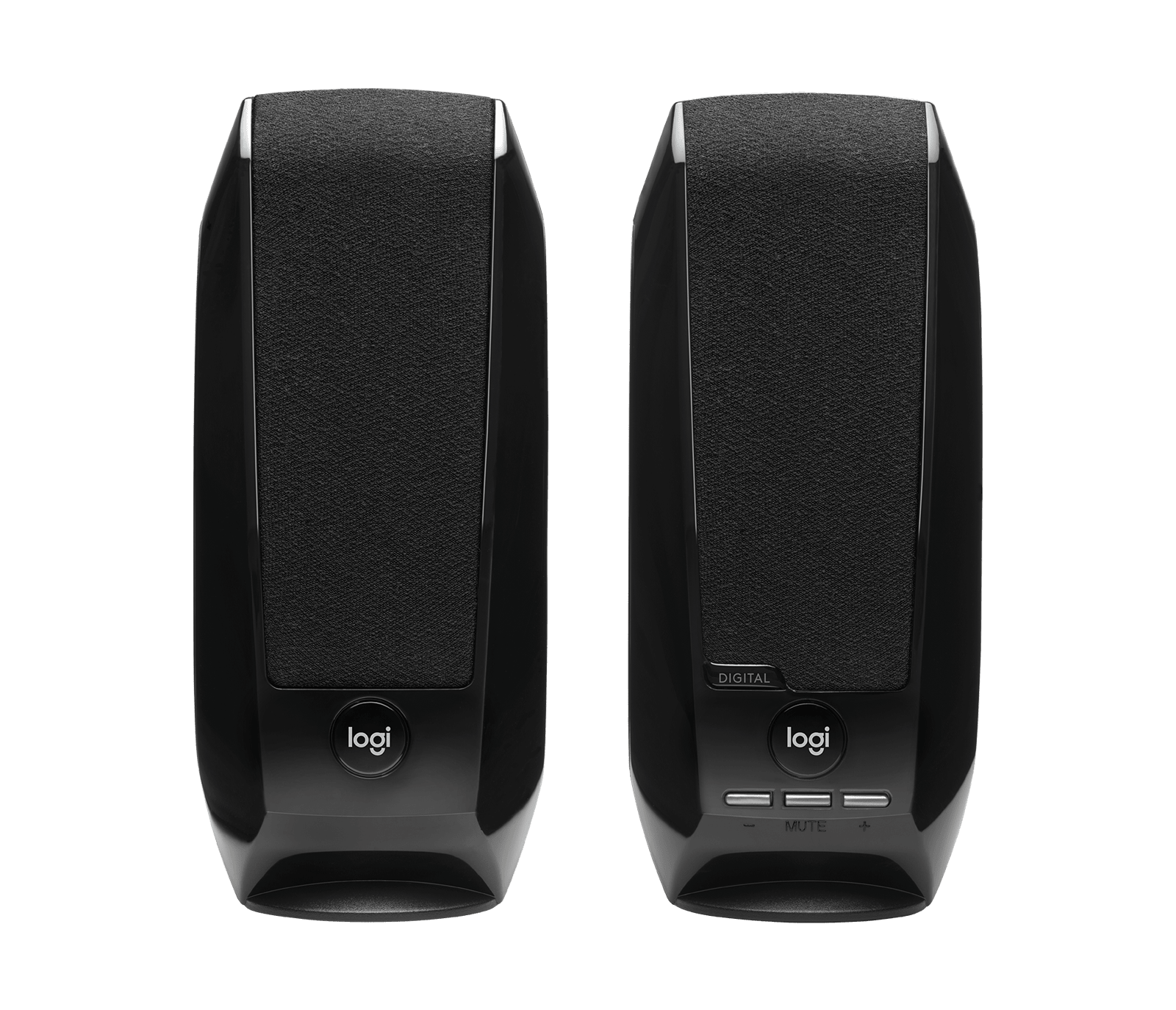
Gli altoparlanti stereo USB Logitech S150 sono un paio di altoparlanti da scrivania sottili e leggeri, progettati per un ascolto semplice plug-and-play tramite la porta USB-A di un computer. Sono alimentati tramite USB e offrono audio stereo con un LED di alimentazione arancione per lo stato. Gli altoparlanti utilizzano robusti alloggiamenti in plastica ABS e cablaggio rinforzato per resistere al normale utilizzo da scrivania. Le caratteristiche principali includono controlli integrati semplici, casse mobili compatte e un design entry-level economico.
Identificazione
Gli Altoparlanti Logitech S150 possono essere identificati dal numero di modello (M/N S-00038). L'etichetta del modello si trova sull'etichetta del prodotto, solitamente situata sul lato inferiore dell'altoparlante principale/destro. Questa etichetta elenca il numero di modello (M/N), il codice parte (P/N) e il numero di serie (S/N).
Specifiche
- Modello / SKU: Altoparlanti stereo USB S150 — SKU / MPN 980-000028 (productID: s150-usb-stereo-speakers)
- Fattore di forma: Altoparlanti stereo da scrivania 2.0 alimentati via USB (casse mobili sinistra + destra)
- Connettività: USB-A (un singolo cavo fornisce sia audio USB che alimentazione)
- Alimentazione: Alimentato dal bus della porta USB (nessun alimentatore esterno)
- Indicatore: LED arancione di alimentazione/stato sulla parte anteriore dell'altoparlante
- Compatibilità: Plug-and-play con PC e laptop (supporto classe audio USB); nessun driver richiesto
- Materiali: Robusto alloggiamento in plastica ABS con cavo USB rinforzato
- Componenti inclusi: Coppia di altoparlanti stereo con cavo USB-A collegato; confezione retail
- Prezzo / Disponibilità: Listato a 19,99 USD; disponibilità: InStock (in base alla pagina del prodotto)
- Categoria: Altoparlanti per computer / altoparlanti da scrivania
Soluzione problemi
I guasti comuni rilevanti per la riparazione sono assenza di alimentazione/audio (di solito dovuta a danni al cavo USB o alimentazione USB insufficiente) e audio intermittente/irregolare (cablaggio interno difettoso o danni al driver). Diagnostica controllando che il LED arancione si illumini quando collegato, testando il cavo/porta USB su un altro computer, misurando la continuità del cavo e scambiando i collegamenti sinistro/destro per isolare un altoparlante guasto.
Per ulteriore assistenza, visita: Visita support.logi.com per assistenza sul prodotto, richieste di garanzia e opzioni di contatto.
Informazioni aggiuntive
Informazioni sulla garanzia
Garanzia hardware limitata (la durata varia a seconda della regione); controlla le pagine di supporto/garanzia di Logitech per i dettagli specifici della regione.
Guida completa alla configurazione S150 USB STEREO SPEAKERS
Guida alla configurazione Logitech S150 USB Stereo Speakers (EN, ZH, KO)
Manuale utente Logitech S-150 Digital USB Speakers
Guida completa alla configurazione Logitech S150 USB Stereo Speakers (EN, FR)