Domande popolari nel forum
Fai una domandaNon ci sono domande. Sii il primo a porre una domanda!
Informazioni generali
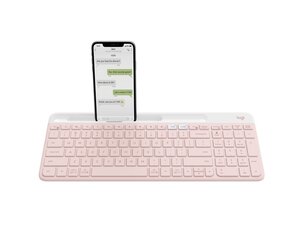
La tastiera wireless multi-dispositivo K580 Slim è una tastiera wireless a basso profilo per più dispositivi, progettata per scrivanie ordinate e per passare facilmente da un dispositivo all'altro grazie alla funzione Easy-Switch. Il design punta su un profilo sottile e una disposizione dei tasti minimalista, ed è realizzata con plastica riciclata e altri materiali resistenti per un uso prolungato. Le caratteristiche principali evidenziate sulla pagina del prodotto includono l'abbinamento a più dispositivi, un'estetica sottile e moderna, e la disponibilità in vari colori (Rose, Off-white, Graphite). Il prodotto è rivolto a chi cerca una soluzione di digitazione wireless compatta per la produttività.
Identificazione
La Logitech K580 può essere identificata dal numero di modello (M/N YR0074). L'etichetta del modello si trova sul retro del prodotto (esempi: 920-011329, 920-009211, 920-009210). Questa etichetta elenca il numero di modello (M/N), il codice parte (P/N) e il numero di serie (S/N).
Specifiche
- Fattore di forma: Tastiera sottile e a basso profilo (layout completo compatto, design minimalista)
- Tipo di switch: Meccanismo a forbice (membrana) a basso profilo — produttore/modello non specificato sulla pagina del prodotto
- Connettività: Wireless multi-dispositivo con Easy-Switch (per abbinare e passare da un dispositivo all'altro)
- Numeri di modello (SKU / MPN): 920-011329 (Rose, MPN 920-011329); 920-009211 (Off-white, MPN 920-009211); 920-009210 (Graphite, MPN 920-009210)
- Colori: Rose, Off-white, Graphite
- Categoria: Tastiere
- Materiali: Realizzata con plastica riciclata; progettata con materiali durevoli per un uso a lungo termine (struttura e gruppo tasti secondo le note sulla sostenibilità del prodotto)
- Layout: Inglese USA (QWERTY)
- Alimentazione / Batteria: Alimentata a batteria (il tipo di batteria specifico e la capacità non sono indicati sulla pagina del prodotto)
- Impronta ambientale: Impronta di carbonio indicata sulla pagina del prodotto: 6,43 kg CO2e
Soluzione problemi
I guasti comuni rilevanti per la riparazione includono tasti non reattivi o che funzionano a intermittenza, danni fisici ai tasti e problemi di connettività wireless/abbinamento. Diagnostica il problema testando con batterie nuove, effettuando un nuovo abbinamento tramite Easy-Switch, rimuovendo i tasti per ispezionare i meccanismi a forbice alla ricerca di detriti o clip rotte, e usando un multimetro per controllare i contatti della batteria o le tracce del circuito stampato se i problemi di alimentazione persistono.
Per ulteriore aiuto nella risoluzione dei problemi, visita: Visita il supporto Logitech per assistenza sul prodotto e opzioni di contatto: https://support.logi.com/hc/en-us/articl...
Informazioni aggiuntive
Informazioni sulla garanzia
Fai riferimento alle pagine di garanzia Logitech per i termini di garanzia regionali; la pagina del prodotto e il sito di supporto forniscono link per le richieste di garanzia.

