
Batteria
Questa traduzione è stata generata automaticamente e non è stata ancora revisionata da una persona. Parli questa lingua? Rivedila.
Non ci sono domande. Sii il primo a porre una domanda!
Questi sono alcuni strumenti di uso comune usati per lavorare su questo dispositivo. Potrebbe non essere necessario ogni strumento per ogni procedura.
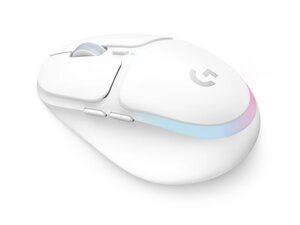
Il mouse da gioco wireless G705 è un mouse da gioco wireless Logitech LIGHTSPEED progettato per prestazioni a bassa latenza e compatibilità multi-dispositivo tramite Bluetooth. È dotato di illuminazione RGB LIGHTSYNC a tre zone, sei pulsanti programmabili e una batteria agli ioni di litio ricaricabile tramite USB-C che offre fino a 40 ore di autonomia della batteria con l'illuminazione attiva. Il mouse viene fornito con un ricevitore wireless LIGHTSPEED e un cavo di prolunga dati/ricarica per un posizionamento USB flessibile. Il design utilizza plastiche resistenti e componenti interni rinforzati pensati per un uso prolungato durante il gioco.
Il mouse da gioco wireless Logitech G705 include il mouse (M/N MR0093) e il ricevitore USB (M/N CU0021). Le etichette del modello si trovano come segue: Mouse: sull'etichetta del prodotto sul lato inferiore; Ricevitore USB: stampato sulla faccia piatta o sul lato dell'alloggiamento del ricevitore vicino al connettore USB. Ogni componente riporta i propri identificativi di modello (M/N) e di serie (S/N).
I guasti comuni rilevanti per la riparazione includono la perdita di connettività wireless, la batteria che non si carica e pulsanti/rotellina di scorrimento difettosi o rumorosi. Diagnostica la connettività controllando il pulsante di accensione sotto il mouse, riassociando o reinserendo il ricevitore LIGHTSPEED, testando la modalità Bluetooth e verificando il funzionamento del cavo/porta USB-C; diagnostica i problemi della batteria testando con un cavo USB-C funzionante e misurando la corrente di carica. Per problemi meccanici ai pulsanti o allo scorrimento, ispeziona le connessioni degli switch interni e l'encoder di scorrimento dopo aver rimosso la scocca.
Per ulteriore assistenza, visita: Visita il supporto Logitech (support.logi.com) per driver, software G HUB e opzioni di contatto.
I dettagli sulla garanzia sono forniti sul sito web Logitech; consulta la pagina della garanzia Logitech specifica per la tua regione per termini e procedure di reclamo.
Ultime 24 ore: 2
Ultimi 7 giorni: 18
Ultimi 30 giorni: 96
Tutti i Tempi: 677


