Salta al contenuto principale

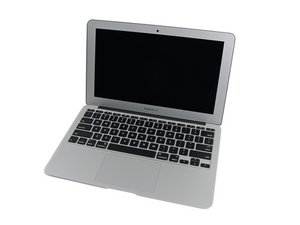
L'aggiornamento di marzo 2015 del MacBook Air da 11" di Apple offre processori Intel Core i5 e i7 di quinta generazione, con un leggero aumento delle prestazioni e della durata della batteria.

Keyboard or trackpad failure (Unit 1)

Previously working fine without any issues and have just been stored for some time unused only to occasionally give some charge to keep battery health.

Clean installation OS 12.7.6 Monterey & new batteries.

No evidence whatsoever of water damage.

Tested with a couple of new touch pad cables.

All keys seems to be working fine QWERTY 123 etc....

Touch pad seems to have all features working.

Rispondi a questa domanda Anch'io ho questo problema

Questa è una buona domanda?

Punteggio 0

2 Commenti:

What is not working? The Trackpad or the Keyboard or both?

Using an external keyboard and mouse go into About This Mac > System Report - Click on Hardware to expand and jump to USB section . Click on the section heading looking for where the Keyboard / Trackpad is listed, click on it and take a snapshot of the lower section expanded out.

da

@danj The internal KB & TP's seems to be functioning OK providing I get a second where the menus aren't popping up and down or flashing (2 units showing very similar symptoms) very weird, immaculate condition insiade and out both.....

da

Aggiungi un commento

1 Risposta

So you have ghost touch syndrome! This is a trackpad issue when moisture (cleaning liquid) has entered into the membrane sandwich. See if a hair dryer warming up the trackpad fixes things.

Questa risposta è stata utile?

Punteggio 0

4 Commenti:

I don't have a hair drier but I do have a heat gun...... I will try at say 80 degrees to see if it helps or should I go higher? Internal inspection all looks perfectly well....

da

@livfe - Hopefully lower if it hurts you it’s too hot.

da

@danj I will swap out the track pad and see if that cured it when I have a spare floating around.

da

I finally got back to this and have changed over with 3 track pads and 3 TP cables and it still has this flashing effect. Turned off auto hide the dock and restarted. Tried everything even with another SSD with Monterey on it (Clean Instal) and it still flashes. Great.

da

Aggiungi un commento

Aggiungi la tua risposta

livfe sarà eternamente grato.
Visualizza Statistiche:

Ultime 24 Ore: 0

Ultimi 7 Giorni: 1

Ultimi 30 Giorni: 17

Tutti i Tempi: 112