Salta al contenuto principale
Unisciti alla Community delle riparazioni - Crea un account

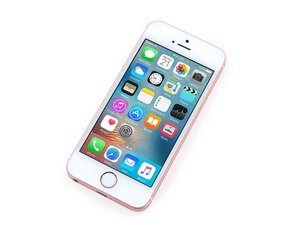
iPhone con schermo da 4" introdotto nel marzo 2016 con specifiche hardware simili a quelle dell'6s. Disponibile in Argento, Oro, Grigio siderale, Oro rosa con 16 o 64 GB. Modelli A1662 e A1723.

Error 53 iPhone SE

Hello there, I have an iPhone SE here. Sadly about 6 months ago I dropped the poor thing in the sink. I did the normal stuff like put in Rice, while heating it at 60c for a night. It came back to life after a couple days and it worked great for about 6 months. Except that it would refuse to update to 9.3.3 (latest at the time) via the software update option. I was too lazy to try it via iTunes so I left it.

Well a week ago I mustered up the courage to do it via iTunes and well, it uploaded the software and all worked until the very end when iTunes gave me the 53 error.

Sadly I just opened it a bit to see if the water stickers were tripped and sadly they are so Warranty is out of the question. The Touch ID worked 100% the whole time never gave me errors. As I write this I reseated the Touch ID cable to see if maybe it had an intermittent connection. If that doesn't work I'm out of ideas.

Any suggestions and PS: I work full time repairing smartphones but this one is my personal phone.

Risposto! Visualizza la risposta Anch'io ho questo problema

Questa è una buona domanda?

Punteggio 0
Aggiungi un commento

1 Risposta

Soluzione Prescelta

Unfortunately, there is nothing "normal" about putting a water damaged phone in rice. It is a myth that has killed too many phones.

The water is inside the phone, on the logic board and under the shields, even under the IC's. The rice is nowhere near where the water is. So while it ‘’may’’ soak up some water vapour, the real problem is the mineral deposits that can cause short circuits or the corrosion that is taking place as the water evaporates. Leaving the power on the device accelerates the process. The longer you let a phone sit in rice, the more time you are giving corrosion to damage your logic board. The saltier or harder the water is, the more damage will occur. The water needs to be displaced, not evaporated.

Sorry about that, now on to helping you.

  • Open your phone and remove the logic board (follow this guide)
  • Inspect the logic board, especially around the connectors and look for corrosion.
  • Inspect both sides of the board. Unfortunately, 80% of the board is covered in shields. That's usually where the damage is occurring.
  • Put your board in a container with >90% isopropyl alcohol and let it sit for a while.
  • Use a soft brush, like a toothbrush and lightly brush away any corrosion you see.
  • Rinse in alcohol and repeat.
  • Let it air dry for a day.
  • Re-assemble and hope for the best.

A professional repair shop that does water damage repair may be able to recover your phone or the data because they have access to pro-level ultrasonic baths and specialized cleaners as well as the skills to troubleshoot your board. Many shops have a no fix/no fee policy so you don't have to spend money to find out if the phone is fixable or not.

Questa risposta è stata utile?

Punteggio 1

2 Commenti:

I know how to do that, we also use a ultrasonic cleaner at my shop. I cleaned the board as well, there isn't any corrosion thankfully. It's just very odd to me because the touch ID worked as expected until the update, my fairly basic knowledge of touch ID is that it won't work unless if the impedance is exactly the same at the connection thus it if it doesn't work now it shouldn't have before.

da

I should mention, the company I work for does warrenty replacements on Samsung devices, we do repair IOS phones as well but we usually shy away from fine pitch SMD reflow and the likes, our policy on that is to replace the components via Samsung and not to do it with iPhone at all.

da

Aggiungi un commento

Aggiungi la tua risposta

photographictime sarà eternamente grato.
Visualizza Statistiche:

Ultime 24 Ore: 0

Ultimi 7 Giorni: 0

Ultimi 30 Giorni: 1

Tutti i Tempi: 442
