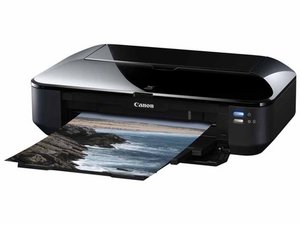
The printer is offline
the printer is offline
Questa è una buona domanda?
Punteggio
0

Rep: 1
 1
1
the printer is offline
Questa è una buona domanda?

Rep: 67
2
Your printer will display as "offline" if it can't communicate with your PC. Check to make sure the printer is turned on and connected to the same Wi-Fi network as your PC. To find out if your printer is connected to Wi-Fi, see if your printer's built-in menu has options for checking, or check the printer's manual for specific instructions.
If you're still having trouble printing, try uninstalling and reinstalling your printer driver. Select Start > Settings > Devices > Printers and scanners, then select the printer and select Remove Device. To reinstall it, select Start > Settings > Devices > Printers & scanners. Then select Add a printer or scanner and allow Windows to find nearby printers. Choose the one you want and select Add device.
Questa risposta è stata utile?
Ultime 24 Ore: 0
Ultimi 7 Giorni: 0
Ultimi 30 Giorni: 3
Tutti i Tempi: 229

1 Commento
Hello Ali,
Can you give a bit more information? What model of printer is it? what operating system are you running?
Thanks,
da gary mckie