Salta al contenuto principale
Unisciti alla Community delle riparazioni - Crea un account

VTech Baby's Learning Laptop LEDs Replacement

Cosa ti serve

  1. VTech Baby's Learning Laptop LEDs Replacement, LEDs: passo 1, immagine 1 di 1
    • To remove the battery door, loosen the screw shown using a Phillips #2 screwdriver.

    • A coin can also be used to loosen the screw.

    Chiedi a FixBot
  2. VTech Baby's Learning Laptop LEDs Replacement: passo 2, immagine 1 di 1
    • Remove the battery door.

    • Take out the batteries.

    Chiedi a FixBot
  3. VTech Baby's Learning Laptop LEDs Replacement: passo 3, immagine 1 di 2 VTech Baby's Learning Laptop LEDs Replacement: passo 3, immagine 2 di 2
    • Using a Phillips #0 screwdriver, unscrew the six 7.3mm screws holding the screen together.

    Chiedi a FixBot
  4. VTech Baby's Learning Laptop LEDs Replacement: passo 4, immagine 1 di 3 VTech Baby's Learning Laptop LEDs Replacement: passo 4, immagine 2 di 3 VTech Baby's Learning Laptop LEDs Replacement: passo 4, immagine 3 di 3
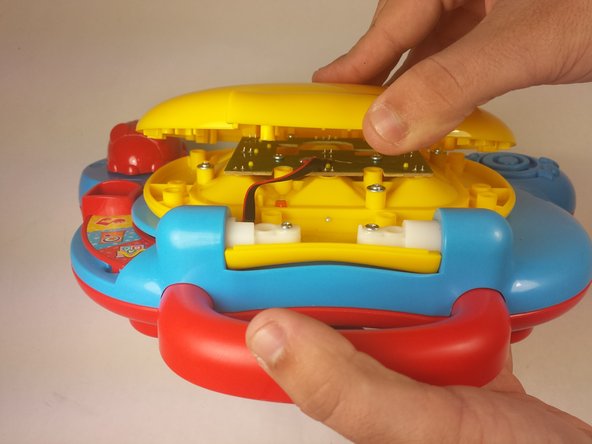
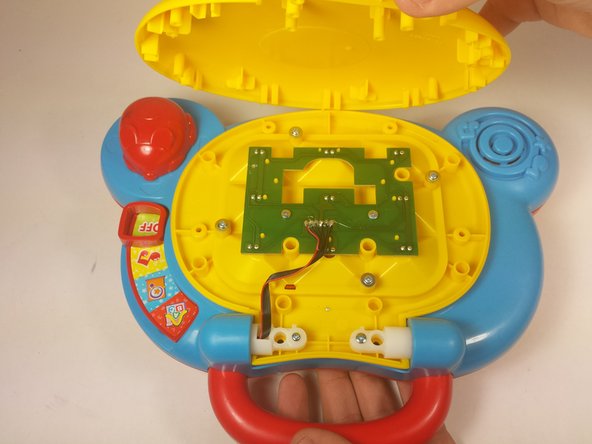
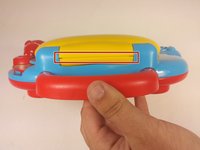
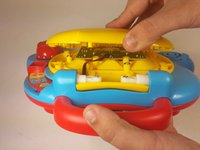
    • With the lid closed, position the device such that the handle is pointing towards you.

    • Using your fingers, gently pry open the cover from the hinge.

    • Attempting to remove the cover while the lid is still open may cause unwanted damage to the device.

    Chiedi a FixBot
  5. VTech Baby's Learning Laptop LEDs Replacement: passo 5, immagine 1 di 1
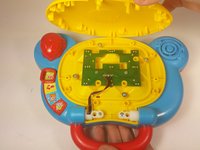
    • Remove two 6.0mm screws from the LED array using a Phillips #0 screwdriver.

    Chiedi a FixBot
  6. VTech Baby's Learning Laptop LEDs Replacement: passo 6, immagine 1 di 1
    • Pickup the array by the opening in the center of the board.

    • Remove the faulty LEDs by desoldering each from the board. You may refer to this soldering guide if necessary.

    • Movement of the array will be limited as it is still attached to the main device board.

    Chiedi a FixBot
Conclusione

To reassemble your device, follow these instructions in reverse order.

Team

USF Tampa, Team 12-2, Blackwell Fall 2015 Membro di USF Tampa, Team 12-2, Blackwell Fall 2015

USFT-BLACKWELL-F15S12G2

4 Membri

14 guide realizzate

0Commenti sulla guida

Aggiungi Commento

Visualizza Statistiche:

Ultime 24 Ore: 3

Ultimi 7 Giorni: 13

Ultimi 30 Giorni: 60

Tutti i Tempi: 1,496