Introduzione
Come accedere e sostituire lo schermo LCD in bianco e nero del Game Boy originale. Questa è una riparazione avanzata. Dovrai essere in grado di effettuare una saldatura per completare questa riparazione, quindi assicurati di dare un'occhiata alla guida alla tecnica di saldatura di iFixit.
Nota: Se il display del tuo Game Boy ha il classico problema delle "linee verticali", in realtà è più facile riparare il vecchio schermo che sostituirlo con uno nuovo. Segui questa guida per le istruzioni su come riparare il vecchio schermo.
Cosa ti serve
-
-
-
Rimuovi le dieci viti che fissano il circuito stampato all'involucro esterno.
-


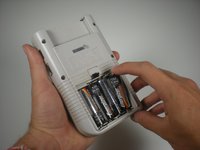
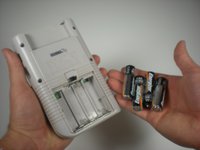


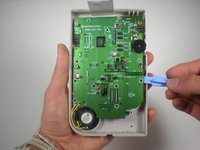
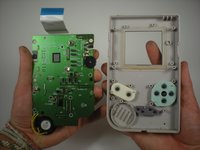


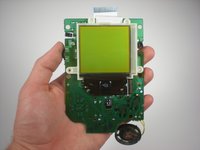
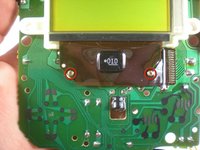
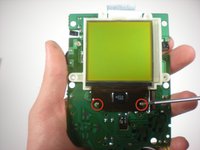
Per rimontare il dispositivo, segui queste istruzioni in ordine inverso.
Annulla: non ho completato questa guida.
Altre 47 persone hanno completato questa guida.
Un ringraziamento speciale a questi traduttori:
100%


Questi traduttori ci stanno aiutando ad aggiustare il mondo! Vuoi partecipare?
Inizia a tradurre ›



Team

Cal Poly, Team 3-2, Johann Summer 2010 Membro di Cal Poly, Team 3-2, Johann Summer 2010
CPSU-JOHANN-R10S3G2
3 Membri
36 Guide realizzate
14Commenti sulla guida
What kind of lcd screen or where can I find one that isn't off of another dmg-01 gameboy?
I was wondering the same. Maybe ebay or Amazon.
Replacement reflective LCDs are not possible to find. You can either purchase a screen salvaged from an old DMG, or get a brand new backlit LCD replacement.
mars -
What about the new display? Where to get it?
No spare part necessary should be replaced with a link where to buy a new one.
You can’t buy a new replacement screen unfortunately. Not only is it very difficult to remove the screen, it’s impossible to buy a replacement. They’d be better showing us how to fix a screen. There’s plenty of videos on YT showing how to fix blank vertical line but hardly any on how to fix horizontal lines, and the ones that do don’t work very well.
