Salta al contenuto principale

Logitech G703 Mouse Feet Replacement

Cosa ti serve

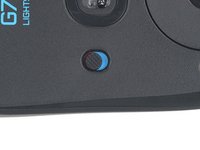
  1. Logitech G703 Mouse Feet Replacement, Turn off the mouse: passo 1, immagine 1 di 2 Logitech G703 Mouse Feet Replacement, Turn off the mouse: passo 1, immagine 2 di 2
    • Slide the mouse's power switch down so it's in the OFF position.

    • A red indicator should be visible beneath the switch.

    • Unplug all cables from the mouse.

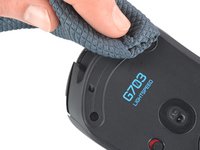
    • Throughout the repair, it may be helpful to lay the mouse on a soft cloth to stabilize it and prevent damage while you work.

  2. Logitech G703 Mouse Feet Replacement, Heat the mouse feet: passo 2, immagine 1 di 1
    • The feet are secured to the bottom of the mouse with strong adhesive. In order to cleanly remove them, the adhesive needs to be thoroughly heated.

    • Heat an iOpener and lay it on the mouse feet for one minute to heat the adhesive.

    • Alternatively, you can use a hair dryer on the Low heat setting to soften the adhesive.

    • If you're using a hair dryer, only heat the feet a few seconds at a time or you may warp the plastic shell.

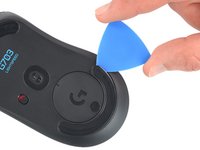
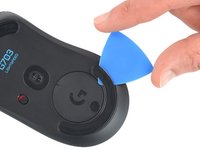
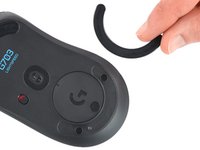
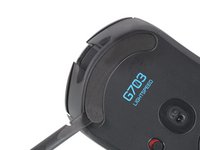
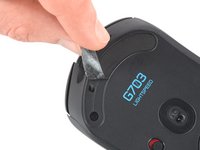
  3. Logitech G703 Mouse Feet Replacement, Remove the mouse feet: passo 3, immagine 1 di 3 Logitech G703 Mouse Feet Replacement, Remove the mouse feet: passo 3, immagine 2 di 3 Logitech G703 Mouse Feet Replacement, Remove the mouse feet: passo 3, immagine 3 di 3
    • The feet have two layers—a rubberized one and an adhesive pad underneath.

    • If you're reusing the feet, be very careful not to separate the two layers or damage the feet.

    • Slide the tip of an opening pick under an edge of the bottom mouse foot, making sure it goes under both the foot and its adhesive pad.

    • If the foot feels stuck, apply more heat and try again.

    • Gently slide the pick farther under the foot and lift until you can grip it with your fingers.

    • Use your fingers to peel up and remove the foot.

    • Repeat the procedure to remove the top mouse foot.

  4. Logitech G703 Mouse Feet Replacement, Reassembly information: passo 4, immagine 1 di 3 Logitech G703 Mouse Feet Replacement, Reassembly information: passo 4, immagine 2 di 3 Logitech G703 Mouse Feet Replacement, Reassembly information: passo 4, immagine 3 di 3
    • If the rubber layer separated from its adhesive pad:

    • Slide the flat end of a spudger under an edge of the adhesive. If the adhesive seems stuck, you may need to heat it further.

    • Peel the adhesive off.

    • To install a new foot:

    • If any of the feet got damaged during removal or separated from their adhesive pads, replace them.

    • Use a spudger to carefully scrape up and remove any remaining adhesive bits.

    • Use isopropyl alcohol and a microfiber cloth to thoroughly clean all adhesive residue from the foot recesses. Allow the surface to completely dry.

    • Remove the feet from their backing and firmly press them into place.

Conclusione

To reassemble your device, follow the above steps in reverse order.

Take your e-waste to an R2 or e-Stewards certified recycler.

Repair didn’t go as planned? Check out our Answers community for troubleshooting help.

Un'altra persona ha completato questa guida.

Team

iFixit Membro di iFixit

Staff

123 Membri

23.608 Guide realizzate

0Commenti sulla guida

Aggiungi Commento

Visualizza Statistiche:

Ultime 24 Ore: 0

Ultimi 7 Giorni: 11

Ultimi 30 Giorni: 67

Tutti i Tempi: 3,581