Salta al contenuto principale

DJI Phantom 3 Standard Remote Controller Joysticks Replacement

Cosa ti serve

  1. DJI Phantom 3 Standard Remote Controller Joysticks Replacement, Joysticks: passo 1, immagine 1 di 2 DJI Phantom 3 Standard Remote Controller Joysticks Replacement, Joysticks: passo 1, immagine 2 di 2
    • Position the controller so the back is facing up and the joysticks are resting on the table.

    • Remove the four 11 mm screws that secure the back plate using a JIS #0 screwdriver.

    • Remove the back plate, being mindful of the wires still connected to the device.

  2. DJI Phantom 3 Standard Remote Controller Joysticks Replacement: passo 2, immagine 1 di 1
    • On the inside of the controller, remove the four 11 mm screws that cover the base housing of the joystick.

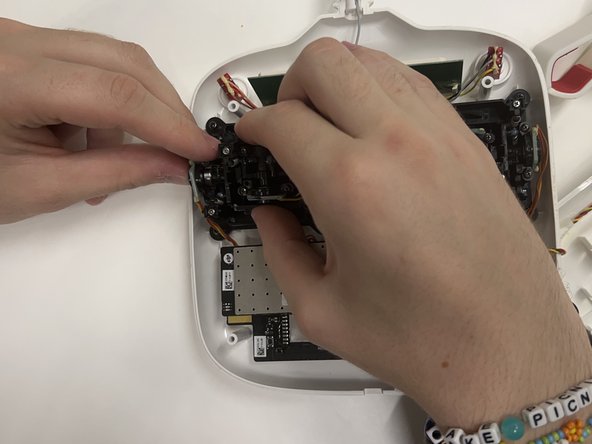
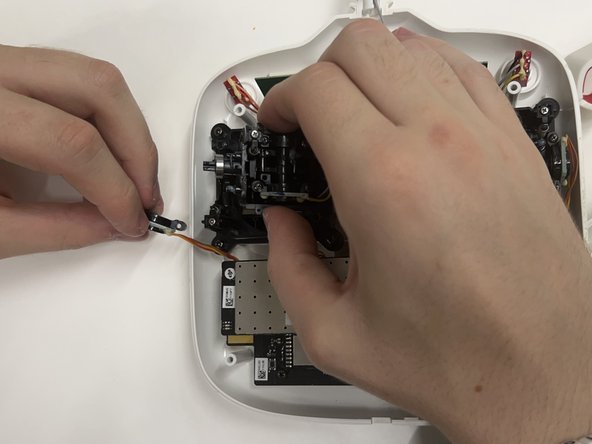
  3. DJI Phantom 3 Standard Remote Controller Joysticks Replacement: passo 3, immagine 1 di 3 DJI Phantom 3 Standard Remote Controller Joysticks Replacement: passo 3, immagine 2 di 3 DJI Phantom 3 Standard Remote Controller Joysticks Replacement: passo 3, immagine 3 di 3
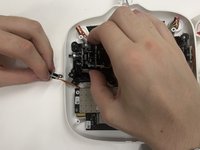
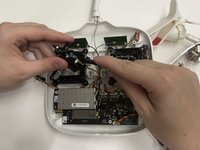
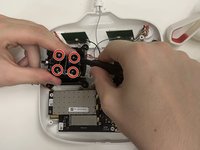
    • Inside the base housing, remove the two 9 mm screws that secure the joystick brace piece on both the left and right side of the stick.

    • Remove the braces on the left and right sides of the joystick to reach the circuit board piece on the left.

    • Detach the circuit board piece.

  4. DJI Phantom 3 Standard Remote Controller Joysticks Replacement: passo 4, immagine 1 di 2 DJI Phantom 3 Standard Remote Controller Joysticks Replacement: passo 4, immagine 2 di 2
    • Separate the other circuit board piece from the joystick connection using a plastic spudger.

    • The circuit board is wired through glue. If the plastic spudger is unable to pry the glue off, use the metal spudger as a last resort.

    • Take the joystick module itself and remove the four 8 mm screws that connect the joystick to the housing.

    • Unscrew the thumb stick from the module if a replacement is not needed.

  5. DJI Phantom 3 Standard Remote Controller Joysticks Replacement: passo 5, immagine 1 di 1
    • Remove the joystick.

Conclusione

To reassemble your device, follow these instructions in reverse order.

0Commenti sulla guida

Aggiungi Commento

Visualizza Statistiche:

Ultime 24 Ore: 0

Ultimi 7 Giorni: 2

Ultimi 30 Giorni: 8

Tutti i Tempi: 194