Salta al contenuto principale
Unisciti alla Community delle riparazioni - Crea un account

Introduzione

Vai al passo 1 ↓

This is a list of the OLPC XO-4 Touch laptop's major components.

Questo smontaggio non è una guida di riparazione. Per riparare il tuo OLPC XO-4 Touch, usa il nostro manuale di assistenza.

    1. OLPC XO-4 List of  Parts, OLPC XO-4 List of  Parts: passo 1, immagine 1 di 2 OLPC XO-4 List of  Parts, OLPC XO-4 List of  Parts: passo 1, immagine 2 di 2
      • Battery

      Chiedi a FixBot

      Aggiungi Commento

    2. OLPC XO-4 List of  Parts: passo 2, immagine 1 di 2 OLPC XO-4 List of  Parts: passo 2, immagine 2 di 2
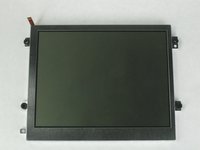
      • White handle piece

      Chiedi a FixBot
      Aggiungi Commento

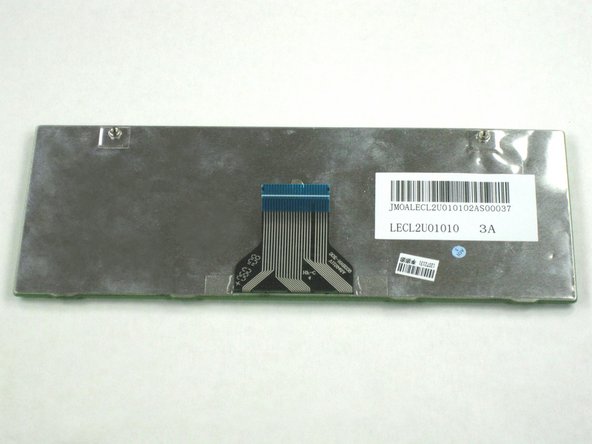
    3. OLPC XO-4 List of  Parts: passo 3, immagine 1 di 2 OLPC XO-4 List of  Parts: passo 3, immagine 2 di 2
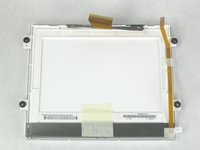
      • Keyboard

      Chiedi a FixBot
      Aggiungi Commento

    4. OLPC XO-4 List of  Parts: passo 4, immagine 1 di 1
      • Motherboard

      • Wireless Card

      Chiedi a FixBot

      Aggiungi Commento

    5. OLPC XO-4 List of  Parts: passo 5, immagine 1 di 2 OLPC XO-4 List of  Parts: passo 5, immagine 2 di 2
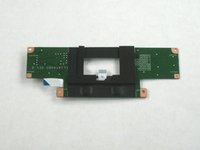
      • Mouse buttons controller

      Chiedi a FixBot

      Aggiungi Commento

    6. OLPC XO-4 List of  Parts: passo 6, immagine 1 di 2 OLPC XO-4 List of  Parts: passo 6, immagine 2 di 2
      • Screen Cover (front and back)

      Chiedi a FixBot

      Aggiungi Commento

    7. OLPC XO-4 List of  Parts: passo 7, immagine 1 di 2 OLPC XO-4 List of  Parts: passo 7, immagine 2 di 2
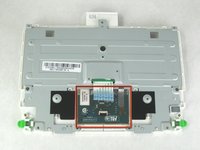
      • Screen

      Chiedi a FixBot
      Aggiungi Commento

    8. OLPC XO-4 List of  Parts: passo 8, immagine 1 di 1
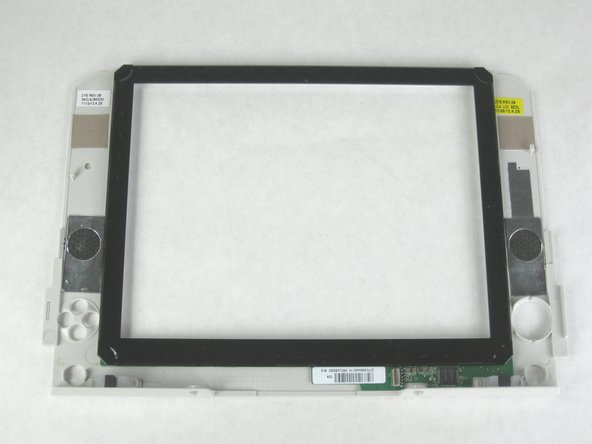
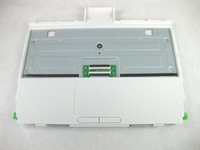
      • Front Screen Cover

      Chiedi a FixBot
      Aggiungi Commento

    9. OLPC XO-4 List of  Parts: passo 9, immagine 1 di 2 OLPC XO-4 List of  Parts: passo 9, immagine 2 di 2
      • Lower Frame

      • Touchpad Controller

      Chiedi a FixBot

      Aggiungi Commento

    10. OLPC XO-4 List of  Parts: passo 10, immagine 1 di 1
      • Bottom white cover

      Chiedi a FixBot

      Aggiungi Commento

Autore

con

Robby Hubilla

Membro da: 01/24/13

59 Reputazione

2 guide realizzate

Team

Cal Poly, Team 3-30, Amido Winter 2013 Membro di Cal Poly, Team 3-30, Amido Winter 2013

CPSU-AMIDO-W13S3G30

3 Membri

72 guide realizzate

3Commenti sulla guida


I participated in your program in 2008 and purchased a XO Laptop. Since I did not have any grandchildren at the time, I stored the laptop in a cabinet new in the box. Now that I have grandchildren, I would like to give the laptop to them,  but after charging the laptop, it went on but nothing happened. Do you have any suggestions as to what could be wrong with the laptop? Would it need a new battery since it was stored for about 15 years? Any assistance you could give me would be greatly appreciated.

Thank you,

Diane

Diane Schaefer - Rispondi Condividi

@dianeschaefer I'm not associated with OLPC, but here is the troubleshooting guide on their own wiki: https://wiki.laptop.org/go/XO_Troublesho...

Without testing, I don't know what condition the main battery is in (it might even work), but your laptop probably needs a new CMOS battery. A dead CMOS battery can scramble the time and date and prevent the laptop working: https://wiki.laptop.org/go/Fix_Clock

Sparky - Rispondi Condividi

I'm sorry to have not responded earlier, but I am in no way associated with the program, never have been. I was just interested in repairing one, that was the only reason for my contribution. To answer your question, it's very likely the battery is what's wrong, but I'm not sure if you could find a replacement anymore. Perhaps it will run if plugged in at all times?

cuvtixo - Rispondi Condividi

Aggiungi Commento

Visualizza statistiche:

Ultime 24 ore: 1

Ultimi 7 giorni: 6

Ultimi 30 giorni: 46

Tutti i Tempi: 2,271