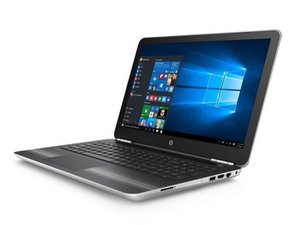

How can I reconnect the hard drive inside?
the Hard Drive inside got disconnected. how do I reconnect it?
Questa è una buona domanda?
Punteggio
0
Reputazione: 554,1k
 11
 426
 1,6k
Hi @kaimartin
Can you hear the HDD spin up when you start the laptop?
Start the laptop and get into BIOS and check in BIOS > Boot Options > EUFI boot order > OS boot manager and check if there's a HDD listed there..
Here's a video that shows how to get into BIOS to check.
If you don't hear the HDD spin up when starting and if there's no HDD listed then either the HDD has failed or as you suggest it might be disconnected from the motherboard somehow.
Here's the maintenance and service guide taken from this support webpage for the laptop. Go to p.32 (42 of 94 pdf) to view the procedure to remove the HDD. Doing this will allow you to check if it is connected securely. If it is then most likely it has failed and will need to be replaced. Hopefully you've backed up your data recently as it may be difficult (and expensive) to recover the data.
If you hear the HDD spin up when starting and if there is a HDD listed then most likely it is a corrupted EFI partition. Search online for how to repair an EFI partition
Questa risposta è stata utile?
Reputazione: 3,6k
5
10
1
To reconnect a disconnected internal hard drive, open your computer case, check the connections between the hard drive and the motherboard, ensuring the power and data cables are securely plugged in, and tighten any loose screws; if the issue persists, try connecting the hard drive to a different SATA port on the motherboard and restart your computer.
Questa risposta è stata utile?
Ultime 24 ore: 2
Ultimi 7 giorni: 10
Ultimi 30 giorni: 39
Tutti i Tempi: 409



3 Commenti
How did it become disconnected?
You will need to open the laptop - the ifixit battery replacement guide can help with getting it open:
Sostituzione batteria HP Pavilion 15-au
Then check for drive - either a 2.5" style drive or an M.2.
Depends on the model and age.
In the video linked it has a 2.5" hard drive you can see in lower left. A 2.5" SSD will be similar size, in same location.
If it's an M.2 type drive, it will look different to that teardown video, and be connected on the motherboard somewhere. Hopefully on the same/bottom side so you won't have to take the whole board etc out. It is secured by a small screw, or possibly a little plastic retention clip. Sometimes the M.2 drives are physically shorter and have a kind of adapter connected. These and the retention clips are suspects if it got disconnected from a fall or sudden shock.
We would need the exact model number of the laptop to help you more.
da Darren Lucas Condividi
Hi @kaimartin
Are you sure that it is physically disconnected or just that it is not being detected by the motherboard BIOS?
What is the full model number of the laptop as shown on the product information label on the bottom of the laptop?
da jayeff Condividi
it's the model 15-au018wm
da Kai Martin Condividi