
 4
4 [Solved] MacBook Air (2015) Won't Turn On
Solved!!
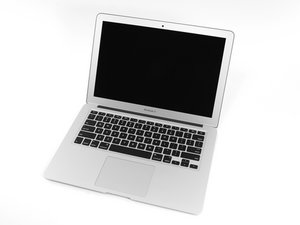
Original title: [Assistance Needed] MacBook Air (2015) Won't Turn On - Fan Spins, No Display
Hi everyone,
I’m really hoping someone here can help me out with a problem I’m having with my MacBook Air (Early 2015). A few months ago, it started acting up by randomly cutting out while I was using it. Getting it to reboot was a nightmare; I had to press the power button over and over until I heard a click. Sometimes it would power on and I could use it until it cut out randomly again, but the amount of power button pressing needed kept increasing.
I thought it might be a battery issue because I replaced the battery about a year ago. Initially, it was fine, but then these power issues started maybe a month or so before it became difficult to power on. I suspect it might be due to taking the laptop with me while traveling.
I opened it up, checked for any visible damage or rust (couldn't see any), took the battery out and put it back in, but it didn’t really help. Sometimes, I could still get it to charge (the orange light would come on), but it wouldn’t start up.
I even ordered a new battery thinking that might solve the problem, but no luck. Now, it’s completely dead. It doesn’t turn on at all, no clicks, nothing happens. The only thing that happens is if I do this weird sequence: hold the power button for 10 seconds, connect the battery, then plug in the MagSafe charger while still holding the power button for another 10 seconds, and then let go. The fan spins at high speed continuously, but the screen stays black and there’s no response from the keyboard (Caps Lock key doesn’t light up).
I’ve tried all fixes I could find online – SMC reset, PRAM/NVRAM reset, powering on without the battery, disconnecting the SSD – but nothing seems to work. I even cleaned the motherboard (I don't know what most of it does, but dusted it town etc) as best I can with methylated spirits, made sure all the connectors were secure, and tested with an external monitor (no signal there either).
It’s driving me nuts because I used to be able to get it to turn on occasionally, but now it’s just dead except for the fan spinning when I do that power button trick. I’m starting to think it might be something deeper like a logic board issue, but I’m not sure.
Has anyone here experienced something similar or have any ideas on what else I could try? I’m really stuck and could use any advice or tips you might have. Thanks a lot for any help you can offer!
P.S. I upgraded the Macbook to MacOS Monterey about a year ago, although I doubt this is causing the issue, also upgraded my SSD to 1TB, but worked fine for many months so doubt that's also the cause. Model is A1466 by the way.
Questa è una buona domanda?

 42
42  36
36 

9 Commenti
What SSD did you use?
da Dan
@danj Hi Dan, it's a 1TB Nvme SSD WD Blue SN570, I also use a OLVINS M.2 NVME SSD Convert Adapter Card Upgrade so that it can fit in the SSD slot, which is why in the photo they're taped together
da Max
Just wondering, is it worth it to try and buy a new charging lead? I just don't understand how the power seems to only be supplying the fan, also sometimes the charging lead LED doesn't light up when its plugged in, there's no light, other times it goes green for a second then orange
da Max
@maxmrry - if the MagSafe chargers LED is Amber it’s under charge, if it’s no lit at all then it could be a dirty connection. Get a cotton swab slightly wet with Isopropyl alcohol scrubbing the system socket and the charger connector pins. You may want to use a fresh (still soft) pink pencil eraser to polish the contact surfaces, then wiping them again with a wet cotton swab to clean off anything still on the surface.
Do you still have the original SSD? If you do how about putting it in. I’ve often faced issues with M2 SSDs with an adapter either the adapter failed and/or the SSD.
da Dan
@danj Thanks for your reply Dan😊 so today I took out the motherboard and DCN board to check it and used methylated spirits (the closest thing to isopropyl alcohol I could find around the house as I wasn't able to get to shops today as they're closed where I live) in parts to clean it, possibly when I was replacing the DCN board I put the connectors back wrong, which could explain why no orange light appears sometimes now, although it's not all the time, thank you for the suggestion of using an eraser on it, I will try that!
I don't have the original SSD unfortunately but when taking the SSD and adapter out, the same strange thing happens when I power it on nothing comes up on the display, and the fan goes at full speed.
Another thing to note is that I did the strange power on technique earlier and as I held down the power button between that and connecting the magsafe I put the battery in- it's the only way the fan can turn on, if I try the power on technique with the battery inserted the fan doesnt go
da Max
Mostra altri 4 commenti