Introduzione
The battery of the iRobot Roomba i6 model can wear down after time and require replacement. This guide will show you in 2 quick steps how to replace the battery.
Cosa ti serve
-
-
Using your PH2 size screwdriver, remove the edge sweeping brush.
-
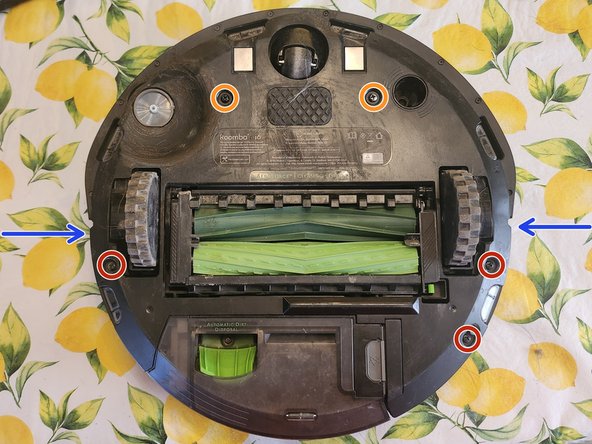
Using your PH2 size screwdriver, remove the 5 screws highlighted in the 2nd picture.
-
These top two screws highlighted in orange will unscrew completely if you keep going so be sure to stop unscrewing them as soon as you feel resistance.
-
Lift the bottom cover straight up off of the Roomba from the two spots the arrows are pointing to.
 Chiedi a FixBot
-
-
-
-
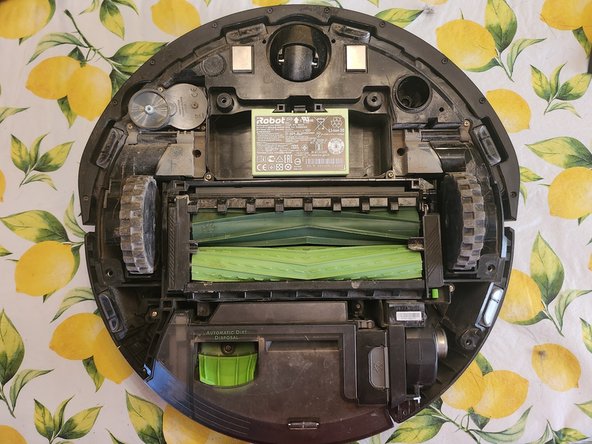
Push the highlighted tab up while lifting the battery out of the Roomba.
-



Conclusione
To install the new battery, follow these instructions in reverse order.

