Introduzione
L'aggiornamento della memoria RAM garantisce un notevole aumento della velocità.
Cosa ti serve
-
-
Rimuovi le dieci viti seguenti:
-
Tre viti con testa a croce Phillips #00 da 14,4 mm
-
Tre viti con testa a croce Phillips #00 da 3,5 mm
-
Quattro viti Phillips #00 da 3,5 mm con testa a croce e colletto
-
-
-
-
Usa l'estremità di uno spudger per rimuovere il connettore della batteria dal suo zoccolo sulla scheda logica.
-


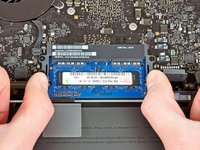
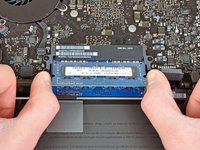

Per riassemblare il dispositivo, seguire le istruzioni in ordine inverso.
Annulla: non ho completato questa guida.
Altre 610 persone hanno completato questa guida.
Un ringraziamento speciale a questi traduttori:
100%


Questi traduttori ci stanno aiutando ad aggiustare il mondo! Vuoi partecipare?
Inizia a tradurre ›


49Commenti sulla guida
Just replaced my 4GB with 16GB of PNY from Best Buy. AWESOME difference in performance!!
Any memory kit that is either validated by Apple or that has the proper channel configuration (9-9-9-24) is okay to use. If you are looking for pure performance RAM, a kit of Corsair Vengeance RAM is okay to use (again, check the channel configuration), but most people will benefit from a kit of Corsair Mac Memory or the kit that iFixit provides in the volume of your choice.
