Salta al contenuto principale

Dell Latitude 5480 Battery Replacement

Cosa ti serve

  1. Dell Latitude 5480 Battery Replacement, Lower Case: passo 1, immagine 1 di 1
    • Use a Phillips screwdriver to remove the eight 5.6 mm screws that secure the lower case.

  2. Dell Latitude 5480 Battery Replacement: passo 2, immagine 1 di 3 Dell Latitude 5480 Battery Replacement: passo 2, immagine 2 di 3 Dell Latitude 5480 Battery Replacement: passo 2, immagine 3 di 3
    • Insert an opening tool into the seam between the lower case and chassis.

    • Pry up around the perimeter of the device until the lower case fully releases.

    • Lift off the lower case.

  3. Dell Latitude 5480 Battery Replacement, Dell Latitude 5480 Battery Disconnection: passo 3, immagine 1 di 2 Dell Latitude 5480 Battery Replacement, Dell Latitude 5480 Battery Disconnection: passo 3, immagine 2 di 2
    • Grip the black battery cable connector loop and pull it directly up to disconnect the battery.

  4. Dell Latitude 5480 Battery Replacement, Battery: passo 4, immagine 1 di 2 Dell Latitude 5480 Battery Replacement, Battery: passo 4, immagine 2 di 2
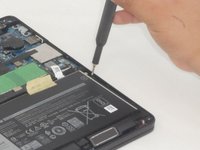
    • Remove the four 5.6 mm Phillips screws that secure the battery.

  5. Dell Latitude 5480 Battery Replacement: passo 5, immagine 1 di 3 Dell Latitude 5480 Battery Replacement: passo 5, immagine 2 di 3 Dell Latitude 5480 Battery Replacement: passo 5, immagine 3 di 3
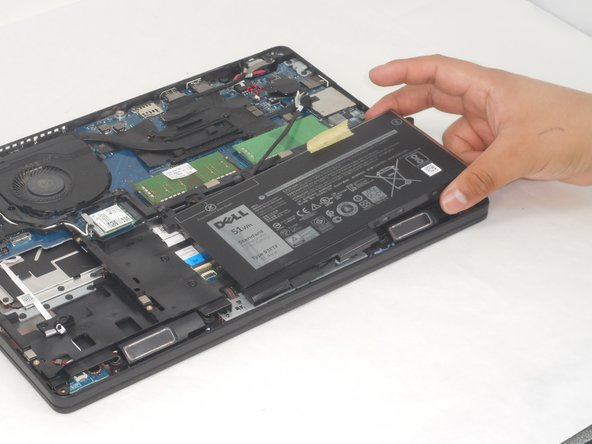
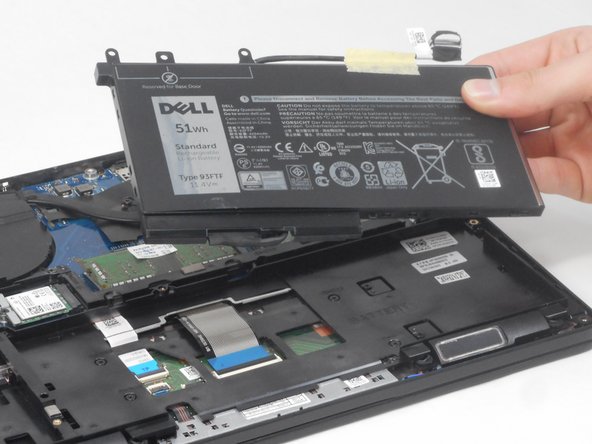
    • Lift the battery up and out of the chassis.

Conclusione

To reassemble your device, follow these instructions in reverse order.

Un'altra persona ha completato questa guida.

0Commenti sulla guida

Aggiungi Commento

Visualizza Statistiche:

Ultime 24 Ore: 0

Ultimi 7 Giorni: 3

Ultimi 30 Giorni: 32

Tutti i Tempi: 673