Salta al contenuto principale
Unisciti alla Community delle riparazioni - Crea un account
iMac Intel 21.5" EMC 2428 Audio Ports Replacement

Cosa ti serve

  1. iMac Intel 21.5" EMC 2428 Audio Ports Replacement, Glass Panel: passo 1, immagine 1 di 2 iMac Intel 21.5" EMC 2428 Audio Ports Replacement, Glass Panel: passo 1, immagine 2 di 2
    Strumento utilizzato in questo passaggio:
    Heavy-Duty Suction Cups (Pair)
    $16.95
    • Before beginning, unplug your iMac and lay it on a soft surface as shown.

    • Stick a suction cup near each of the two top corners of the glass panel.

    • To attach the suction cups we sell, first position the suction cup with the movable handle parallel to the face of the glass panel. While lightly holding the suction cup against the glass, raise the movable handle until it is parallel with the other handle.

    • If your suction cups refuse to stick, try cleaning both the glass panel and the suction cup with a mild solvent.

    Chiedi a FixBot

    Aggiungi Commento

  2. iMac Intel 21.5" EMC 2428 Audio Ports Replacement: passo 2, immagine 1 di 2 iMac Intel 21.5" EMC 2428 Audio Ports Replacement: passo 2, immagine 2 di 2
    • Gently lift the glass panel perpendicular to the face of the LCD enough to clear the steel mounting pins attached along the underside of the top edge of the glass panel.

    • Pull the glass panel away from the lower edge of the iMac and carefully set it aside.

    • During reinstallation, be sure to meticulously clean the inside of the glass panel and the face of the LCD as any dust or fingerprints trapped inside will be annoyingly visible when the machine is turned on.

    Chiedi a FixBot

    Aggiungi Commento

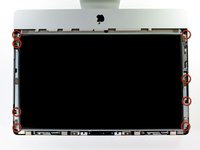
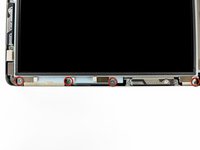
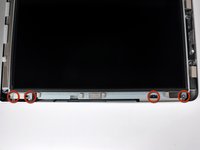
  3. iMac Intel 21.5" EMC 2428 Audio Ports Replacement, Display: passo 3, immagine 1 di 3 iMac Intel 21.5" EMC 2428 Audio Ports Replacement, Display: passo 3, immagine 2 di 3 iMac Intel 21.5" EMC 2428 Audio Ports Replacement, Display: passo 3, immagine 3 di 3
    • Remove the eight 8 mm T10 Torx screws securing the display to the outer case.

    • The last two pictures are detail shots of each side of the display.

    Chiedi a FixBot

    Aggiungi Commento

  4. iMac Intel 21.5" EMC 2428 Audio Ports Replacement: passo 4, immagine 1 di 1
    • Slightly lift the top edge of the display out of the outer case.

    • Do not lift it too much. There are several cables attaching the display to the logic board. Twisting or pulling the display assembly with the cables attached will damage your iMac.

    Chiedi a FixBot

    Aggiungi Commento

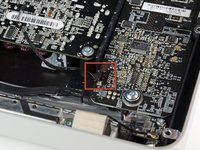
  5. iMac Intel 21.5" EMC 2428 Audio Ports Replacement: passo 5, immagine 1 di 2 iMac Intel 21.5" EMC 2428 Audio Ports Replacement: passo 5, immagine 2 di 2
    • Pull the vertical sync cable connector out of its socket on the LED driver board near the top left corner of your iMac.

    Chiedi a FixBot

    Aggiungi Commento

  6. iMac Intel 21.5" EMC 2428 Audio Ports Replacement: passo 6, immagine 1 di 2 iMac Intel 21.5" EMC 2428 Audio Ports Replacement: passo 6, immagine 2 di 2
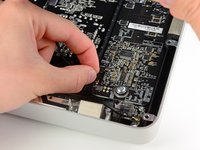
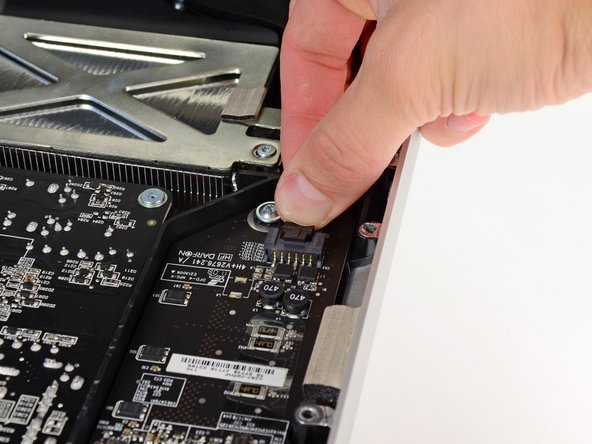
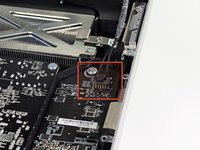
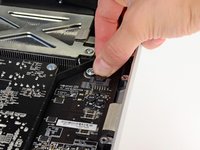
    • Rotate the display out of the outer case enough to disconnect the LED backlight power cable from the LED driver board.

    • Disconnect the LED backlight power cable by depressing the locking mechanism while pulling the connector away from its socket (toward the bottom edge of the iMac).

    Chiedi a FixBot

    Aggiungi Commento

  7. iMac Intel 21.5" EMC 2428 Audio Ports Replacement: passo 7, immagine 1 di 3 iMac Intel 21.5" EMC 2428 Audio Ports Replacement: passo 7, immagine 2 di 3 iMac Intel 21.5" EMC 2428 Audio Ports Replacement: passo 7, immagine 3 di 3
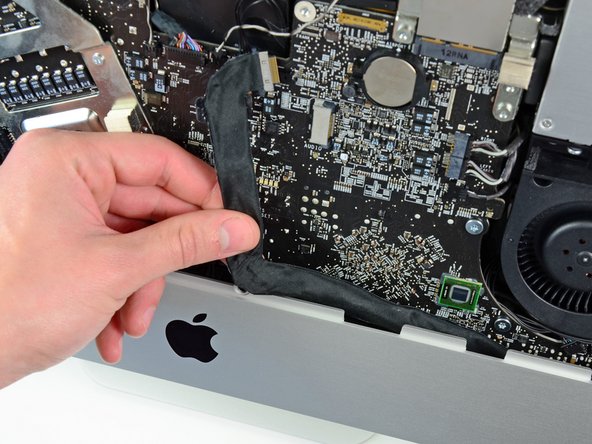
    • Grab the plastic pull tab secured to the display data cable lock and rotate it towards upwards.

    • Pull the display data cable straight out of its socket on the logic board.

    • Do not lift up on the display data cable, as its socket is very fragile. Pull the cable parallel to the face of the logic board.

    Chiedi a FixBot

    Aggiungi Commento

  8. iMac Intel 21.5" EMC 2428 Audio Ports Replacement: passo 8, immagine 1 di 2 iMac Intel 21.5" EMC 2428 Audio Ports Replacement: passo 8, immagine 2 di 2
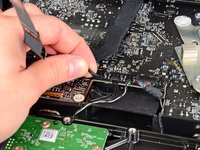
    • Disconnect the LCD thermal sensor cable connector from its socket on the logic board.

    Chiedi a FixBot

    Aggiungi Commento

  9. iMac Intel 21.5" EMC 2428 Audio Ports Replacement: passo 9, immagine 1 di 1
    • Carefully pull the display toward the top edge of your iMac and lift it out of the outer case, minding any cables that may get caught.

    Chiedi a FixBot

    Aggiungi Commento

  10. iMac Intel 21.5" EMC 2428 Audio Ports Replacement, Audio Ports: passo 10, immagine 1 di 2 iMac Intel 21.5" EMC 2428 Audio Ports Replacement, Audio Ports: passo 10, immagine 2 di 2
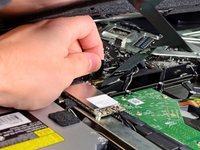
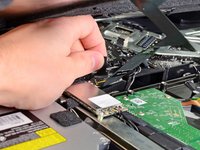
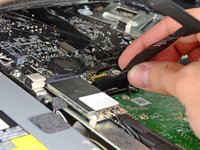
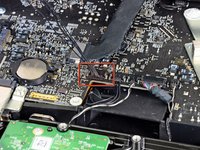
    • Disconnect the audio port cable by pulling its connector toward the left side of the iMac.

    • Peel the audio port cable off the front face of the logic board.

    Chiedi a FixBot

    Aggiungi Commento

  11. iMac Intel 21.5" EMC 2428 Audio Ports Replacement: passo 11, immagine 1 di 1
    • Remove two 5 mm T10 Torx screws securing the audio ports to the outer case.

    Chiedi a FixBot

    Aggiungi Commento

  12. iMac Intel 21.5" EMC 2428 Audio Ports Replacement: passo 12, immagine 1 di 1
    Strumento utilizzato in questo passaggio:
    Tweezers
    $4.99
    • Lift the audio ports out of the outer case.

    • A pair of tweezers is helpful to put the ports back in place. First insert the lower tab into the bracket on the outer case, then fasten the screw to secure the jack to the outer case.

    • During reinstallation, it may be helpful to plug in a pair of headphones to each jack before tightening them down completely.

    Chiedi a FixBot

    Aggiungi Commento

Conclusione

To reassemble your device, follow these instructions in reverse order.

Annulla: non ho completato questa guida.

Altre 7 persone hanno completato questa guida.

1Commento della guida

Does anyone know whether I can connect another audio source to this iMac's Loudspeakers - and how? From the instructions it's not obvious how to use the speakers standalone from a different source.
For context: I have broken iMac with a working LCD that I can use as a external Monitor with a HDMI controller board. I would love to use the great sound of the loudspeakers, too, somehow.

huedrant - Rispondi Condividi

Aggiungi Commento

Visualizza statistiche:

Ultime 24 ore: 3

Ultimi 7 giorni: 23

Ultimi 30 giorni: 95

Tutti i Tempi: 20,112