Salta al contenuto principale
Unisciti alla Community delle riparazioni - Crea un account

World Dryer Airforce J4-973A3 Server Board Replacement

Cosa ti serve

  1. World Dryer Airforce J4-973A3 Server Board Replacement, Server Board: passo 1, immagine 1 di 3 World Dryer Airforce J4-973A3 Server Board Replacement, Server Board: passo 1, immagine 2 di 3 World Dryer Airforce J4-973A3 Server Board Replacement, Server Board: passo 1, immagine 3 di 3
    • Begin by removing both screws and the brushed metal casing. Simply lift up at the indicated area with your hand.

    • The INSTALL and REMOVE indicators may be incorrect, so exercise caution when removing the screws.

    Chiedi a FixBot

    Aggiungi Commento

  2. World Dryer Airforce J4-973A3 Server Board Replacement: passo 2, immagine 1 di 2 World Dryer Airforce J4-973A3 Server Board Replacement: passo 2, immagine 2 di 2
    • Remove both 3/8" Ph2 screws attached to the grey belt at the top and bottom.

    • Lift the grey belt away. This gives access to the server board.

    Chiedi a FixBot

    Aggiungi Commento

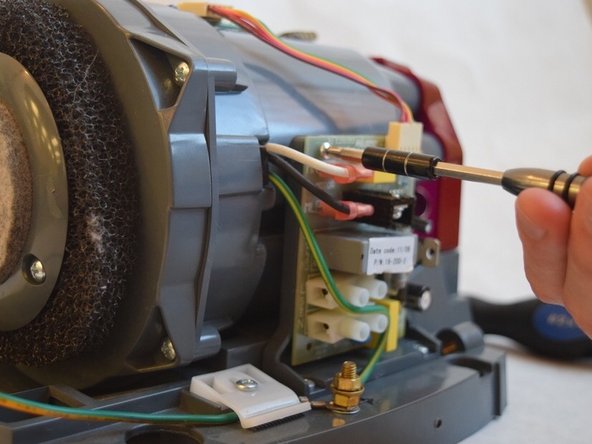
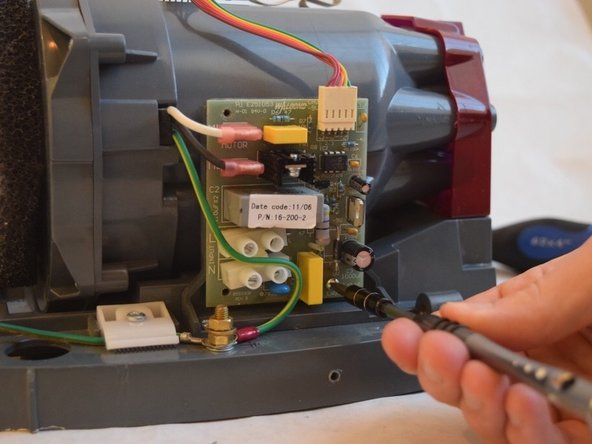
  3. World Dryer Airforce J4-973A3 Server Board Replacement: passo 3, immagine 1 di 3 World Dryer Airforce J4-973A3 Server Board Replacement: passo 3, immagine 2 di 3 World Dryer Airforce J4-973A3 Server Board Replacement: passo 3, immagine 3 di 3
    • Remove all three 1/2" Ph1 screws connecting the server board to the device.

    • During reassembly, install the screws before reattaching the wires.

    Chiedi a FixBot

    Aggiungi Commento

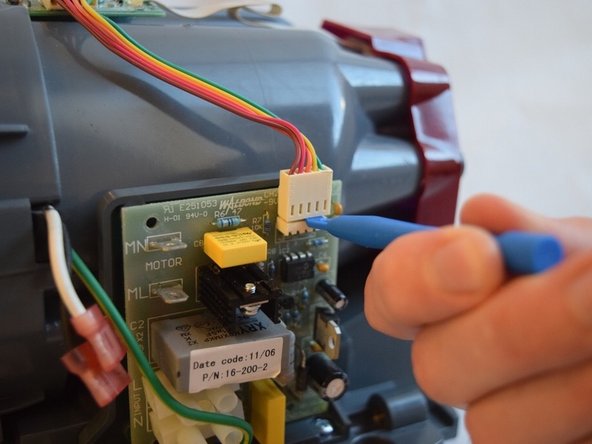
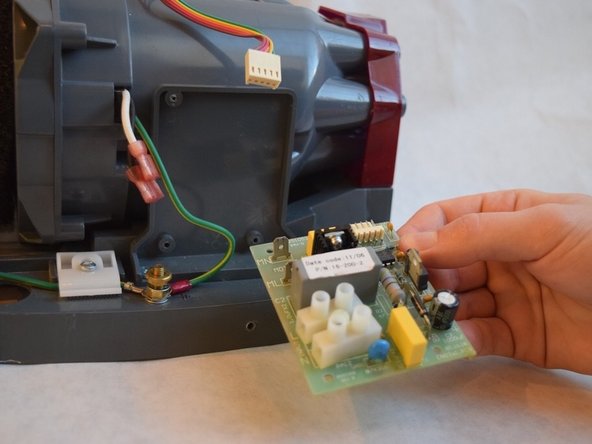
  4. World Dryer Airforce J4-973A3 Server Board Replacement: passo 4, immagine 1 di 3 World Dryer Airforce J4-973A3 Server Board Replacement: passo 4, immagine 2 di 3 World Dryer Airforce J4-973A3 Server Board Replacement: passo 4, immagine 3 di 3
    • Use a plastic opening tool to remove the two pink capped wires in the upper left corner of the server board.

    • Use the same tool to dislodge the white capped ribbon bus with the multi-colored wires.

    • After these steps, the server board should easily come off the side of the device.

    Chiedi a FixBot

    Aggiungi Commento

Conclusione

To reassemble your device, follow these instructions in reverse order.

Annulla: non ho completato questa guida.

0Commenti sulla guida

Aggiungi Commento

Visualizza statistiche:

Ultime 24 ore: 2

Ultimi 7 giorni: 8

Ultimi 30 giorni: 41

Tutti i Tempi: 553