Salta al contenuto principale
Unisciti alla Community delle riparazioni - Crea un account

Engage Wired Optical Mouse Upper Board Removal

Cosa ti serve

  1. Engage Wired Optical Mouse Upper Board Removal, Engage Wired Optical Mouse Top and Outer Shell Removal: passo 1, immagine 1 di 1
    • Flip the mouse over and peel off the stickers on the perimeter of the bottom of the mouse.

  2. Engage Wired Optical Mouse Upper Board Removal: passo 2, immagine 1 di 1
    • Use the Phillips #1 screwdriver to remove four 5 mm screws from the bottom of the mouse.

    • Use the Phillips #1 screwdriver to remove the two 9 mm screws from the bottom of the mouse.

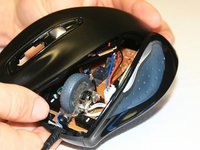
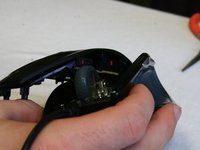
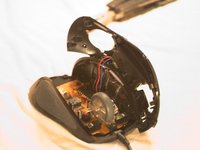
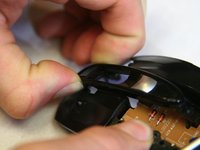
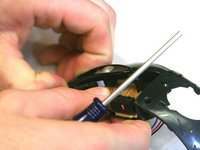
  3. Engage Wired Optical Mouse Upper Board Removal: passo 3, immagine 1 di 3 Engage Wired Optical Mouse Upper Board Removal: passo 3, immagine 2 di 3 Engage Wired Optical Mouse Upper Board Removal: passo 3, immagine 3 di 3
    • Grab the top shell of the mouse and lift up to remove.

  4. Engage Wired Optical Mouse Upper Board Removal: passo 4, immagine 1 di 1
    • The capacitors on this board can release stored electrical energy if touched.

    • Touch your capacitor discharge tool to the capacitor leads on the board to release the stored energy. If leads are inaccessible, wait until you've removed the board from the mouse body.

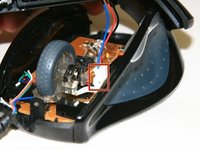
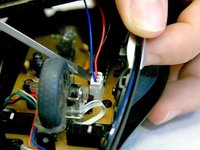
  5. Engage Wired Optical Mouse Upper Board Removal: passo 5, immagine 1 di 2 Engage Wired Optical Mouse Upper Board Removal: passo 5, immagine 2 di 2
    • Use a spudger to pry underneath the white plug and pop it out to disconnect the upper board from the lower board.

  6. Engage Wired Optical Mouse Upper Board Removal, Top Shell: passo 6, immagine 1 di 1
    • Remove the 5 mm round head screw holding the middle piece to the top piece.

    • The outermost shell will now separate from the middle structure.

  7. Engage Wired Optical Mouse Upper Board Removal, Upper Board: passo 7, immagine 1 di 1
    • Using the Phillips #1 screwdriver, unscrew the 5 mm black flat head screw that's securing the scroll wheel cage.

  8. Engage Wired Optical Mouse Upper Board Removal: passo 8, immagine 1 di 2 Engage Wired Optical Mouse Upper Board Removal: passo 8, immagine 2 di 2
    • Pinch the cage to release snaps. You can now pull the cage off.

  9. Engage Wired Optical Mouse Upper Board Removal: passo 9, immagine 1 di 1
    • Remove the screw holding the circuit board down.

    • The board will now pop off easily.

Conclusione

To reassemble your device, follow these instructions in reverse order.

Altre 2 persone hanno completato questa guida.

David

Membro da: 01/16/13

1.301 Reputazione

4 Guide realizzate

Team

Cal Poly, Team 18-36, Regan Winter 2013 Membro di Cal Poly, Team 18-36, Regan Winter 2013

CPSU-REGAN-W13S18G36

3 Membri

30 Guide realizzate

0Commenti sulla guida

Aggiungi Commento

Visualizza Statistiche:

Ultime 24 Ore: 0

Ultimi 7 Giorni: 4

Ultimi 30 Giorni: 21

Tutti i Tempi: 1,097