Questa traduzione è stata generata automaticamente e non è stata ancora revisionata da una persona. Parli questa lingua? Dai un’occhiata.

Sostituzione dello schermo magnetico del VTech Write and Learn Creative Center

Ultimo aggiornamento il 15 ago 2026
Visualizzazioni: 2173
Visualizza statistiche:
- Ultime 24 ore:
- 3
- Ultimi 7 giorni:
- 15
- Ultimi 30 giorni:
- 104
- Tutti i Tempi:
- 2.173
Commenti: 2
2 commenti sulla guida.
Vai ai commenti della guidaCompletato: 0 1
Nessuno ha contrassegnato questa guida "completata". Sarai il primo?
1 persona ha contrassegnato questa guida come "completata". Sei tu, ottimo lavoro!
Preferiti: 0 1
Nessuno ha preferito (e si è iscritto) questa guida. Sarai il primo?
1 persona ha aggiunto ai preferiti (e si è iscritta a) questa guida, e sei tu!
Introduzione
Vai al passo 1 ↓Lo schermo magnetico è un aspetto importante del VTech Write and Learn Creative Center, poiché è uno dei modi interattivi per stimolare l'apprendimento dei bambini consentendo loro di scrivere. La seguente guida di riparazione descrive come sostituire correttamente lo schermo magnetico.
Cosa ti serve
Strumenti


-
-
-
Rimuovi tutte le undici viti a croce Phillips da 9 mm che fissano il retro del case.
 Chiedi a FixBot
-
-
-
-
-
Rimuovi le due viti a croce Phillips da 7 mm che fissano il cursore al manico del cursore.
-
-
-
-
-
-
Rimuovi le quattro viti a croce Phillips da 5 mm con testa da 7 mm che fissano lo schermo alla parte anteriore del telaio.
-
-
-
Spingi delicatamente i bordi dello schermo per rimuoverlo dal telaio anteriore.
-
-


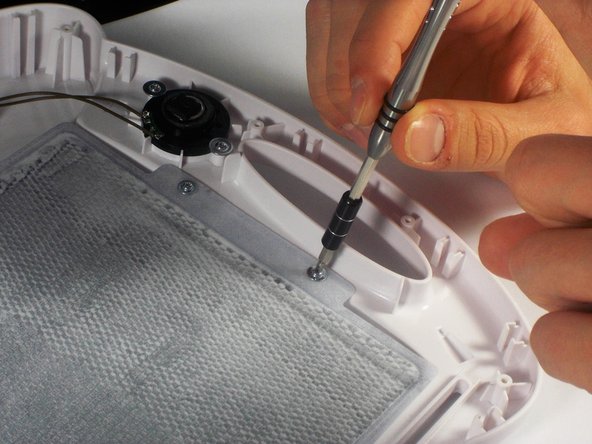
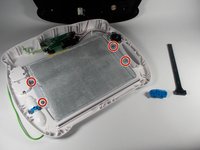
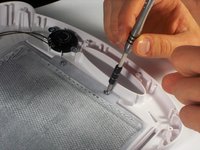

Per rimontare il dispositivo, segui queste istruzioni in ordine inverso.

Team

UMass Dartmouth, Team 1-2, Miles Spring 2016 Membro di UMass Dartmouth, Team 1-2, Miles Spring 2016
UMASSD-MILES-S16S1G2
3 Membri
72 guide realizzate
2Commenti sulla guida
Thank you for this! Do you have suggestions on how to fix the magnetic screen or get a replacement? I emailed the manufacturer (B. Toys for mine) and unfortunately they replied, “We replace the full toy only, and do not offer the internal parts as replacements.“ But I don’t want all the rest of the plastic - I just want the magnets on the screen to properly appear and disappear. Instead, its like the magnetic powder floats so it’s constantly grey rather than clear or magnetized.
Hello I got the same issue i dont know how to fix ot of you mine is not even an year old but still get that grey screen plz help n let me know how to get rid of it Thankyou
