Salta al contenuto principale

Samsung NP350V5C-T02US CD Drive Replacement

Cosa ti serve

  1. Samsung NP350V5C-T02US CD Drive Replacement, ODD/HDD/Memory Cover: passo 1, immagine 1 di 1
    • Flip the laptop over so that the bottom is facing toward you.

  2. Samsung NP350V5C-T02US CD Drive Replacement: passo 2, immagine 1 di 1
    • Using the Phillips #1 screwdriver, remove the M2.5X5 mm screw to take the back cover out.

  3. Samsung NP350V5C-T02US CD Drive Replacement: passo 3, immagine 1 di 1
    • Using your hand slide the ODD/HDD/Memory panel off in a downward motion.

  4. Samsung NP350V5C-T02US CD Drive Replacement, CD Drive: passo 4, immagine 1 di 1
    • Locate and remove the M2.5X5 screw on the left hand side.

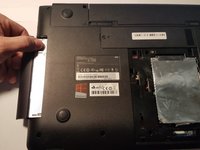
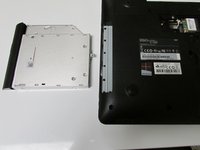
  5. Samsung NP350V5C-T02US CD Drive Replacement: passo 5, immagine 1 di 2 Samsung NP350V5C-T02US CD Drive Replacement: passo 5, immagine 2 di 2
    • Pull out the CD drive and replace with the new one.

Conclusione

To reassemble your device, follow these instructions in reverse order.

Un'altra persona ha completato questa guida.

0Commenti sulla guida

Aggiungi Commento

Visualizza Statistiche:

Ultime 24 Ore: 0

Ultimi 7 Giorni: 0

Ultimi 30 Giorni: 13

Tutti i Tempi: 1,492