Introduzione
If your optical drive is failing to eject or read a CD, it may need to be replaced. This guide will coach you through the process of replacing your laptop's optical drive.
Cosa ti serve
-
-
Push both tabs away from the center of the device.
-
While both are in the fully unlocked position, slide the battery out.
-
-
-
-
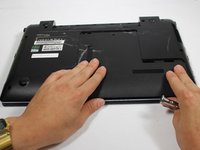
Remove this 4 mm Phillips #8 screw using a Phillips #00 screwdriver.
-
-
-
With the 4 mm Phillips #8 screw removed, firmly but gently pull the cover towards you.
-
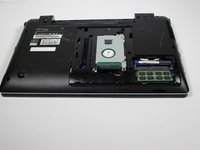
After moving the cover about 2 centimeters, you can lift and remove it.
-
-
-
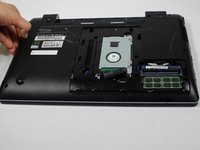
Remove the 4 mm Phillips #8 screw to the left of the hard drive using a Phillips #00 screwdriver.
-
-
-
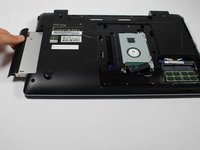
Using your fingernail or spudger to gently pull your optical drive out.
-

 Chiedi a FixBot




To reassemble your device, follow these instructions in reverse order.
Annulla: non ho completato questa guida.
Altre 3 persone hanno completato questa guida.

Team

Baylor, Team 10-13, Williams Fall 2015 Membro di Baylor, Team 10-13, Williams Fall 2015
BU-WILLIAMS-F15S10G13
3 Membri
4 guide realizzate
1Commento della guida
Great video, simple steps to follow, very good, thanks.
