Salta al contenuto principale
Unisciti alla Community delle riparazioni - Crea un account

Safety

Solo Prerequisita
Questa è una guida che contiene solo i prerequisiti! Questa guida fa parte di un'altra procedura e non è destinata ad essere utilizzata da sola.

Cosa ti serve

  1. Safety, Shut down the laptop: passo 1, immagine 1 di 3 Safety, Shut down the laptop: passo 1, immagine 2 di 3 Safety, Shut down the laptop: passo 1, immagine 3 di 3
    • If you've installed an operating system, follow the appropriate steps to safely shut down the laptop.

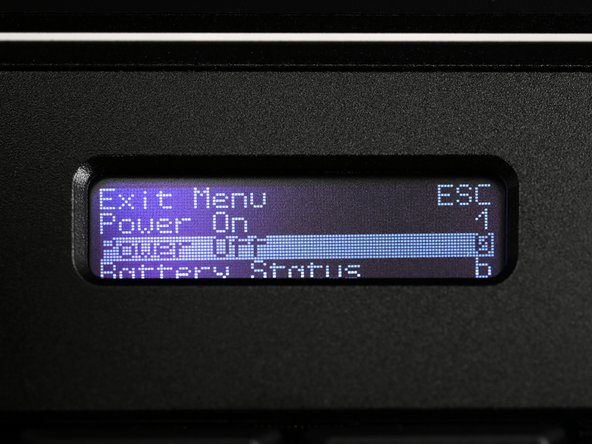
    • If you've not yet installed an operating system, or the laptop is not responsive, you can shut it down with these steps:

    • Turn on the OLED screen by pressing the Hyper key (diagonal arrow) and Enter at the same time.

    • Use the arrow keys to select Power Off on the OLED screen.

    • Press Enter to shut down the laptop.

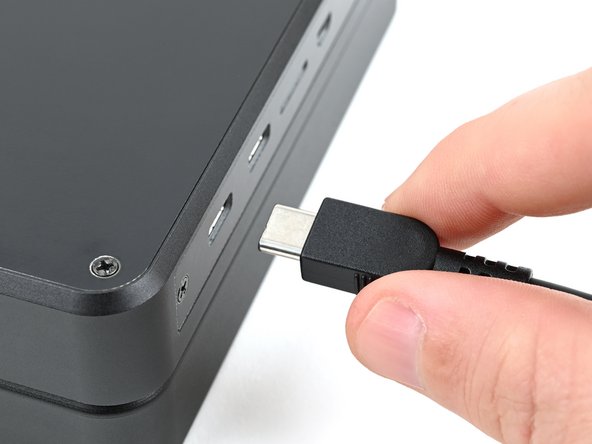
    • Disconnect all cables from the laptop.

  2. Safety, Turn off the standby power: passo 2, immagine 1 di 2 Safety, Turn off the standby power: passo 2, immagine 2 di 2
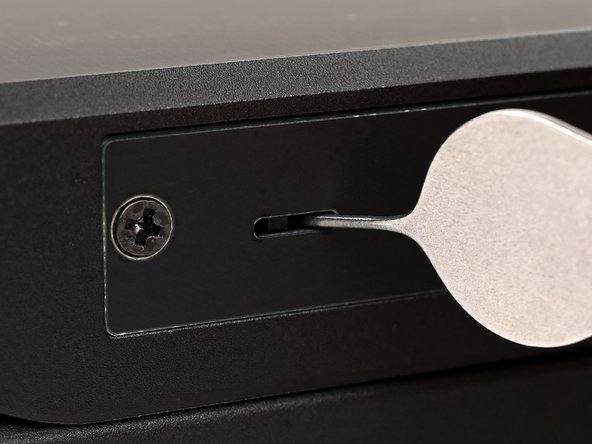
    • Use a small tool, like a SIM eject tool or a bent paperclip, to turn off the standby power switch by sliding the switch away from the headset jack.

    • The standby power switch is located in a small recess on the same side as the headset jack.

Conclusione

To reassemble your device, follow these instructions in reverse order.

Spencer Pennington

Membro da: 09/09/23

23.884 Reputazione

125 Guide realizzate

Team

Guide Team Membro di Guide Team

Staff

10 Membri

16.053 Guide realizzate

0Commenti sulla guida

Aggiungi Commento

Visualizza Statistiche:

Ultime 24 Ore: 0

Ultimi 7 Giorni: 7

Ultimi 30 Giorni: 13

Tutti i Tempi: 49