Salta al contenuto principale
Unisciti alla Community delle riparazioni - Crea un account

Ricoh YF-20 Super Lens Cover Replacement

Cosa ti serve

  1. Ricoh YF-20 Super Lens Cover Replacement, Front Cover: passo 1, immagine 1 di 2 Ricoh YF-20 Super Lens Cover Replacement, Front Cover: passo 1, immagine 2 di 2
    • Use the screwdriver to unscrew the indicated screws from the left, right, bottom, and back sides of the camera.

    Chiedi a FixBot
  2. Ricoh YF-20 Super Lens Cover Replacement: passo 2, immagine 1 di 3 Ricoh YF-20 Super Lens Cover Replacement: passo 2, immagine 2 di 3 Ricoh YF-20 Super Lens Cover Replacement: passo 2, immagine 3 di 3
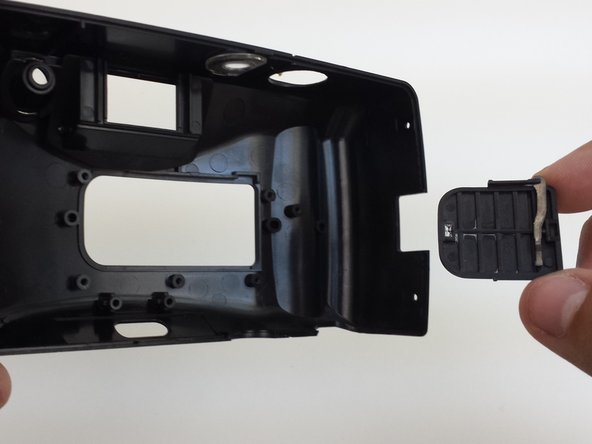
    • Loosen the back cover from both the left and the right sides of the camera. Take off the back cover.

    • The lid of the battery compartment may fall off because it is not attached to anything.

    Chiedi a FixBot
  3. Ricoh YF-20 Super Lens Cover Replacement: passo 3, immagine 1 di 3 Ricoh YF-20 Super Lens Cover Replacement: passo 3, immagine 2 di 3 Ricoh YF-20 Super Lens Cover Replacement: passo 3, immagine 3 di 3
    • Open the film compartment.

    • Press your finger on top of the grey latch on the left side of the camera.

    Chiedi a FixBot
  4. Ricoh YF-20 Super Lens Cover Replacement: passo 4, immagine 1 di 3 Ricoh YF-20 Super Lens Cover Replacement: passo 4, immagine 2 di 3 Ricoh YF-20 Super Lens Cover Replacement: passo 4, immagine 3 di 3
    • Removing the film compartment door is optional. However, it may aid maneuverability in future steps.

    • Use a thin object like a toothpick or a small screwdriver to push down on the metal pin holding the film compartment door in place.

    • Use your fingers to completely remove the metal pin.

    • Remove the film compartment door.

    Chiedi a FixBot
  5. Ricoh YF-20 Super Lens Cover Replacement: passo 5, immagine 1 di 2 Ricoh YF-20 Super Lens Cover Replacement: passo 5, immagine 2 di 2
    • Use a thin shaft screwdriver and unscrew the two indicated screws within the film compartment.

    Chiedi a FixBot
  6. Ricoh YF-20 Super Lens Cover Replacement: passo 6, immagine 1 di 3 Ricoh YF-20 Super Lens Cover Replacement: passo 6, immagine 2 di 3 Ricoh YF-20 Super Lens Cover Replacement: passo 6, immagine 3 di 3
    • Loosen the front cover from the left and right sides of the camera.

    • Take off the front cover.

    Chiedi a FixBot
  7. Ricoh YF-20 Super Lens Cover Replacement, Lens Cover: passo 7, immagine 1 di 3 Ricoh YF-20 Super Lens Cover Replacement, Lens Cover: passo 7, immagine 2 di 3 Ricoh YF-20 Super Lens Cover Replacement, Lens Cover: passo 7, immagine 3 di 3
    • The lens cover is only attached to the front cover of the camera. Set the rest of the camera aside.

    • In order to reach the lens cover, the zoom mechanism must be removed.

    • Unscrew three screws from the front cover that hold the zoom mechanism in place.

    • Remove the zoom mechanism.

    Chiedi a FixBot
  8. Ricoh YF-20 Super Lens Cover Replacement: passo 8, immagine 1 di 3 Ricoh YF-20 Super Lens Cover Replacement: passo 8, immagine 2 di 3 Ricoh YF-20 Super Lens Cover Replacement: passo 8, immagine 3 di 3
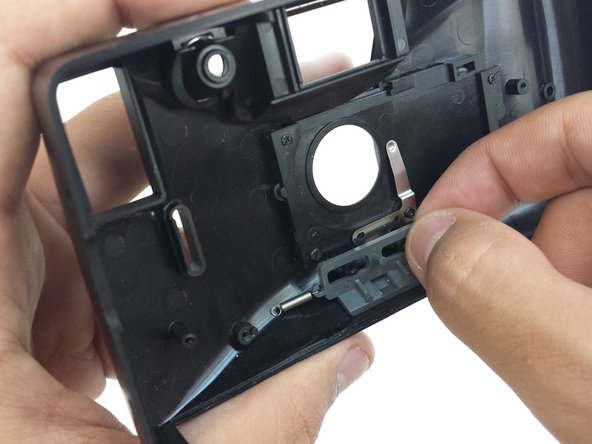
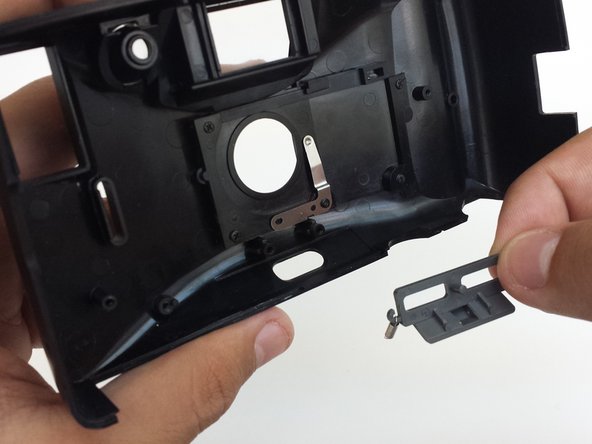
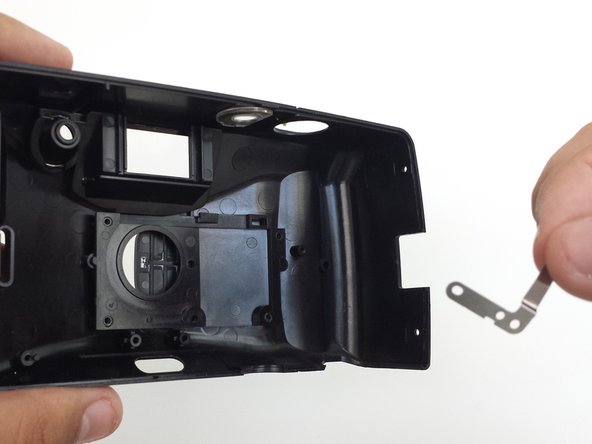
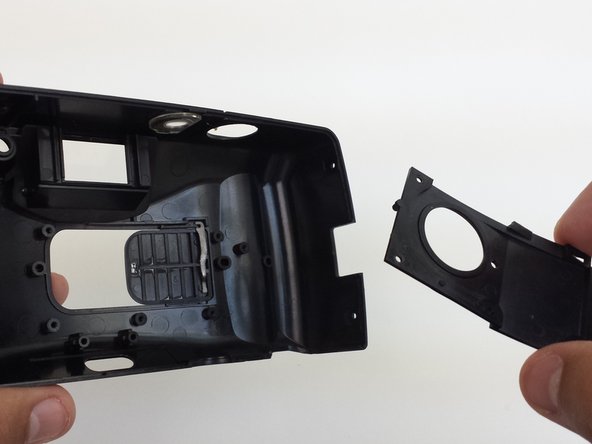
    • Unscrew the five screws that hold the lens cover plate and metal brace in place.

    • Remove metal brace.

    • Remove lens cover plate.

    Chiedi a FixBot
  9. Ricoh YF-20 Super Lens Cover Replacement: passo 9, immagine 1 di 2 Ricoh YF-20 Super Lens Cover Replacement: passo 9, immagine 2 di 2
    • To remove lens cover, push the lens cover from the outside of the front cover towards the inside of the front cover.

    • Remove the lens cover.

    • The metal arm attached to the lens cover is not securely attached and may fall off.

    Chiedi a FixBot
Conclusione

To reassemble your device, follow these instructions in reverse order.

Eric Dazet

Membro da: 04/10/12

352 Reputazione

5 guide realizzate

Team

Cal Poly, Team 6-21, Amido Spring 2012 Membro di Cal Poly, Team 6-21, Amido Spring 2012

CPSU-AMIDO-S12S6G21

4 Membri

21 guide realizzate

0Commenti sulla guida

Aggiungi Commento

Visualizza statistiche:

Ultime 24 ore: 1

Ultimi 7 giorni: 11

Ultimi 30 giorni: 77

Tutti i Tempi: 751