Salta al contenuto principale

Cosa ti serve

Questo smontaggio non è una guida di riparazione. Per riparare il tuo Computer Hardware, usa il nostro manuale di assistenza.

  1. Razer Hyperflux Teardown, Removing the grip: passo 1, immagine 1 di 1
    • Turn the mousepad over and peel off the grip with the white plastic layer.

    • The white plastic layer is glued to the device only on it's edges so if you're using the ifixit head pad you only need to put it on the edges.

    • Be sure to peel the grip + the white plastic layer. Removing just the grip and then the plastic layer will result in a very tedious process of trying to align the grip properly.

  2. Razer Hyperflux Teardown, Removing the PCB shield: passo 2, immagine 1 di 1
    • Unscrew the 3 screws with a phillips head screwdriver

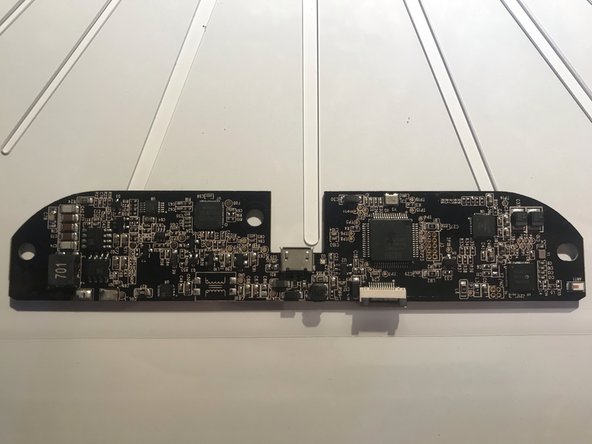
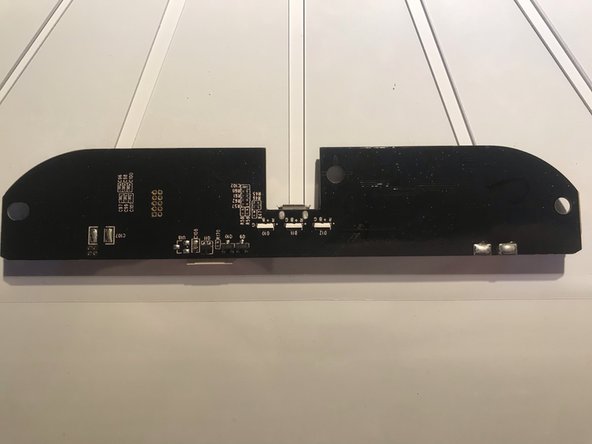
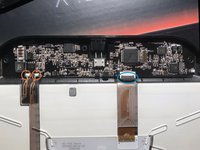
  3. Razer Hyperflux Teardown, Removing the PCB: passo 3, immagine 1 di 3 Razer Hyperflux Teardown, Removing the PCB: passo 3, immagine 2 di 3 Razer Hyperflux Teardown, Removing the PCB: passo 3, immagine 3 di 3
    • Desolder the copper leads (red circle) and open the gate of the connector (blue circle)

    • You can now safely take out the pcb

    • For reassembly simply follow the steps in reverse

SgtBlade

Membro da: 05/23/19

109 Reputazione

1 Guida realizzata

0Commenti sulla guida

Aggiungi Commento

Visualizza Statistiche:

Ultime 24 Ore: 0

Ultimi 7 Giorni: 4

Ultimi 30 Giorni: 31

Tutti i Tempi: 1,625