Salta al contenuto principale
Unisciti alla Community delle riparazioni - Crea un account

Nintendo Wii U GamePad Directional Pad Buttons Replacement

Cosa ti serve

  1. Nintendo Wii U GamePad Directional Pad Buttons Replacement, Back Panel: passo 1, immagine 1 di 3 Nintendo Wii U GamePad Directional Pad Buttons Replacement, Back Panel: passo 1, immagine 2 di 3 Nintendo Wii U GamePad Directional Pad Buttons Replacement, Back Panel: passo 1, immagine 3 di 3
    • Remove the ten 8.9mm Tri-point Y1 screws hidden underneath square stickers.

    • Lift up the back plate.

    • The back plate is still connected by a cable to the motherboard.

    Chiedi a FixBot

    Aggiungi Commento

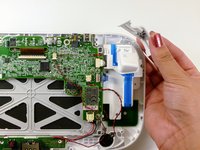
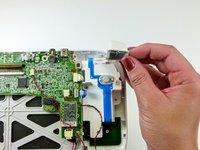
  2. Nintendo Wii U GamePad Directional Pad Buttons Replacement: passo 2, immagine 1 di 2 Nintendo Wii U GamePad Directional Pad Buttons Replacement: passo 2, immagine 2 di 2
    • Unplug the connector that connects the back plate to the motherboard.

    • Remove the back panel.

    Chiedi a FixBot

    Aggiungi Commento

  3. Nintendo Wii U GamePad Directional Pad Buttons Replacement, Analog Stick: passo 3, immagine 1 di 2 Nintendo Wii U GamePad Directional Pad Buttons Replacement, Analog Stick: passo 3, immagine 2 di 2
    • Take out the left and right shoulder buttons in the upper corners.

    • Remove the ZR and ZL trigger buttons by lifting up and sliding outward.

    Chiedi a FixBot

    Aggiungi Commento

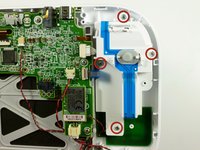
  4. Nintendo Wii U GamePad Directional Pad Buttons Replacement: passo 4, immagine 1 di 2 Nintendo Wii U GamePad Directional Pad Buttons Replacement: passo 4, immagine 2 di 2
    • Remove the top rubber cover by pulling it off of its mounts to access one of the mounting screws.

    • Remove the four 5.2mm Phillips #0 screws.

    Chiedi a FixBot

    Aggiungi Commento

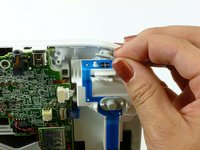
  5. Nintendo Wii U GamePad Directional Pad Buttons Replacement: passo 5, immagine 1 di 2 Nintendo Wii U GamePad Directional Pad Buttons Replacement: passo 5, immagine 2 di 2
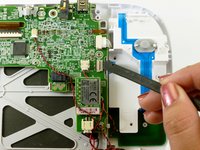
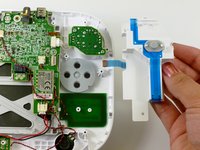
    • Use a spudger to lift the tab which releases the blue ribbon cable.

    • Remove the analog stick and button cover.

    Chiedi a FixBot

    Aggiungi Commento

  6. Nintendo Wii U GamePad Directional Pad Buttons Replacement: passo 6, immagine 1 di 1
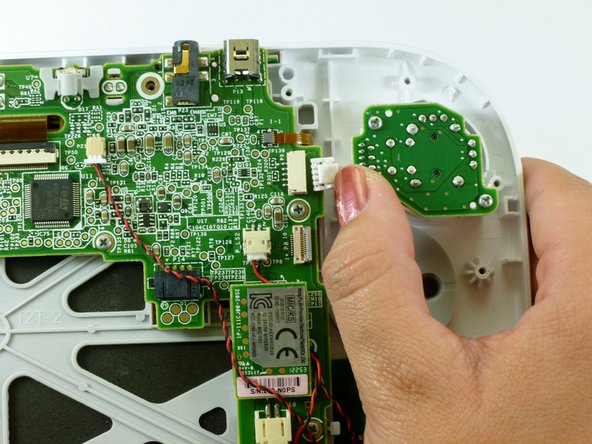
    • Use your thumb and push the connector towards the rightmost edge to disconnect the analog stick cable connector.

    Chiedi a FixBot

    Aggiungi Commento

  7. Nintendo Wii U GamePad Directional Pad Buttons Replacement: passo 7, immagine 1 di 2 Nintendo Wii U GamePad Directional Pad Buttons Replacement: passo 7, immagine 2 di 2
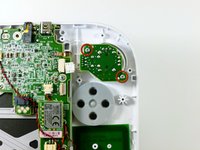
    • Remove the two 9.0mm Tri-point Y0 screws.

    • Lift out the analog stick.

    Chiedi a FixBot

    Aggiungi Commento

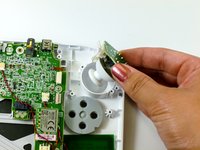
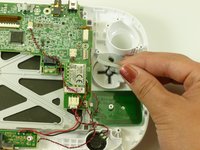
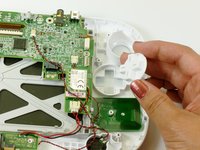
  8. Nintendo Wii U GamePad Directional Pad Buttons Replacement, Directional Pad Buttons: passo 8, immagine 1 di 2 Nintendo Wii U GamePad Directional Pad Buttons Replacement, Directional Pad Buttons: passo 8, immagine 2 di 2
    • Lift up and remove the rubber cover for the directional pad.

    • Remove the directional pad buttons.

    Chiedi a FixBot

    Aggiungi Commento

Conclusione

To reassemble your device, follow these instructions in reverse order.

Annulla: non ho completato questa guida.

Altre 12 persone hanno completato questa guida.

Kim Arre

Membro da: 01/11/13

5.715 Reputazione

8 guide realizzate

Team

Cal Poly, Team 17-20, Forte Winter 2013 Membro di Cal Poly, Team 17-20, Forte Winter 2013

CPSU-FORTE-W13S17G20

5 Membri

41 guide realizzate

1Commento della guida

Where can you find the blue ribbon mentioned in step 5, for the buttons at?

Eric - Rispondi Condividi

Aggiungi Commento

Visualizza statistiche:

Ultime 24 ore: 7

Ultimi 7 giorni: 40

Ultimi 30 giorni: 203

Tutti i Tempi: 23,684