Salta al contenuto principale

Netgear Arlo 2 Camera HD Security System SYNC Button Replacement

Cosa ti serve

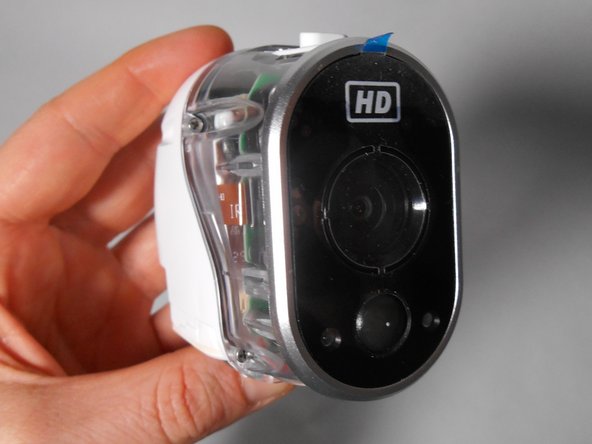
  1. Netgear Arlo 2 Camera HD Security System SYNC Button Replacement, Case: passo 1, immagine 1 di 3 Netgear Arlo 2 Camera HD Security System SYNC Button Replacement, Case: passo 1, immagine 2 di 3 Netgear Arlo 2 Camera HD Security System SYNC Button Replacement, Case: passo 1, immagine 3 di 3
    • Unscrew the two 3.0 mm Phillips #00 screws on the bottom of the camera.

    • Open the battery compartment on the bottom by pushing the switch marked in orange to the side and pushing the bottom of the camera back, sliding it open.

  2. Netgear Arlo 2 Camera HD Security System SYNC Button Replacement: passo 2, immagine 1 di 2 Netgear Arlo 2 Camera HD Security System SYNC Button Replacement: passo 2, immagine 2 di 2
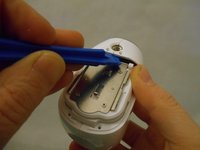
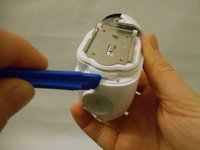
    • Remove the bottom piece of the case over the battery compartment by placing a plastic opening tool underneath the edge of the case and prying it up.

    • Unscrew the four 3.0 mm Phillips #00 screws on the outside of the battery pocket.

  3. Netgear Arlo 2 Camera HD Security System SYNC Button Replacement: passo 3, immagine 1 di 2 Netgear Arlo 2 Camera HD Security System SYNC Button Replacement: passo 3, immagine 2 di 2
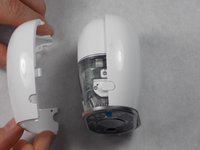
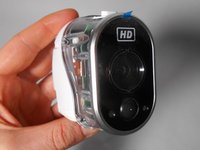
    • When facing the camera lens, the left panel of the case will be removed first (more steps are needed for the right panel).

    • Place the plastic opening tool between the two pieces of the case and pry them apart from the bottom.

    • Gently pull the side of the case off as it comes loose.

  4. Netgear Arlo 2 Camera HD Security System SYNC Button Replacement: passo 4, immagine 1 di 2 Netgear Arlo 2 Camera HD Security System SYNC Button Replacement: passo 4, immagine 2 di 2
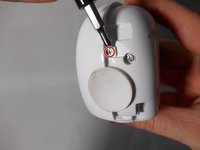
    • Unscrew the smaller 3.0 mm Phillips #00 screw in the center on the back of the device.

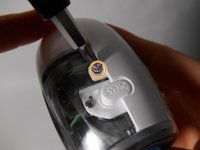
    • Flip the camera over and unscrew the center 3.0 mm Phillips #00 screw above the SYNC button.

  5. Netgear Arlo 2 Camera HD Security System SYNC Button Replacement: passo 5, immagine 1 di 2 Netgear Arlo 2 Camera HD Security System SYNC Button Replacement: passo 5, immagine 2 di 2
    • Using the plastic opening tool, gently pry the right panel from the device.

    • Replace either side of the plastic case as needed.

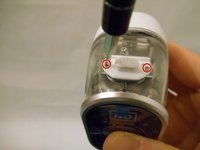
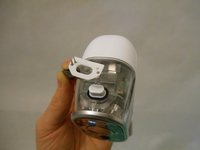
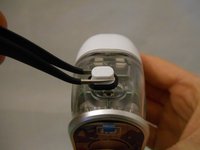
  6. Netgear Arlo 2 Camera HD Security System SYNC Button Replacement, SYNC Button: passo 6, immagine 1 di 3 Netgear Arlo 2 Camera HD Security System SYNC Button Replacement, SYNC Button: passo 6, immagine 2 di 3 Netgear Arlo 2 Camera HD Security System SYNC Button Replacement, SYNC Button: passo 6, immagine 3 di 3
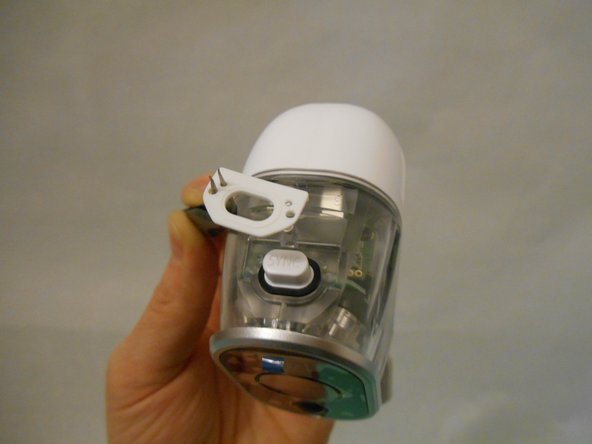
    • Unscrew the two 3.0 mm Phillips #00 screws on either side of the SYNC button.

    • Remove the white plastic covering.

    • Remove the white SYNC button.

Conclusione

To reassemble your device, follow these instructions in reverse order.

Team

0Commenti sulla guida

Aggiungi Commento

Visualizza Statistiche:

Ultime 24 Ore: 1

Ultimi 7 Giorni: 5

Ultimi 30 Giorni: 14

Tutti i Tempi: 870