Salta al contenuto principale
Unisciti alla Community delle riparazioni - Crea un account

Maze Speed SSB-508 Power and Volume Button Replacement

Cosa ti serve

  1. Maze Speed SSB-508 Power and Volume Button Replacement, Power and Volume Buttons: passo 1, immagine 1 di 3 Maze Speed SSB-508 Power and Volume Button Replacement, Power and Volume Buttons: passo 1, immagine 2 di 3 Maze Speed SSB-508 Power and Volume Button Replacement, Power and Volume Buttons: passo 1, immagine 3 di 3
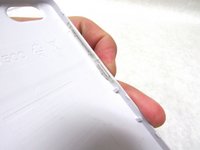
    • Remove the back cover by gently prying open the bottom left corner of the case with the plastic opening tool.

    Chiedi a FixBot
  2. Maze Speed SSB-508 Power and Volume Button Replacement: passo 2, immagine 1 di 2 Maze Speed SSB-508 Power and Volume Button Replacement: passo 2, immagine 2 di 2
    Strumento utilizzato in questo passaggio:
    Tweezers
    $4.99
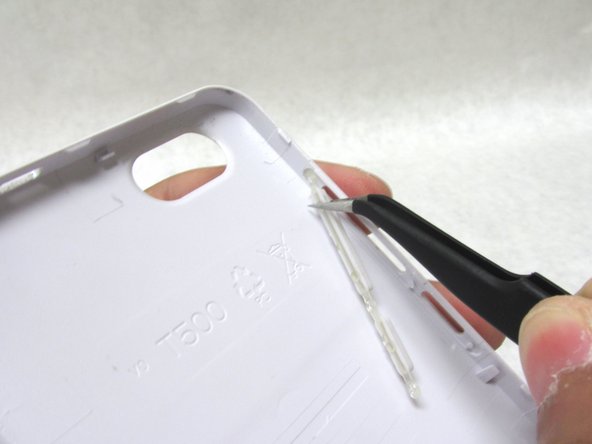
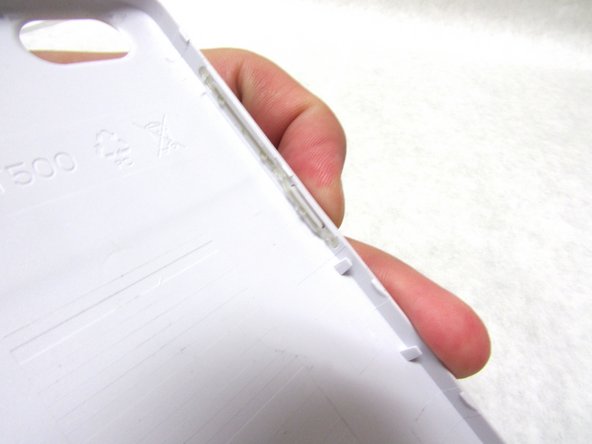
    • There are three areas holding the power and volume buttons in place. Gently pull the bottom of the power button with a pair of fine-tip tweezers to release the lower half.

    Chiedi a FixBot
  3. Maze Speed SSB-508 Power and Volume Button Replacement: passo 3, immagine 1 di 3 Maze Speed SSB-508 Power and Volume Button Replacement: passo 3, immagine 2 di 3 Maze Speed SSB-508 Power and Volume Button Replacement: passo 3, immagine 3 di 3
    • Carefully remove the top section of the button with the fine-tip tweezers . This should free the button completely.

    Chiedi a FixBot
Conclusione

To reassemble your device, follow these instructions in reverse order.

0Commenti sulla guida

Aggiungi Commento

Visualizza statistiche:

Ultime 24 ore: 1

Ultimi 7 giorni: 6

Ultimi 30 giorni: 42

Tutti i Tempi: 569