Salta al contenuto principale

Mattel Barbie Boombox BE-466 Antenna Replacement

Cosa ti serve

  1. Mattel Barbie Boombox BE-466 Antenna Replacement, Antenna: passo 1, immagine 1 di 2 Mattel Barbie Boombox BE-466 Antenna Replacement, Antenna: passo 1, immagine 2 di 2
    • Flip radio upside down.

    • This radio is missing the lid for the battery compartment. If you have a battery cover, you must use a screwdriver to remove the screws before you can take off the cover.

    • Remove the batteries.

  2. Mattel Barbie Boombox BE-466 Antenna Replacement: passo 2, immagine 1 di 1
    • Flip radio so the back facing up.

    • The radio shown is missing the power cord. The power cord is a black cord attached to the back.

    • Unplug power cord.

  3. Mattel Barbie Boombox BE-466 Antenna Replacement: passo 3, immagine 1 di 2 Mattel Barbie Boombox BE-466 Antenna Replacement: passo 3, immagine 2 di 2
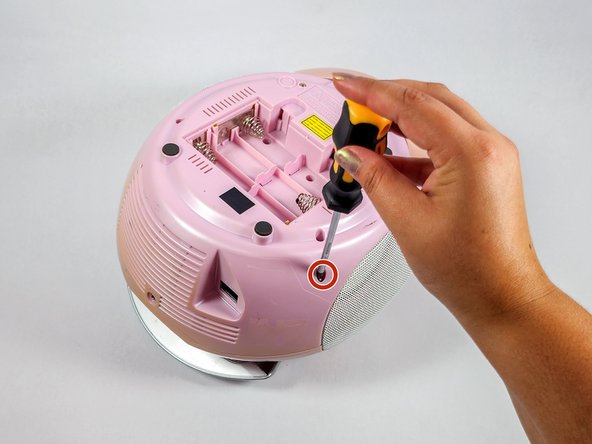
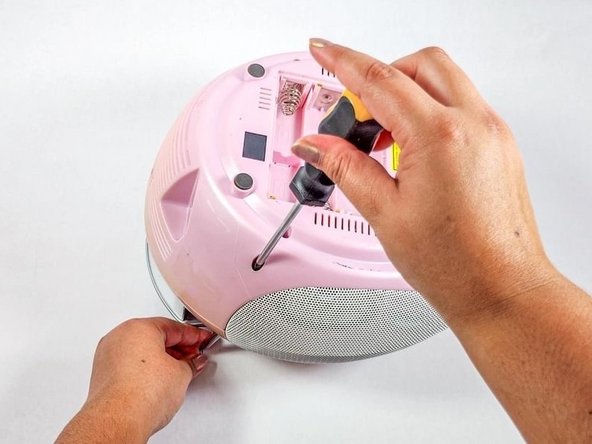
    • Flip the radio over so the bottom of the radio is facing up.

    • Insert the Philips #2 screwdriver into the antenna screw hole.

  4. Mattel Barbie Boombox BE-466 Antenna Replacement: passo 4, immagine 1 di 3 Mattel Barbie Boombox BE-466 Antenna Replacement: passo 4, immagine 2 di 3 Mattel Barbie Boombox BE-466 Antenna Replacement: passo 4, immagine 3 di 3
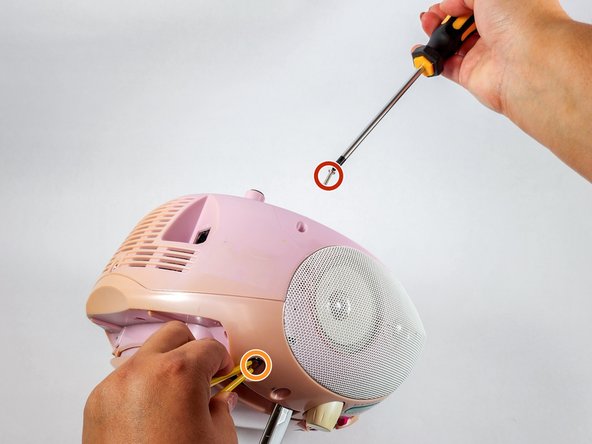
    • Use a Phillips #2 screwdriver to remove the screw securing the antenna.

    • Remove the antenna.

    • Use tweezers/pliers if your antenna is broken off or too short to hold.

  5. Mattel Barbie Boombox BE-466 Antenna Replacement: passo 5, immagine 1 di 2 Mattel Barbie Boombox BE-466 Antenna Replacement: passo 5, immagine 2 di 2
    • Insert the new antenna into the antenna hole on top of the device.

  6. Mattel Barbie Boombox BE-466 Antenna Replacement: passo 6, immagine 1 di 3 Mattel Barbie Boombox BE-466 Antenna Replacement: passo 6, immagine 2 di 3 Mattel Barbie Boombox BE-466 Antenna Replacement: passo 6, immagine 3 di 3
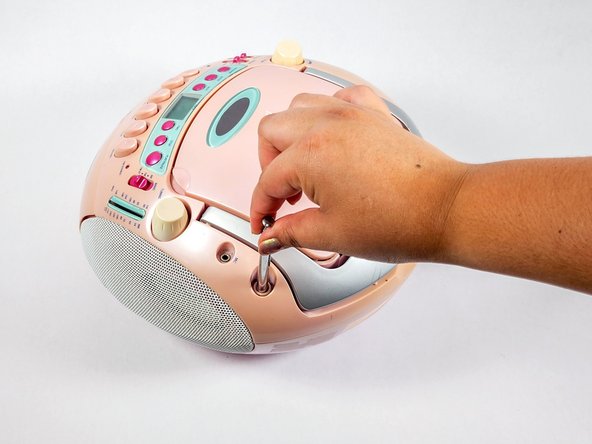
    • The new antenna is slightly bigger than the original. Use a 2.5mm x 8mm Phillips screw instead of the original screw.

    • Hold the antenna and insert the screw into the antenna screw hole.

    • Use the Phillips #2 screwdriver to secure the screw.

Conclusione

To reassemble your device, follow steps 1 and 2 in reverse order.

Sarah Nguyen

Membro da: 04/25/24

133 Reputazione

1 Guida realizzata

Team

UC Davis, Team 4-4, Whithaus Spring 2024 Membro di UC Davis, Team 4-4, Whithaus Spring 2024

UCD-WHITHAUS-S24S4G4

3 Membri

1 Guida realizzata

0Commenti sulla guida

Aggiungi Commento

Visualizza Statistiche:

Ultime 24 Ore: 3

Ultimi 7 Giorni: 14

Ultimi 30 Giorni: 38

Tutti i Tempi: 294