Salta al contenuto principale

Logitech G920 Driving Force Back Pedals Replacement

Cosa ti serve

  1. Logitech G920 Driving Force Back Pedals Replacement, Back Pedals: passo 1, immagine 1 di 1
    • Locate the pedal you need to replace.

  2. Logitech G920 Driving Force Back Pedals Replacement: passo 2, immagine 1 di 1
    • Use a Hex 2.5 screwdriver or Allen key to remove the two 30 mm center screws in the pedal.

  3. Logitech G920 Driving Force Back Pedals Replacement: passo 3, immagine 1 di 1
    • Remove the pedals from their stand.

    • Repeat steps 2-3 until all pedals needing replacement are removed.

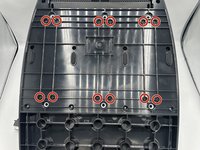
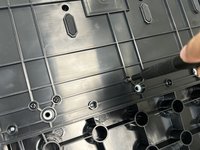
  4. Logitech G920 Driving Force Back Pedals Replacement: passo 4, immagine 1 di 2 Logitech G920 Driving Force Back Pedals Replacement: passo 4, immagine 2 di 2
    • Remove the 12 12mm screws from the bottom of the device using a Phillips #1 screwdriver.

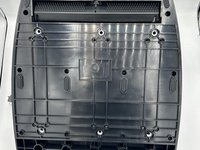
  5. Logitech G920 Driving Force Back Pedals Replacement: passo 5, immagine 1 di 1
    • Remove the eight 12 mm screws from the bottom of the device with a Phillips #0 screwdriver.

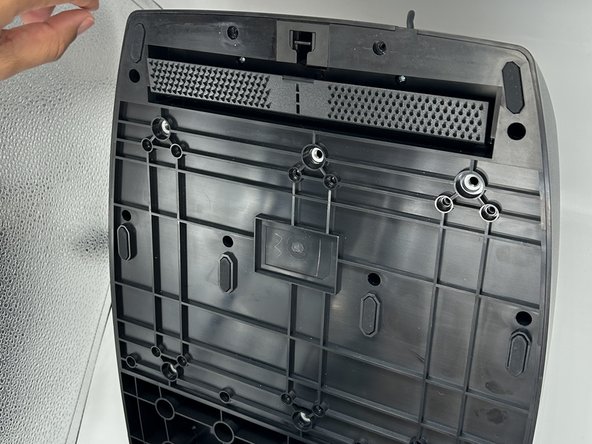
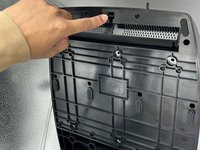
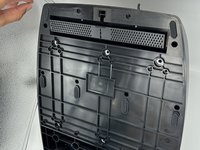
  6. Logitech G920 Driving Force Back Pedals Replacement: passo 6, immagine 1 di 3 Logitech G920 Driving Force Back Pedals Replacement: passo 6, immagine 2 di 3 Logitech G920 Driving Force Back Pedals Replacement: passo 6, immagine 3 di 3
    • Push down the switch found in the hole at the top of the underside of the pedal board.

    • This opens the carpet-hold to access more screws.

  7. Logitech G920 Driving Force Back Pedals Replacement: passo 7, immagine 1 di 1
    • Remove the two 14 mm screws behind the carpet hold with a Phillips #0 screwdriver.

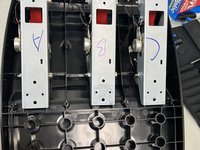
  8. Logitech G920 Driving Force Back Pedals Replacement: passo 8, immagine 1 di 2 Logitech G920 Driving Force Back Pedals Replacement: passo 8, immagine 2 di 2
    • Remove the pedal back that matches the pedal front removed in step 3 .

    • This image is not upside down. When removing the back panel piece, the lettering on the inner pedal mechanism will appear this way.

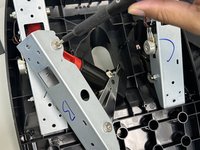
  9. Logitech G920 Driving Force Back Pedals Replacement: passo 9, immagine 1 di 2 Logitech G920 Driving Force Back Pedals Replacement: passo 9, immagine 2 di 2
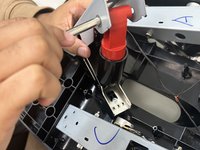
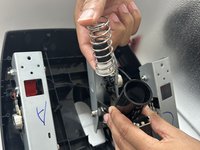
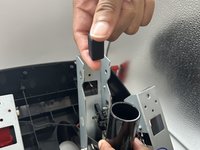
    • Remove the washer and bolt at the top of the red piece on the pedal back.

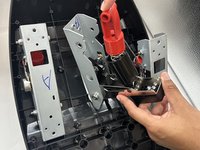
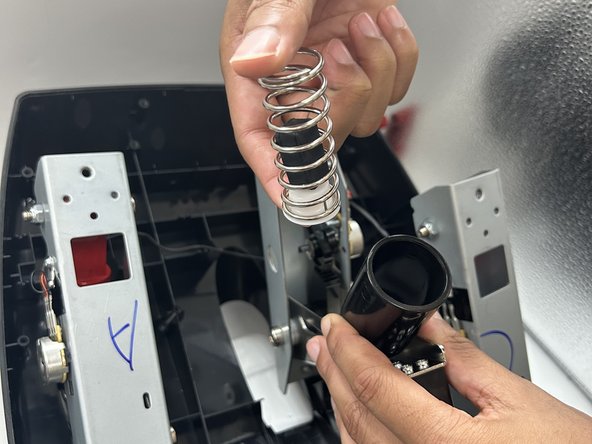
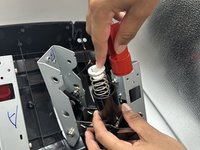
  10. Logitech G920 Driving Force Back Pedals Replacement: passo 10, immagine 1 di 3 Logitech G920 Driving Force Back Pedals Replacement: passo 10, immagine 2 di 3 Logitech G920 Driving Force Back Pedals Replacement: passo 10, immagine 3 di 3
    • Remove the red piece, spring, and block within the pedal back.

    • Replace the necessary part.

Conclusione

To reassemble your device, follow these instructions in reverse order.

Altre 2 persone hanno completato questa guida.

1Commento della guida

My set of pedals has an issue of continuously press break pedal, any idea what it can be? When I lift them into vertical position (holl base) it stops, but the again as horizontal (ready to be use) in the games like Forza EuroTruck Assets... etc, system behave as break pedal is press.

Olaf Tomczynski - Replica

Aggiungi Commento

Visualizza Statistiche:

Ultime 24 Ore: 11

Ultimi 7 Giorni: 45

Ultimi 30 Giorni: 171

Tutti i Tempi: 2,236