Salta al contenuto principale

Logitech G602 Side Motherboard Replacement

Cosa ti serve

  1. Logitech G602 Side Motherboard Replacement, Side Motherboard: passo 1, immagine 1 di 1
    • Use a blue spudger to pry all 4 mice feet from the bottom of the mouse.

  2. Logitech G602 Side Motherboard Replacement: passo 2, immagine 1 di 1
    • Use a Phillips #00 screwdriver to unscrew all 6 screws (3x5mm) from underneath the mice feet.

  3. Logitech G602 Side Motherboard Replacement: passo 3, immagine 1 di 2 Logitech G602 Side Motherboard Replacement: passo 3, immagine 2 di 2
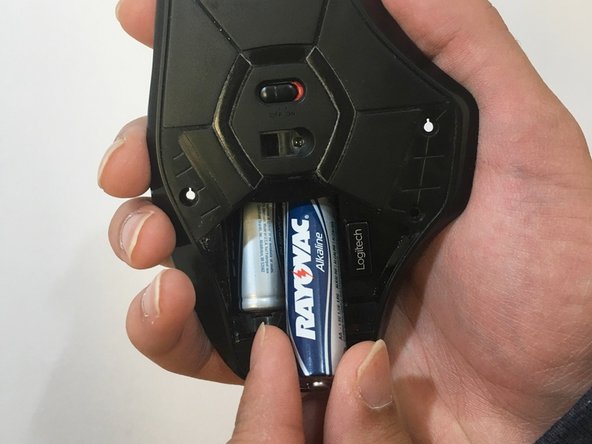
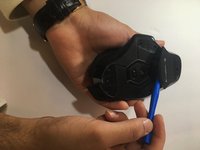
    • Use the blue spudger to prop open the bottom battery port.

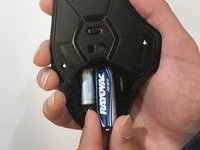
    • Remove the AA batteries.

  4. Logitech G602 Side Motherboard Replacement: passo 4, immagine 1 di 1
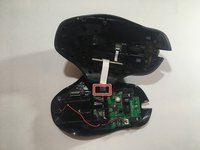
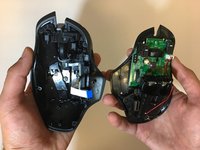
    • Lift the top of the mouse from the base of the mouse (separate the mouse in half) to expose the internal hardware.

  5. Logitech G602 Side Motherboard Replacement: passo 5, immagine 1 di 2 Logitech G602 Side Motherboard Replacement: passo 5, immagine 2 di 2
    Attrezzo utilizzato in questo passaggio:
    Tweezers
    $4.99
    • Use tweezers to grip and pull the white ribbon cable from the motherboard.

  6. Logitech G602 Side Motherboard Replacement: passo 6, immagine 1 di 1
    • Use a Phillips #00 screwdriver to remove both screws (3x5mm ) from above the side motherboard.

  7. Logitech G602 Side Motherboard Replacement: passo 7, immagine 1 di 1
    • Use a Phillips #00 screwdriver and unscrew both screws from the side motherboard.

    • We used a set of pliers and a Phillips #00 screw bit because the screwdriver couldn't fit into the side of the device.

  8. Logitech G602 Side Motherboard Replacement: passo 8, immagine 1 di 1
    • Use a black spudger and your fingers to loosen and remove the side motherboard.

Conclusione

To reassemble your device, follow these instructions in reverse order.

Altre 2 persone hanno completato questa guida.

2Commenti sulla guida

Is the white momentary switch the middle click button?

I have a couple of G602's that have failing middle click buttons, and if it's the momentary switch, it looks like an easy fix.

Agit - Replica

G5 Button was sticking. Followed guide, I did not need spudger. Brushed board and buttons with toothbrush and alcohol. Button works now, thanks!

P Kemp - Replica

Aggiungi Commento

Visualizza Statistiche:

Ultime 24 Ore: 2

Ultimi 7 Giorni: 6

Ultimi 30 Giorni: 45

Tutti i Tempi: 4,677