Salta al contenuto principale
Unisciti alla Community delle riparazioni - Crea un account

Kodak Easyshare Z981 LCD Screen Replacement

Cosa ti serve

  1. Kodak Easyshare Z981 LCD Screen Replacement, LCD Screen: passo 1, immagine 1 di 2 Kodak Easyshare Z981 LCD Screen Replacement, LCD Screen: passo 1, immagine 2 di 2
    • Open the battery cover and remove batteries from the camera if any are inserted.

    Chiedi a FixBot

    Aggiungi Commento

  2. Kodak Easyshare Z981 LCD Screen Replacement: passo 2, immagine 1 di 2 Kodak Easyshare Z981 LCD Screen Replacement: passo 2, immagine 2 di 2
    Strumento utilizzato in questo passaggio:
    Phillips #00 Screwdriver
    $5.49
    • Use a 00 Phillips-Head screwdriver to remove screws:

    • Remove the 3 mm screws from the camera

    • Four (4) screws are in the bottom of the device

    • Four (4) screws are inside the battery cover

    Chiedi a FixBot

    Aggiungi Commento

  3. Kodak Easyshare Z981 LCD Screen Replacement: passo 3, immagine 1 di 1
    • Start from a corner and gently remove the cover.

    • The cover will easily lift off, so not much pressure is required.

    • Make sure to gently remove the bottom cover in order to avoid breaking the plastic.

    Chiedi a FixBot

    Aggiungi Commento

  4. Kodak Easyshare Z981 LCD Screen Replacement: passo 4, immagine 1 di 2 Kodak Easyshare Z981 LCD Screen Replacement: passo 4, immagine 2 di 2
    Strumento utilizzato in questo passaggio:
    Phillips #00 Screwdriver
    $5.49
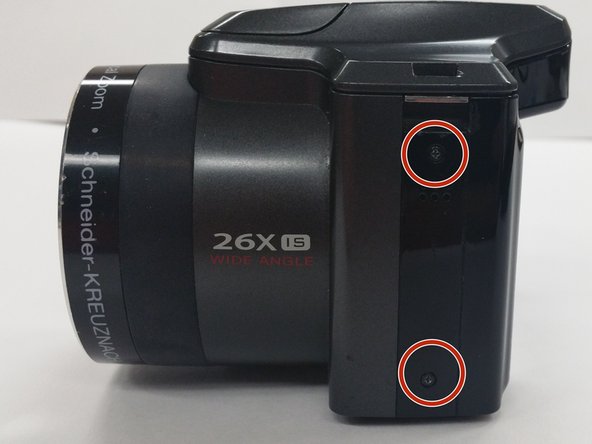
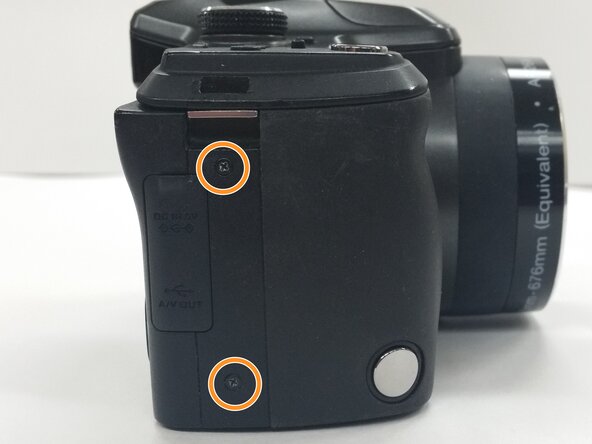
    • Use a Phillips #00 Screwdriver to remove the 4 mm screws from each side of the back cover of the camera.

    • Two (2) screws are located in the left side of the device

    • Two (2) screws are locatecd in the right side of the device

    Chiedi a FixBot

    Aggiungi Commento

  5. Kodak Easyshare Z981 LCD Screen Replacement: passo 5, immagine 1 di 2 Kodak Easyshare Z981 LCD Screen Replacement: passo 5, immagine 2 di 2
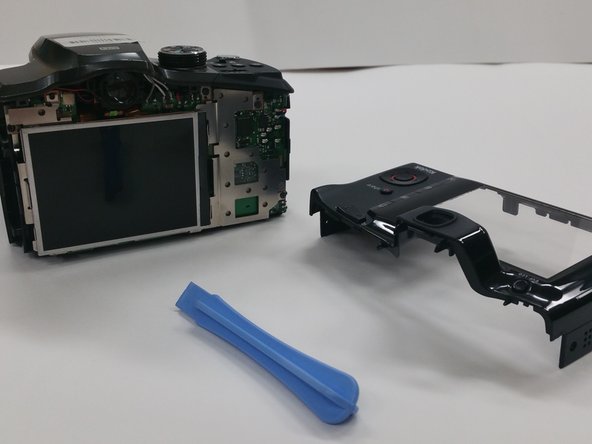
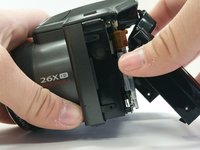
    • Insert the Plastic Opening Tool in to the crevices of back cover and gently apply pressure

    • Be gentle while removing the cover, to avoid cracking the case

    Chiedi a FixBot

    Aggiungi Commento

  6. Kodak Easyshare Z981 LCD Screen Replacement: passo 6, immagine 1 di 2 Kodak Easyshare Z981 LCD Screen Replacement: passo 6, immagine 2 di 2
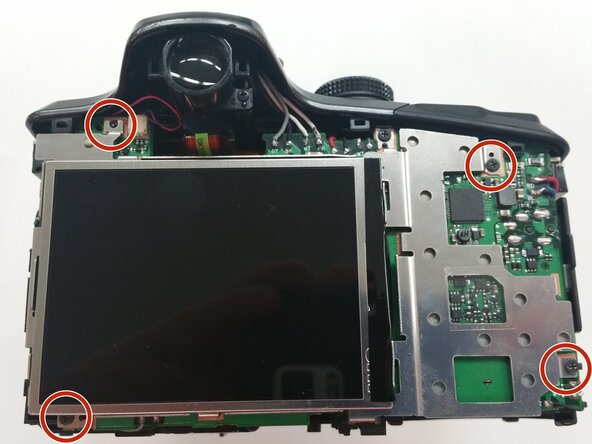
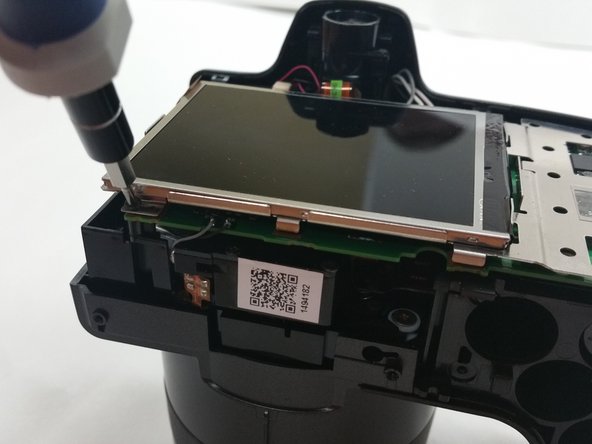
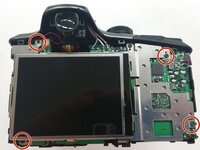
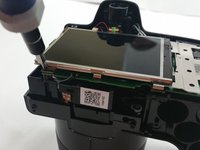
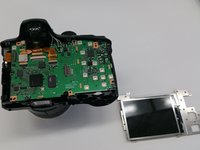
    • Once the back cover is removed locate the four 3mm screws holding the screen and the metal brace to the circuit board

    Chiedi a FixBot

    Aggiungi Commento

  7. Kodak Easyshare Z981 LCD Screen Replacement: passo 7, immagine 1 di 3 Kodak Easyshare Z981 LCD Screen Replacement: passo 7, immagine 2 di 3 Kodak Easyshare Z981 LCD Screen Replacement: passo 7, immagine 3 di 3
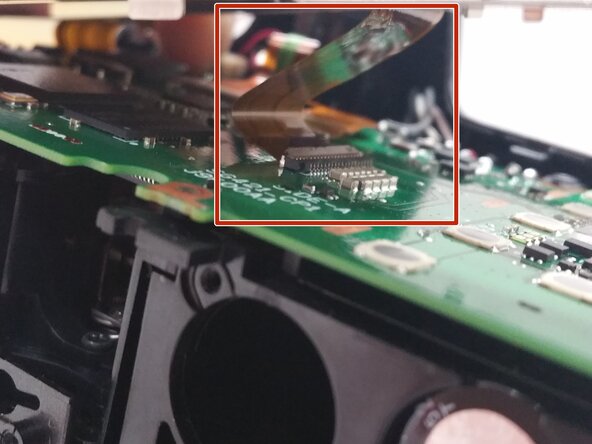
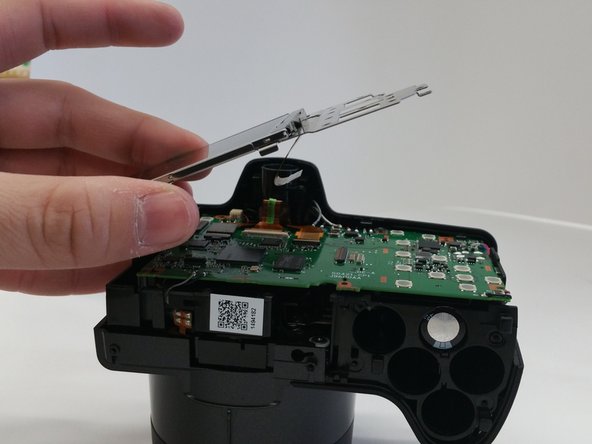
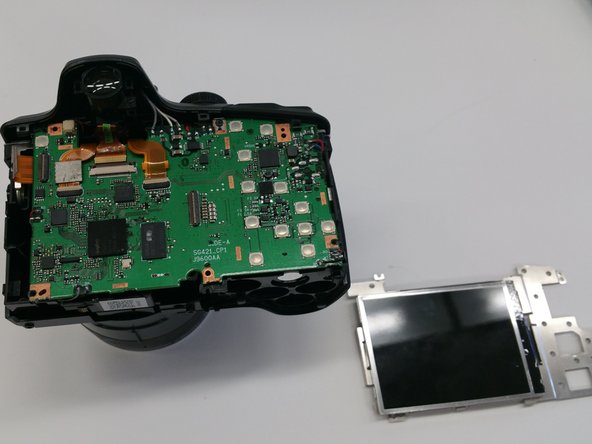
    • Gently lift up the metal brace and use a pair of tweezers to disconnect the ribbon cable connector.

    • Remove the screen brace from the circuit board.

    • Use extreme caution when removing the LCD brace; pulling the brace may tear the cable.

    Chiedi a FixBot

    Aggiungi Commento

Conclusione

To reassemble your device, follow these instructions in reverse order.

Annulla: non ho completato questa guida.

Un'altra persona ha completato questa guida.

0Commenti sulla guida

Aggiungi Commento

Visualizza statistiche:

Ultime 24 ore: 0

Ultimi 7 giorni: 7

Ultimi 30 giorni: 19

Tutti i Tempi: 947