Salta al contenuto principale

Kaffelogic Nano 7/LINK (D-P Serial) Stack Replacement

Cosa ti serve

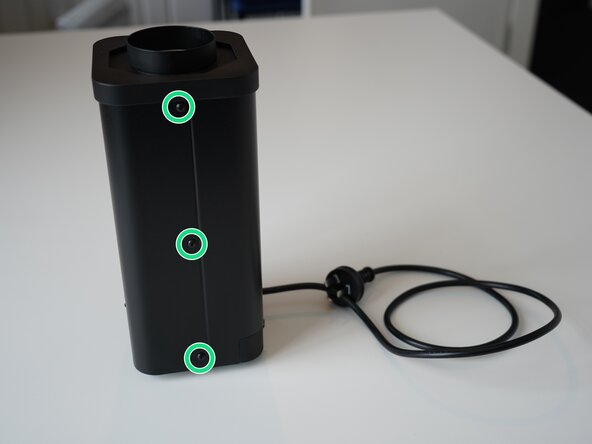
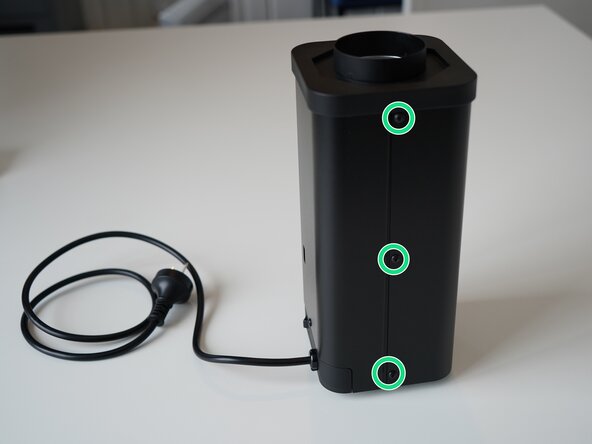
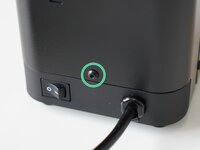
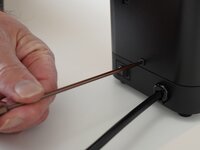
  1. Kaffelogic Nano 7/LINK (D-P Serial) Stack Replacement, Removing Front Panel Screws: passo 1, immagine 1 di 2 Kaffelogic Nano 7/LINK (D-P Serial) Stack Replacement, Removing Front Panel Screws: passo 1, immagine 2 di 2
    • Remove the 6x 2.5mm Hex screws on the left and right side of the roaster.

    • Take care not to damage the buttons while maneuvering the front panel, with all six screws removed it may fall away.

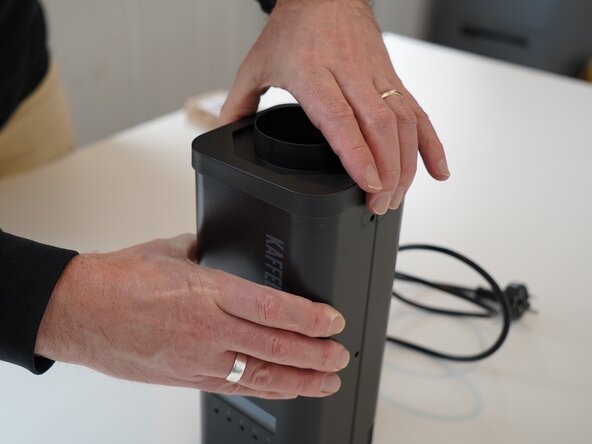
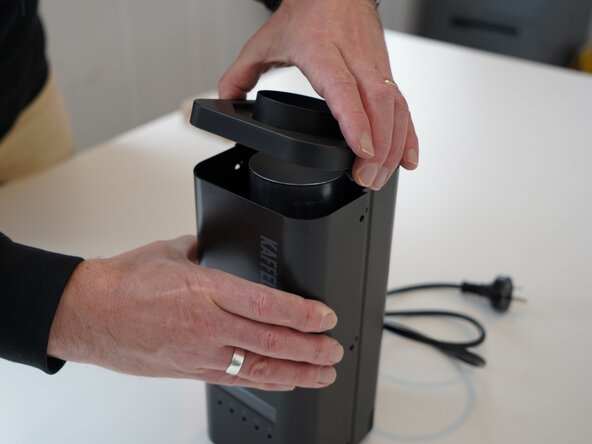
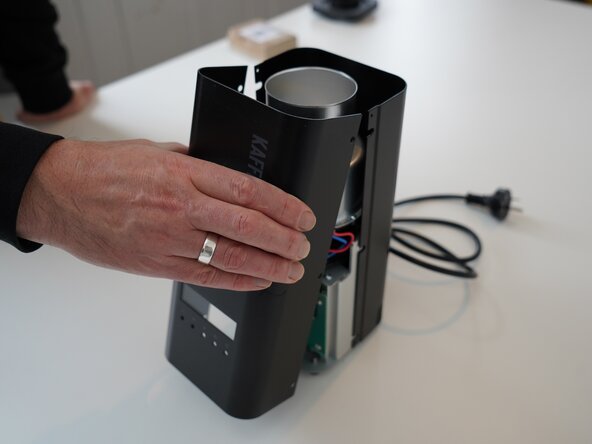
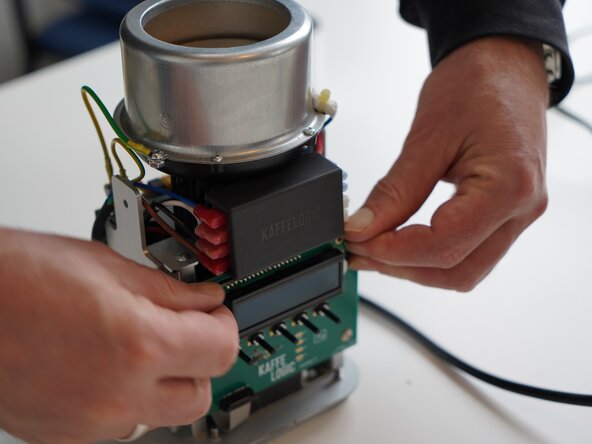
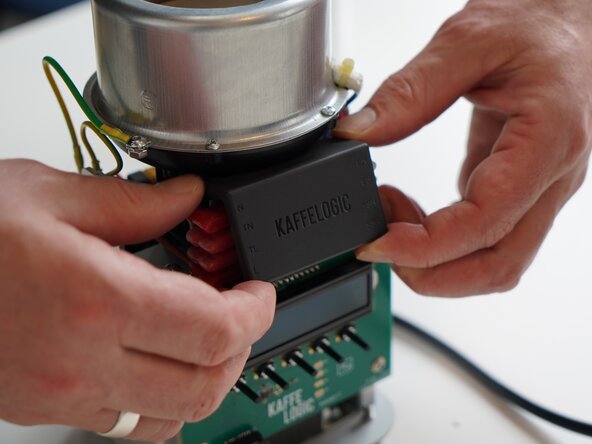
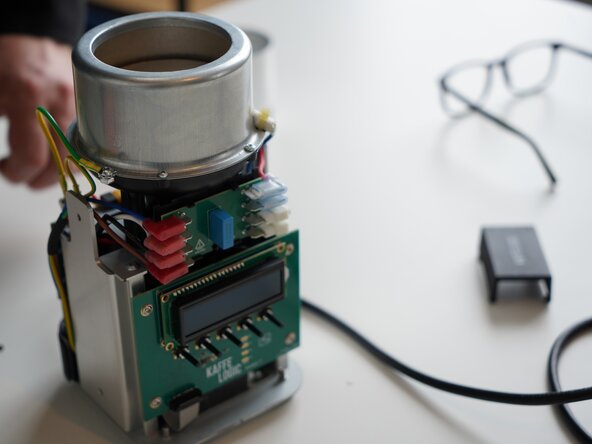
  2. Kaffelogic Nano 7/LINK (D-P Serial) Stack Replacement, Lift the closure: passo 2, immagine 1 di 2 Kaffelogic Nano 7/LINK (D-P Serial) Stack Replacement, Lift the closure: passo 2, immagine 2 di 2
    • Hold the front panel steady while removing the plastic top/closure.

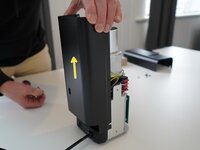
  3. Kaffelogic Nano 7/LINK (D-P Serial) Stack Replacement, Removing the front panel: passo 3, immagine 1 di 1
    • Pull away the front panel carefully.

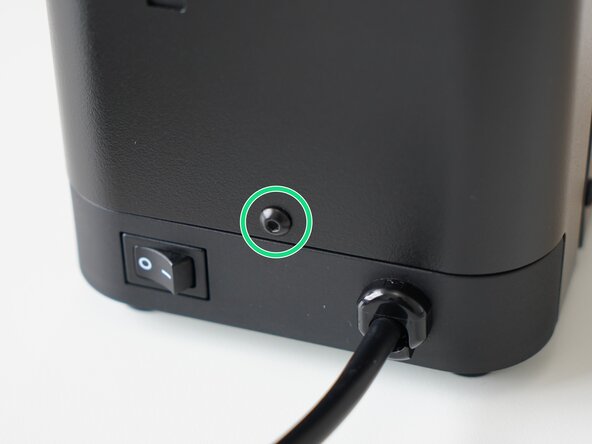
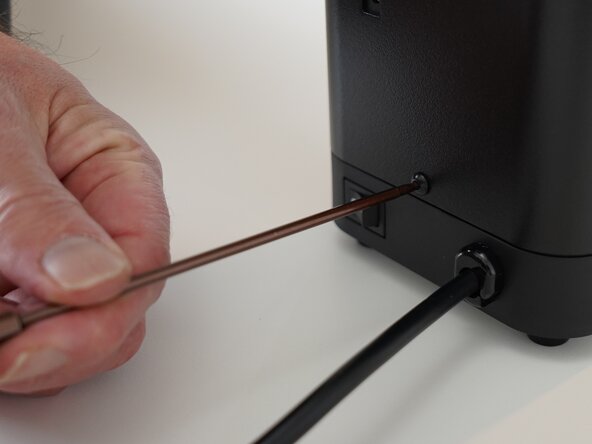
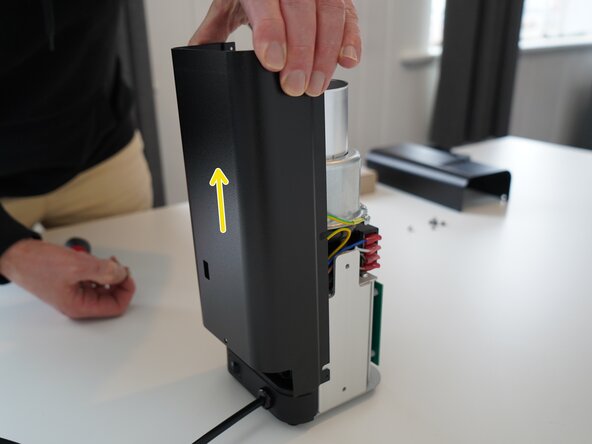
  4. Kaffelogic Nano 7/LINK (D-P Serial) Stack Replacement, Removing the rear panel: passo 4, immagine 1 di 3 Kaffelogic Nano 7/LINK (D-P Serial) Stack Replacement, Removing the rear panel: passo 4, immagine 2 di 3 Kaffelogic Nano 7/LINK (D-P Serial) Stack Replacement, Removing the rear panel: passo 4, immagine 3 di 3
    • Remove the last 2.5mm Hex screw securing the rear panel.

    • Pull up on the rear panel to remove it from the roaster.

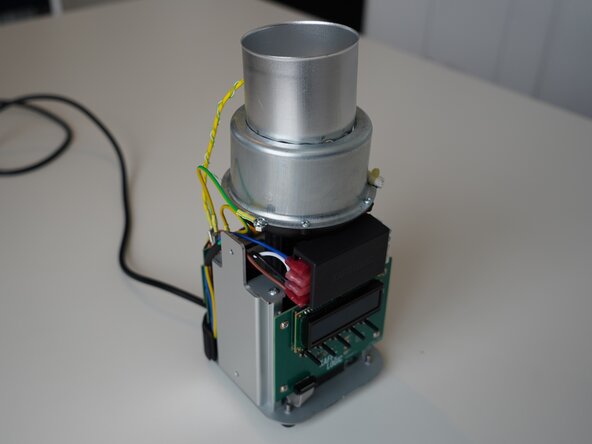
  5. Kaffelogic Nano 7/LINK (D-P Serial) Stack Replacement, Access granted: passo 5, immagine 1 di 2 Kaffelogic Nano 7/LINK (D-P Serial) Stack Replacement, Access granted: passo 5, immagine 2 di 2
    • Set the panels aside somewhere safe and bask in the beauty of your naked roaster.

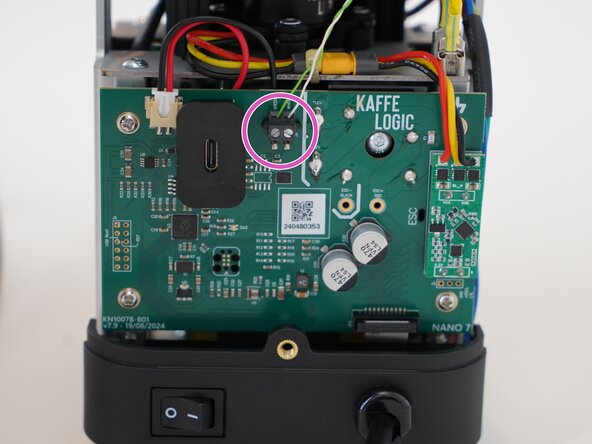
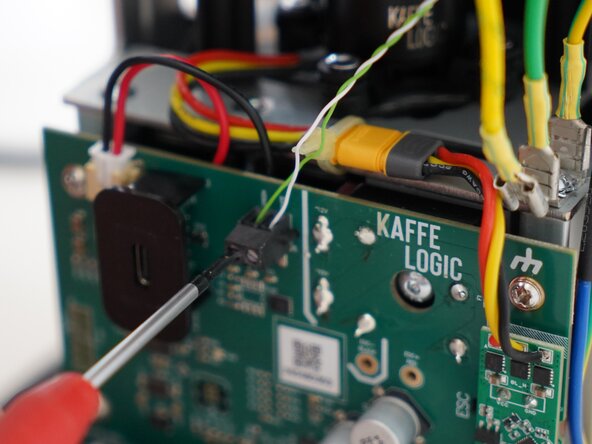
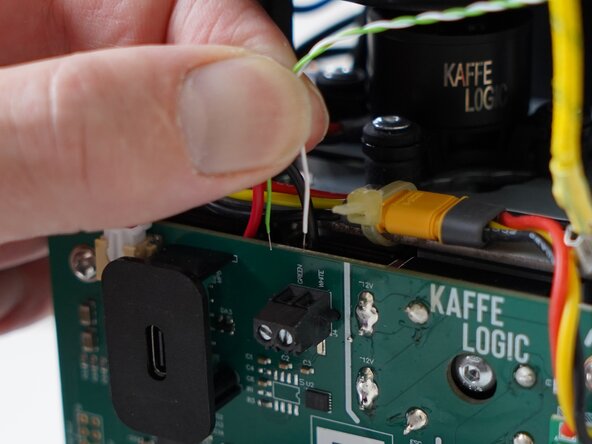
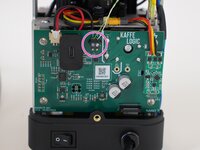
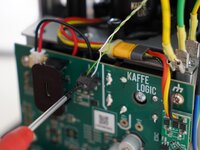
  6. Kaffelogic Nano 7/LINK (D-P Serial) Stack Replacement, Disconnect the thermocouple: passo 6, immagine 1 di 3 Kaffelogic Nano 7/LINK (D-P Serial) Stack Replacement, Disconnect the thermocouple: passo 6, immagine 2 di 3 Kaffelogic Nano 7/LINK (D-P Serial) Stack Replacement, Disconnect the thermocouple: passo 6, immagine 3 di 3
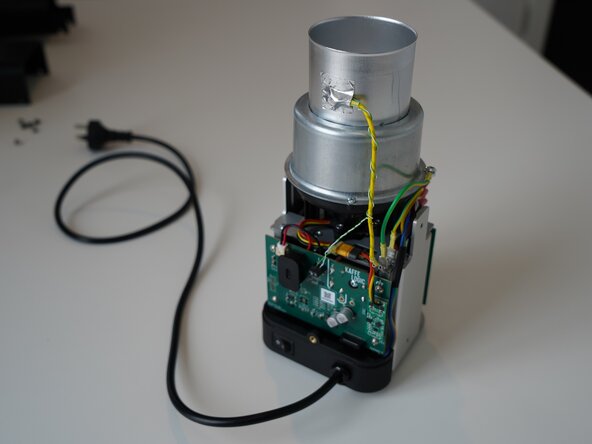
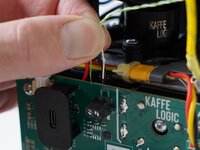
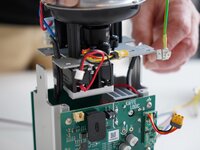
    • Use a 2.0mm slotted screwdriver to remove the thermocouple wires from the PCB-A

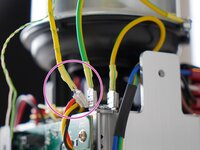
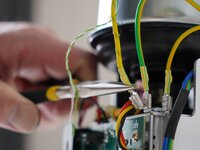
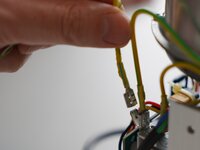
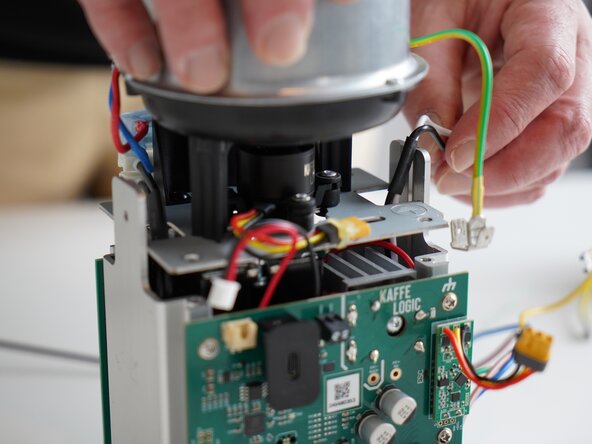
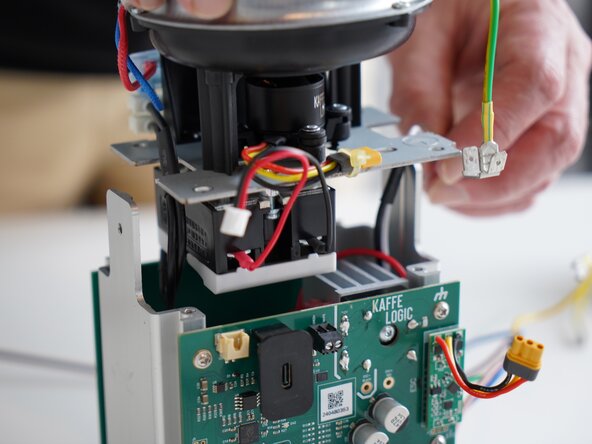
  7. Kaffelogic Nano 7/LINK (D-P Serial) Stack Replacement, Disconnect the earth: passo 7, immagine 1 di 3 Kaffelogic Nano 7/LINK (D-P Serial) Stack Replacement, Disconnect the earth: passo 7, immagine 2 di 3 Kaffelogic Nano 7/LINK (D-P Serial) Stack Replacement, Disconnect the earth: passo 7, immagine 3 di 3
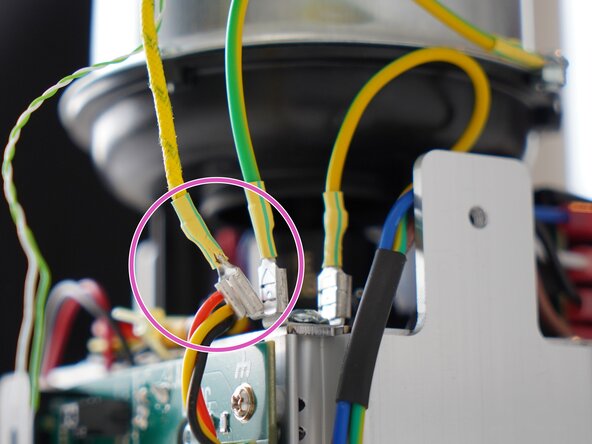
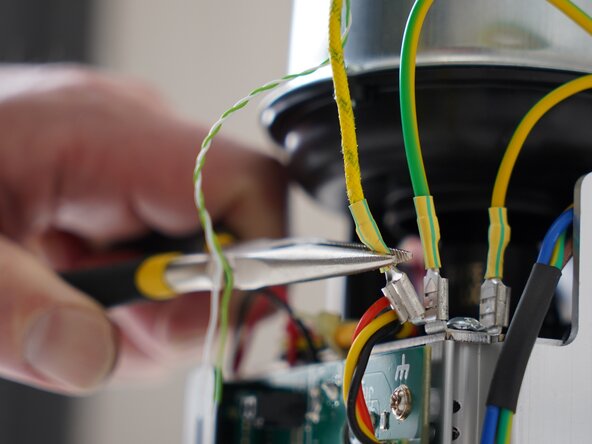
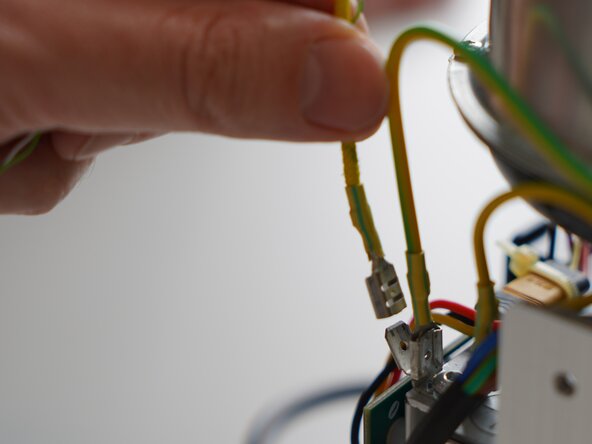
    • Use needle-nose pliers to pull the roast chamber earth lead away from the earthing point.

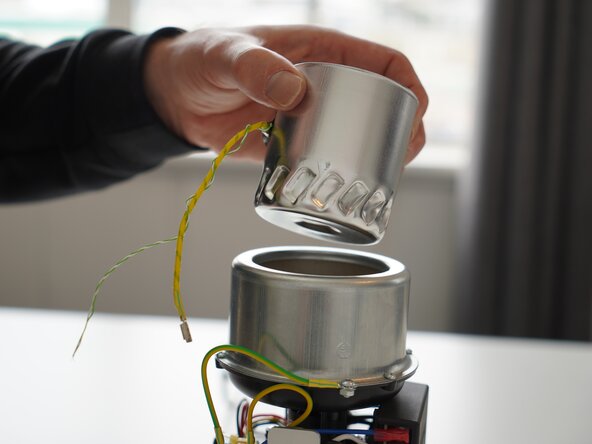
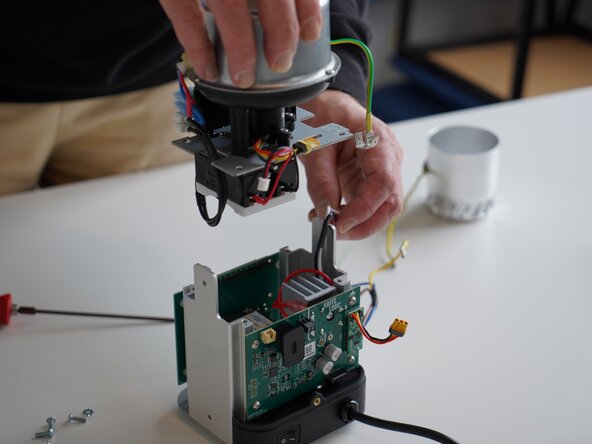
  8. Kaffelogic Nano 7/LINK (D-P Serial) Stack Replacement, Pull away the roast chamber: passo 8, immagine 1 di 1
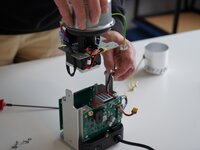
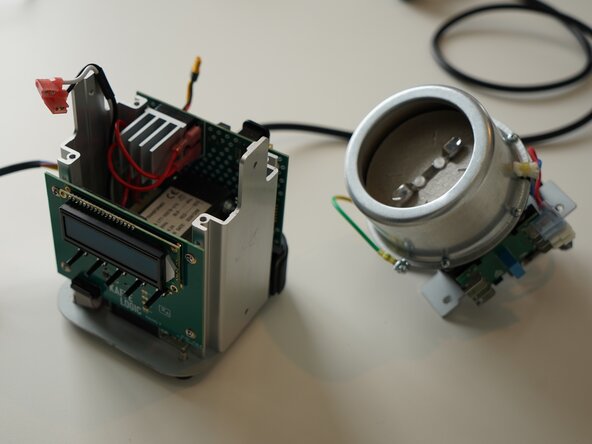
    • Remove the roast chamber from the element chamber.

    • Head through to our wiki for instructions on recalibrating your fan speed after this repair.

    • Nucleus Link anemometer calibration instructions can be found here.

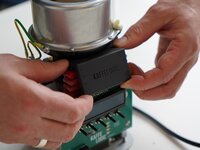
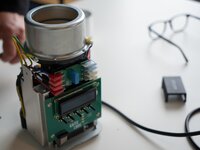
  9. Kaffelogic Nano 7/LINK (D-P Serial) Stack Replacement, Remove the mains wiring cover: passo 9, immagine 1 di 3 Kaffelogic Nano 7/LINK (D-P Serial) Stack Replacement, Remove the mains wiring cover: passo 9, immagine 2 di 3 Kaffelogic Nano 7/LINK (D-P Serial) Stack Replacement, Remove the mains wiring cover: passo 9, immagine 3 di 3
    • Remove the terminal PCB cover and set it aside. This is held in with four small plastic clips at each corner.

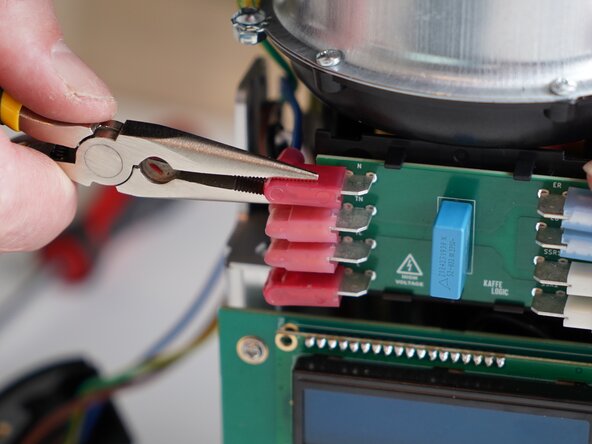
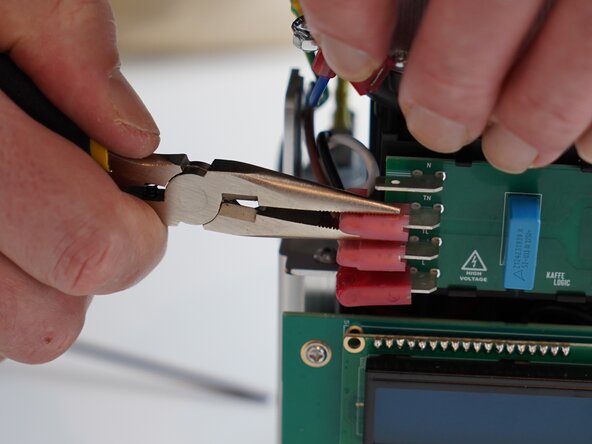
  10. Kaffelogic Nano 7/LINK (D-P Serial) Stack Replacement, Disconnect the mains connectors: passo 10, immagine 1 di 3 Kaffelogic Nano 7/LINK (D-P Serial) Stack Replacement, Disconnect the mains connectors: passo 10, immagine 2 di 3 Kaffelogic Nano 7/LINK (D-P Serial) Stack Replacement, Disconnect the mains connectors: passo 10, immagine 3 di 3
    • Remove all four connectors on the left side of the terminal PCB.

    • These are marked an N (Neutral), TN (Transformer Neutral), TL (Transformer Live) and L (Live)

  11. Kaffelogic Nano 7/LINK (D-P Serial) Stack Replacement, Disconnect the motor: passo 11, immagine 1 di 2 Kaffelogic Nano 7/LINK (D-P Serial) Stack Replacement, Disconnect the motor: passo 11, immagine 2 di 2
    • Disconnect the motor cable, this may take some wiggling.

    • Refrain from using pliers or metal tools on this connector, as the plastic insulation can be damaged.

  12. Kaffelogic Nano 7/LINK (D-P Serial) Stack Replacement, Disconnect the SSR signal: passo 12, immagine 1 di 2 Kaffelogic Nano 7/LINK (D-P Serial) Stack Replacement, Disconnect the SSR signal: passo 12, immagine 2 di 2
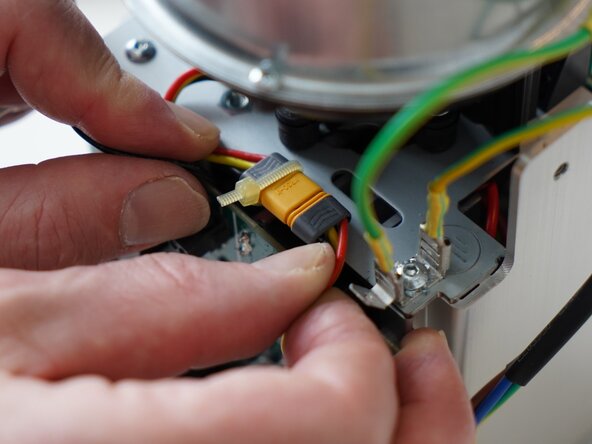
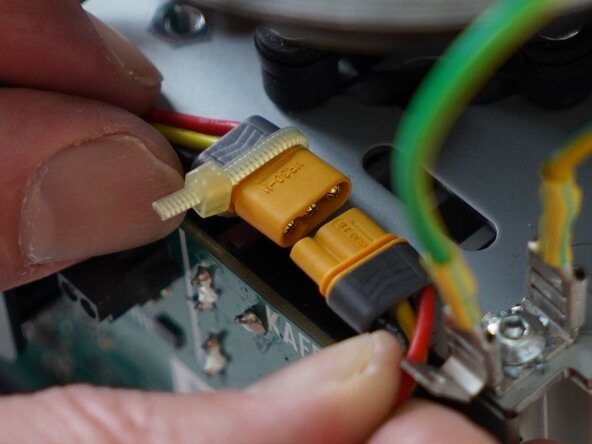
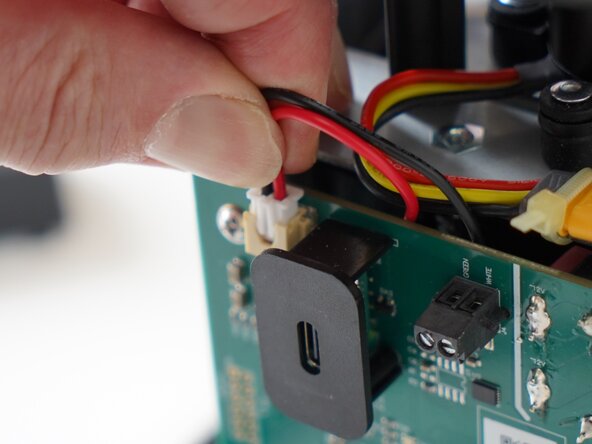
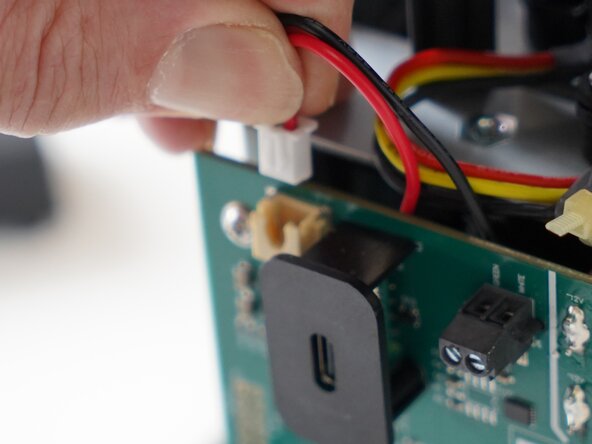
    • Pull upwards on the SSR signal connector to remove it.

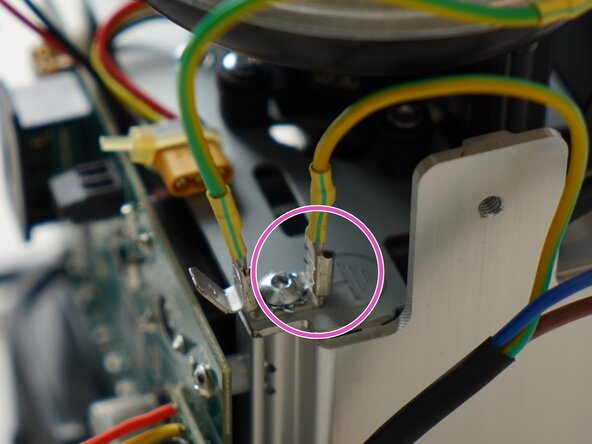
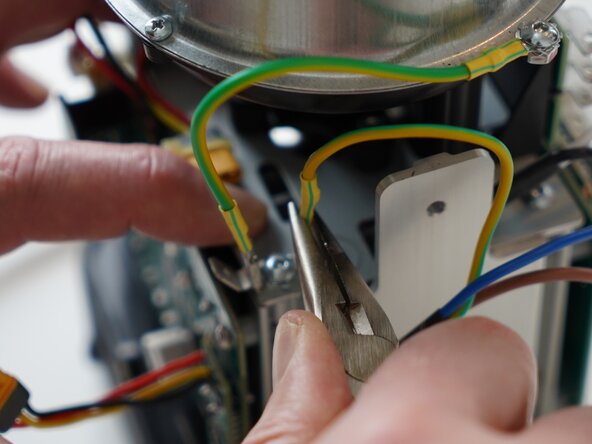
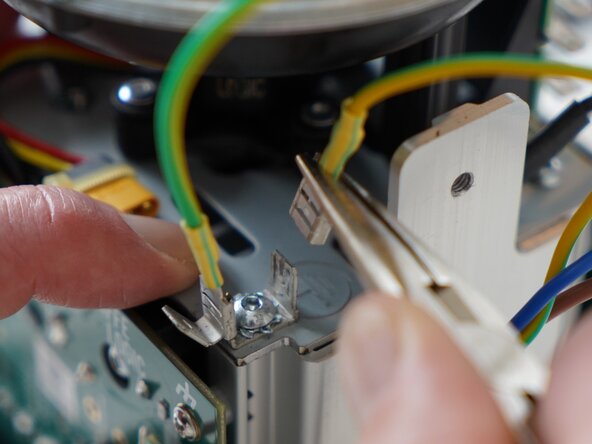
  13. Kaffelogic Nano 7/LINK (D-P Serial) Stack Replacement, Remove the earth tab: passo 13, immagine 1 di 3 Kaffelogic Nano 7/LINK (D-P Serial) Stack Replacement, Remove the earth tab: passo 13, immagine 2 di 3 Kaffelogic Nano 7/LINK (D-P Serial) Stack Replacement, Remove the earth tab: passo 13, immagine 3 di 3
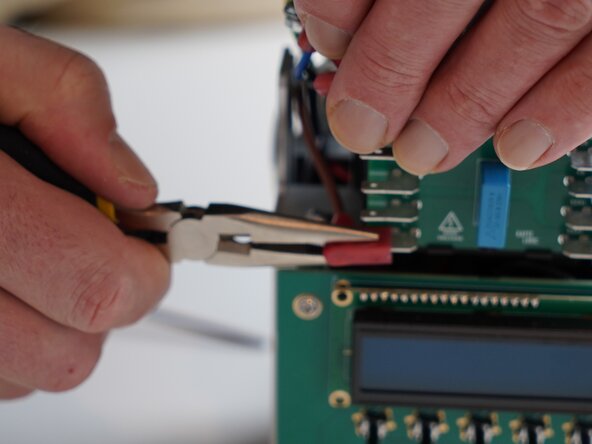
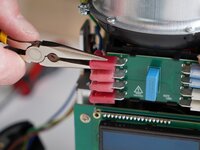
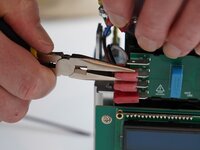
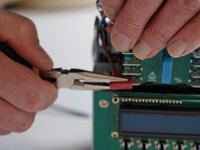
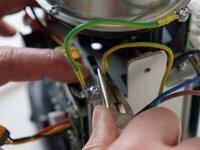
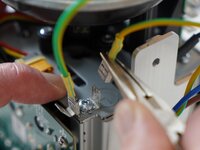
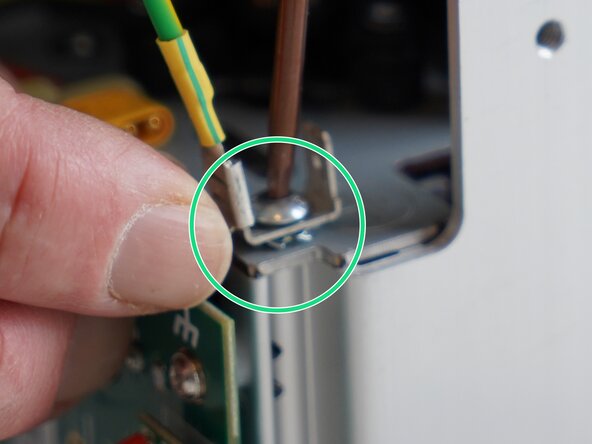
    • Remove the mains earthing connector from the tab. Pliers can be used for this as it can be tight.

  14. Kaffelogic Nano 7/LINK (D-P Serial) Stack Replacement, Remove gantry screws: passo 14, immagine 1 di 3 Kaffelogic Nano 7/LINK (D-P Serial) Stack Replacement, Remove gantry screws: passo 14, immagine 2 di 3 Kaffelogic Nano 7/LINK (D-P Serial) Stack Replacement, Remove gantry screws: passo 14, immagine 3 di 3
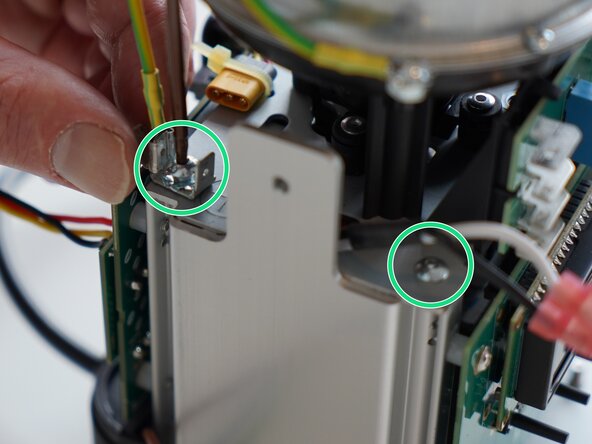
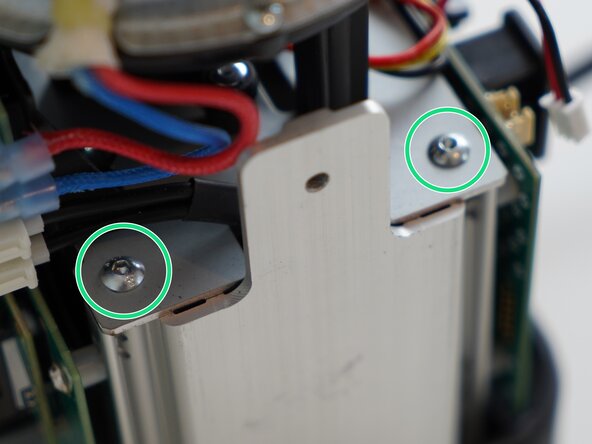
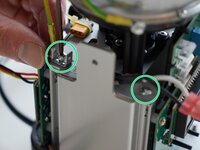
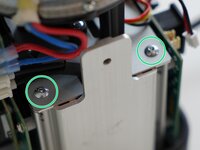
    • Remove the 4x 2.5mm Hex screws securing the gantry plate to the aluminium uprights. A long driver bit is recommended for this.

    • Some early roasters will have sprung earth tabs on the right hand side of the roaster, please place these back as they were found during reassembly.

  15. Kaffelogic Nano 7/LINK (D-P Serial) Stack Replacement, Removing the stack: passo 15, immagine 1 di 3 Kaffelogic Nano 7/LINK (D-P Serial) Stack Replacement, Removing the stack: passo 15, immagine 2 di 3 Kaffelogic Nano 7/LINK (D-P Serial) Stack Replacement, Removing the stack: passo 15, immagine 3 di 3
    • Pull upwards on the stack to remove it from the base assembly.

  16. Kaffelogic Nano 7/LINK (D-P Serial) Stack Replacement, Stack Removed: passo 16, immagine 1 di 3 Kaffelogic Nano 7/LINK (D-P Serial) Stack Replacement, Stack Removed: passo 16, immagine 2 di 3 Kaffelogic Nano 7/LINK (D-P Serial) Stack Replacement, Stack Removed: passo 16, immagine 3 di 3
    • Well done! Your stack assembly is free!

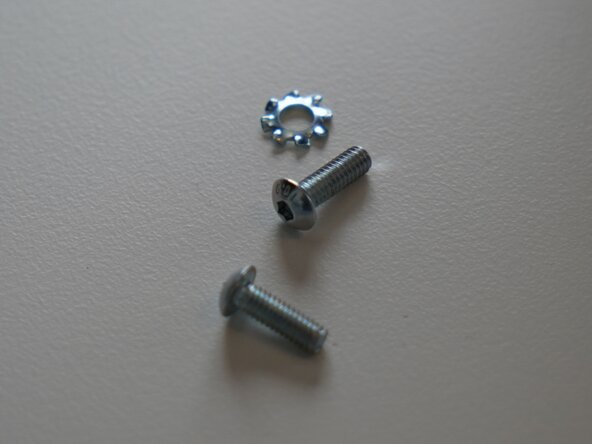
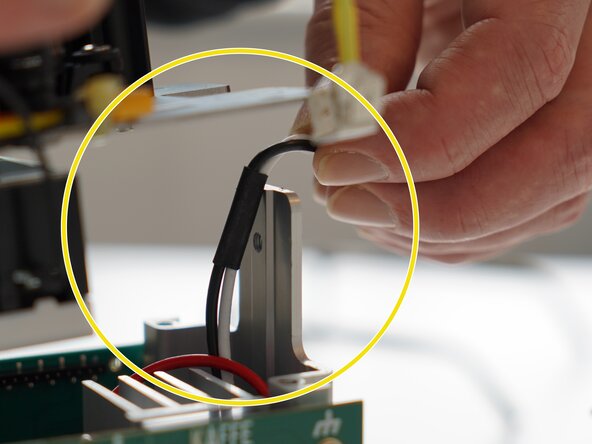
    • During reassembly, the star washer should be placed between the gantry plate steel and the earthing tab as pictured.

    • There is a hole in the gantry plate to route the transformer primary wires through. Hold them to the side as you place the new stack.

    • Head through to our wiki for instructions on recalibrating your fan speed and element resistance after replacing the stack. Nucleus Link anemometer instructions can be found here.

Conclusione

To reassemble your device, follow these instructions in reverse order.

Documenti Allegati

Kaffelogic

Membro da: 07/23/25

2.098 Reputazione

18 Guide realizzate

Team

Kaffelogic Staff Membro di Kaffelogic Staff

Community

3 Membri

18 Guide realizzate

0Commenti sulla guida

Aggiungi Commento

Visualizza Statistiche:

Ultime 24 Ore: 0

Ultimi 7 Giorni: 1

Ultimi 30 Giorni: 17

Tutti i Tempi: 83