
How to replace or tighten the inner screws of an FC fan

Ultimo aggiornamento il 13 dic 2023
Visualizzazioni: 1020
Visualizza statistiche:
- Ultime 24 ore:
- 4
- Ultimi 7 giorni:
- 24
- Ultimi 30 giorni:
- 106
- Tutti i Tempi:
- 1.020
Commenti: 0
Nessuno ha lasciato commenti su questa guida. Sarai il primo?
Vai ai commenti della guidaCompletato: 1 2
1 persona ha contrassegnato questa guida come "completata". Sarai il prossimo?
2 persone hanno contrassegnato questa guida come "completata". Compreso te, ottimo lavoro!
Preferiti: 0 1
Nessuno ha preferito (e si è iscritto) questa guida. Sarai il primo?
1 persona ha aggiunto ai preferiti (e si è iscritta a) questa guida, e sei tu!
Introduzione
Vai al passo 1 ↓If your FC Desk Fan is making a rattling sound when you turn it on or if you notice the main body shaking while the fan blades are spinning, you will need to tighten the inner screws to keep the fan from potentially falling apart.
The inner screws hold the head and motor box of the fan securely to the main body. These screws can slowly come undone due to the natural vibration from the fan spinning.
Before beginning, be sure to turn the fan off completely and to disconnect it from any external power source.
Cosa ti serve
Strumenti

-
-
-
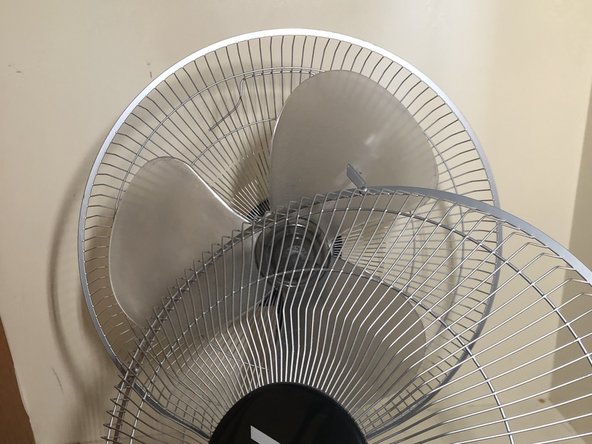
Unlatch the four hinges located around the edge of the fan cage by gently pulling them away from the fan cage.
 Chiedi a FixBot
-
-
-
Locate, loosen and remove the screw that is found at the bottom of the cage using a Phillips #1 screwdriver.
-
-
-
-
Remove the front half of the cage from the fan by wiggling gently it until it disconnects from the rest of the fan.
-
-
-
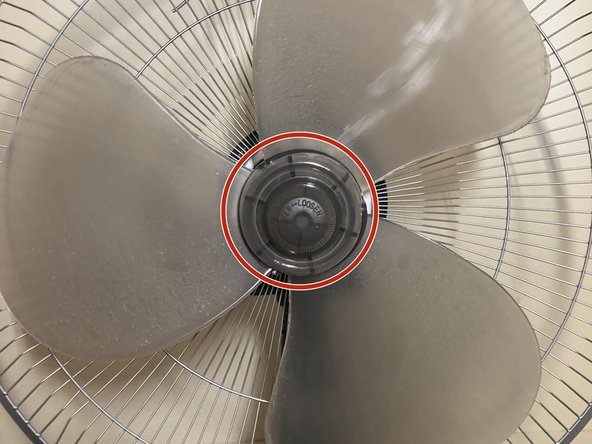
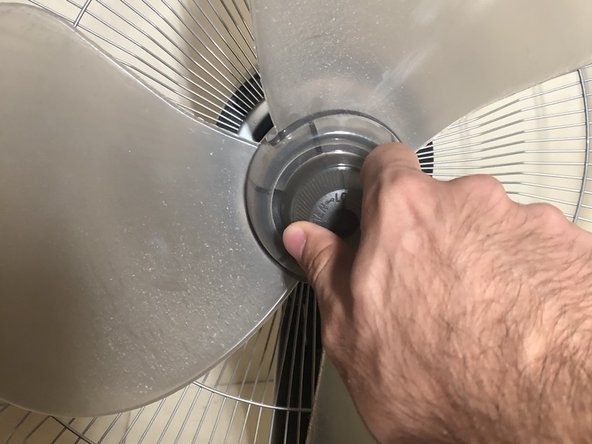
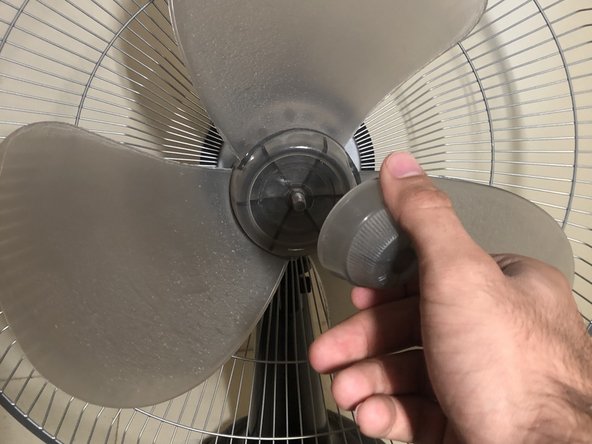
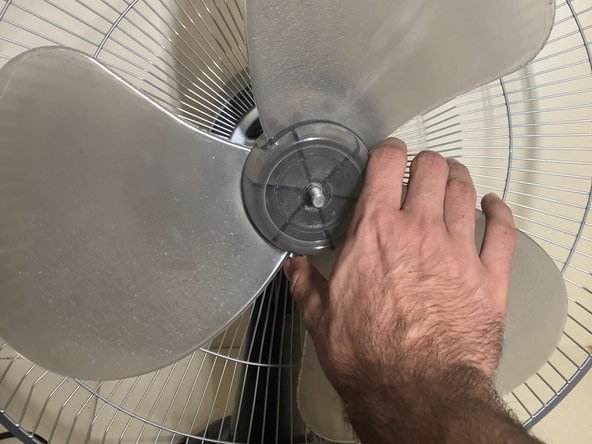
Twist the now exposed central fan cap clockwise to remove it from the fan blades.
-
-
-
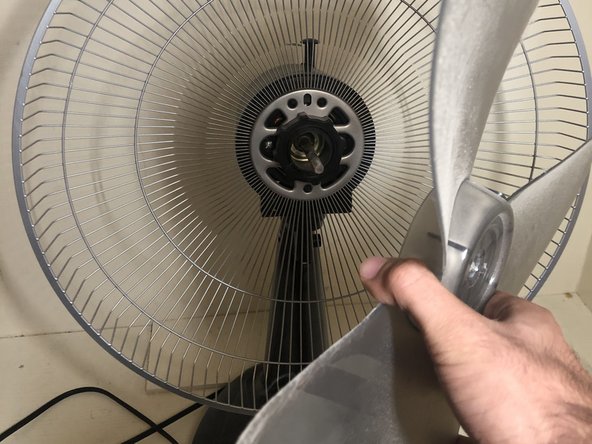
Twist the fan blades clockwise to remove them from the central axel.
-
-
-
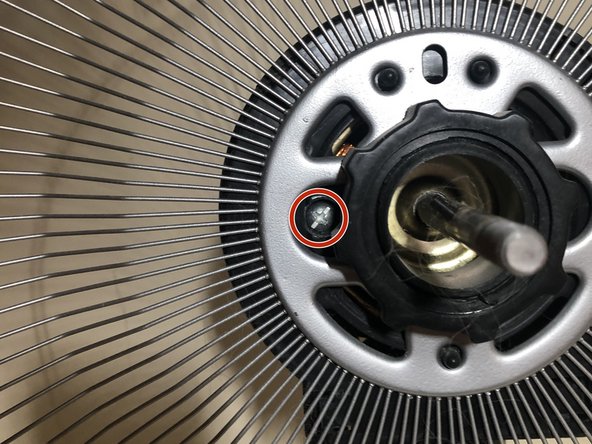
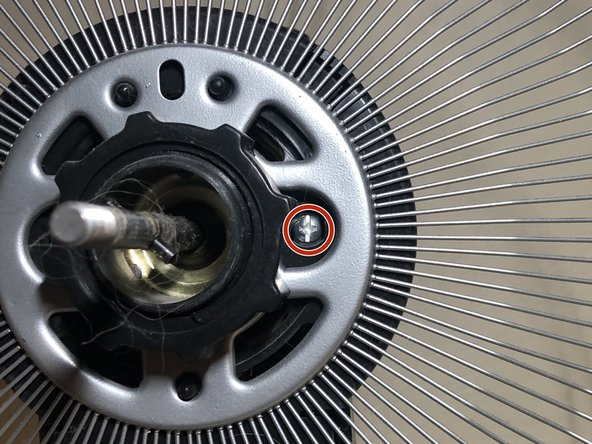
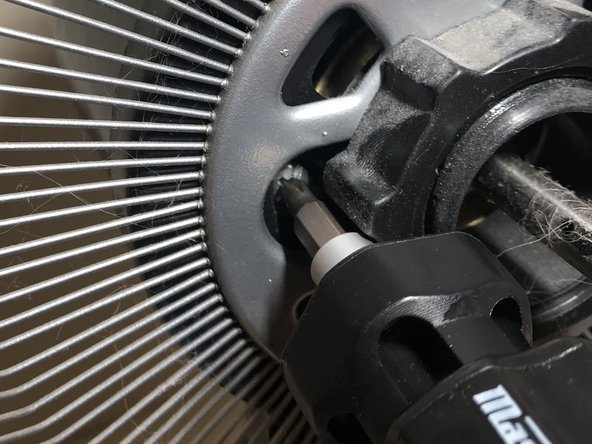
Remove or tighten the two inner screws as necessary, making sure the screws are tightened only until you are met with slight resistance when reassembling.
-
-








To reassemble your device, follow these instructions in reverse order.
Annulla: non ho completato questa guida.
Un'altra persona ha completato questa guida.

Team

York University, Team 2-2, O'Regan Fall 2023 Membro di York University, Team 2-2, O'Regan Fall 2023
YORK-O'REGAN-F23S2G2
Membro di 1
12 guide realizzate
