Introduzione
Follow this guide to force shutdown, aka hard reset, your FixHub Portable Power Station.
If your Portable Power Station becomes unresponsive, a force shutdown may be necessary. This is similar to when your computer freezes, and you hold down the power button to force a shutdown before rebooting. Performing a force shutdown will not erase your settings.
-
-
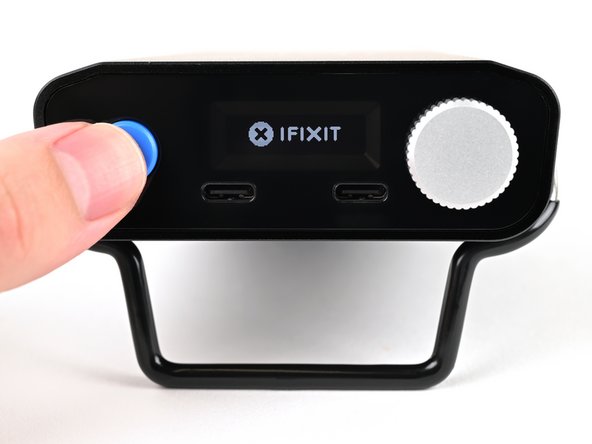
Hold down the blue action button for ten seconds to force shut down your power station.
-
Wait ten seconds before continuing.
-
-
-
-
Press and hold the blue action button for three seconds to turn on the power station.
-







Still need help? Please contact our customer support.
Annulla: non ho completato questa guida.
Altre 2 persone hanno completato questa guida.



