Salta al contenuto principale
Unisciti alla Community delle riparazioni - Crea un account
How to Fix Paper Jam in Canon Pixma TR 4520

Cosa ti serve

  1. How to Fix Paper Jam in Canon Pixma TR 4520, press Stop to cancel the job: passo 1, immagine 1 di 1
    • push the stop button

    Chiedi a FixBot
  2. How to Fix Paper Jam in Canon Pixma TR 4520, turn off the printer and unplug it from the power source: passo 2, immagine 1 di 2 How to Fix Paper Jam in Canon Pixma TR 4520, turn off the printer and unplug it from the power source: passo 2, immagine 2 di 2
    • Press the turn off button on the printer before unplugging

    Chiedi a FixBot
  3. How to Fix Paper Jam in Canon Pixma TR 4520, remove any paper visible from the front tray: passo 3, immagine 1 di 2 How to Fix Paper Jam in Canon Pixma TR 4520, remove any paper visible from the front tray: passo 3, immagine 2 di 2
    • open the front tray and take a look

    Chiedi a FixBot
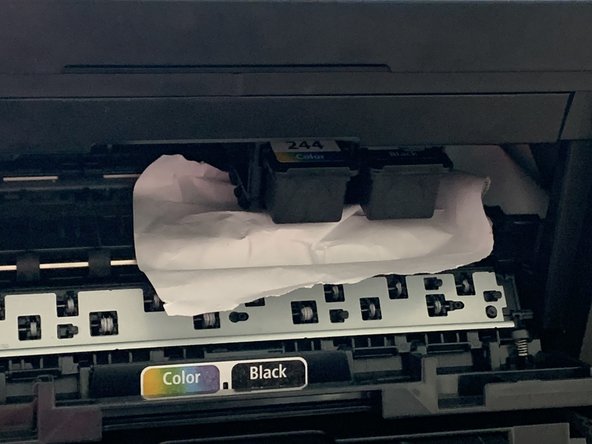
  4. How to Fix Paper Jam in Canon Pixma TR 4520, if it is accessible with your hands, pull out paper slowly with both hands(avoid tearing): passo 4, immagine 1 di 1
    • If paper tears apart, remove whatever you can, we can fix the rest in the later steps

    Chiedi a FixBot
  5. How to Fix Paper Jam in Canon Pixma TR 4520, if the area Is inaccessible or paper is torn, position the printer on a side to see the rear cover: passo 5, immagine 1 di 2 How to Fix Paper Jam in Canon Pixma TR 4520, if the area Is inaccessible or paper is torn, position the printer on a side to see the rear cover: passo 5, immagine 2 di 2
    • Do not force the paper out

    Chiedi a FixBot
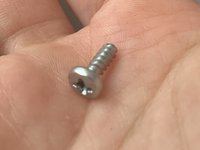
  6. How to Fix Paper Jam in Canon Pixma TR 4520, pick up home usage screwdriver with the head like shown on the picture: passo 6, immagine 1 di 3 How to Fix Paper Jam in Canon Pixma TR 4520, pick up home usage screwdriver with the head like shown on the picture: passo 6, immagine 2 di 3 How to Fix Paper Jam in Canon Pixma TR 4520, pick up home usage screwdriver with the head like shown on the picture: passo 6, immagine 3 di 3
    • Take a look at the shape

    Chiedi a FixBot
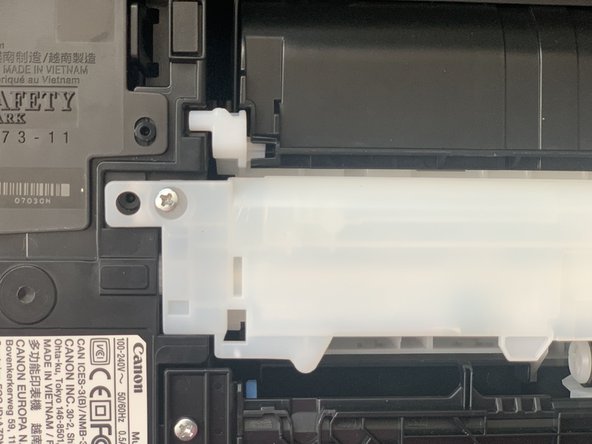
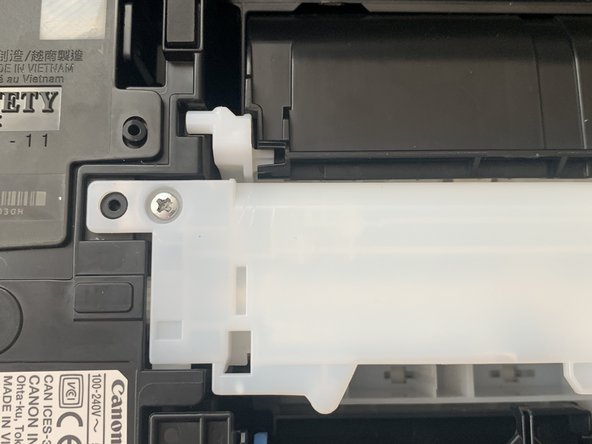
  7. How to Fix Paper Jam in Canon Pixma TR 4520, look for two silver screws that hold transport unit cover from the rear end: passo 7, immagine 1 di 2 How to Fix Paper Jam in Canon Pixma TR 4520, look for two silver screws that hold transport unit cover from the rear end: passo 7, immagine 2 di 2
    • look at the circle annotation

    Chiedi a FixBot
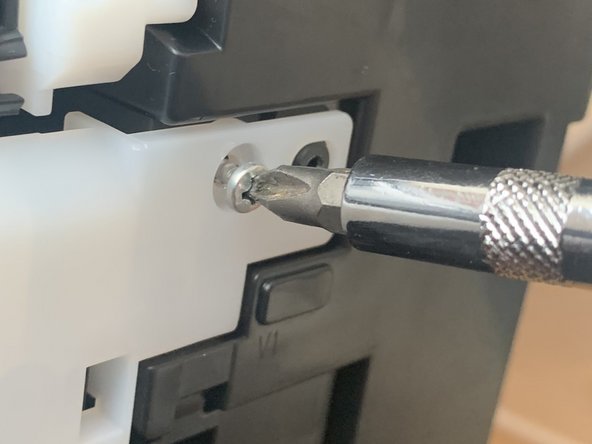
  8. How to Fix Paper Jam in Canon Pixma TR 4520, untwist the screw, turn the screw into counter clockwise ("loose" direction) and keep turning the screwdriver: passo 8, immagine 1 di 3 How to Fix Paper Jam in Canon Pixma TR 4520, untwist the screw, turn the screw into counter clockwise ("loose" direction) and keep turning the screwdriver: passo 8, immagine 2 di 3 How to Fix Paper Jam in Canon Pixma TR 4520, untwist the screw, turn the screw into counter clockwise ("loose" direction) and keep turning the screwdriver: passo 8, immagine 3 di 3
    • Move the screwdriver slowly until the screw comes off

    Chiedi a FixBot
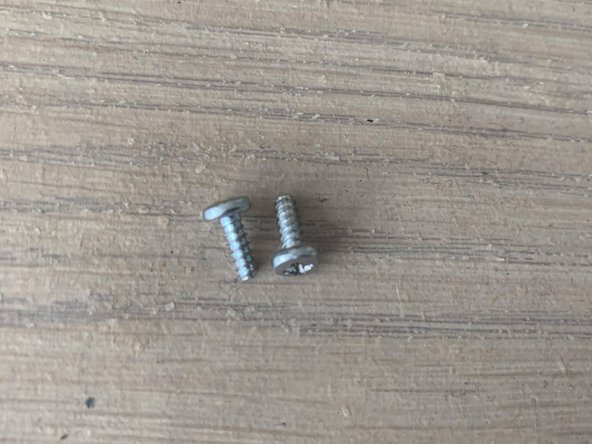
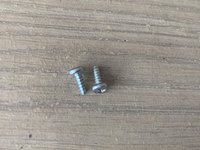
  9. How to Fix Paper Jam in Canon Pixma TR 4520, repeat for the second screw: passo 9, immagine 1 di 2 How to Fix Paper Jam in Canon Pixma TR 4520, repeat for the second screw: passo 9, immagine 2 di 2
    • Keep your screws in a safe place

    Chiedi a FixBot
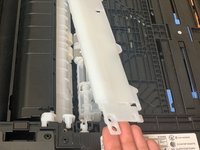
  10. How to Fix Paper Jam in Canon Pixma TR 4520, transport unit cover will become loose: passo 10, immagine 1 di 2 How to Fix Paper Jam in Canon Pixma TR 4520, transport unit cover will become loose: passo 10, immagine 2 di 2
    • Be gentle while removing the unit, you don't want to damage it

    Chiedi a FixBot
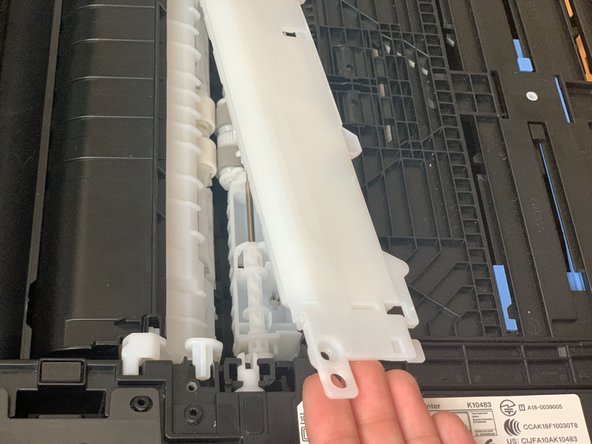
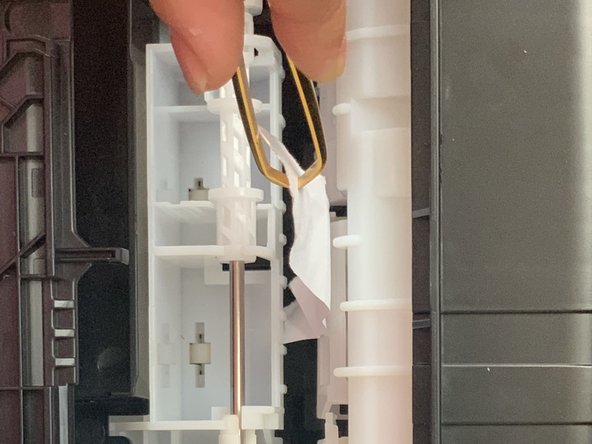
  11. How to Fix Paper Jam in Canon Pixma TR 4520, remove the transport unit and reveal jammed paper: passo 11, immagine 1 di 3 How to Fix Paper Jam in Canon Pixma TR 4520, remove the transport unit and reveal jammed paper: passo 11, immagine 2 di 3 How to Fix Paper Jam in Canon Pixma TR 4520, remove the transport unit and reveal jammed paper: passo 11, immagine 3 di 3
    Strumento utilizzato in questo passaggio:
    Tweezers
    $4.99
    • Take it out with your hands or if it is hard to grab on, pick up tweezers

    Chiedi a FixBot
  12. How to Fix Paper Jam in Canon Pixma TR 4520, put the transport unit back in its place and hold it there: passo 12, immagine 1 di 2 How to Fix Paper Jam in Canon Pixma TR 4520, put the transport unit back in its place and hold it there: passo 12, immagine 2 di 2
    • Grab your screwdriver and screws

    Chiedi a FixBot
  13. How to Fix Paper Jam in Canon Pixma TR 4520, put the screws back in place one at a time and turn them in clockwise direction to "tighten" them up: passo 13, immagine 1 di 3 How to Fix Paper Jam in Canon Pixma TR 4520, put the screws back in place one at a time and turn them in clockwise direction to "tighten" them up: passo 13, immagine 2 di 3 How to Fix Paper Jam in Canon Pixma TR 4520, put the screws back in place one at a time and turn them in clockwise direction to "tighten" them up: passo 13, immagine 3 di 3
    • You know it is tight enough if it doesn't move anymore

    Chiedi a FixBot
Linea Traguardo

Ani Gurtsishvili

Membro da: 10/06/20

217 Reputazione

Una guida realizzata

0Commenti sulla guida

Aggiungi Commento

Visualizza statistiche:

Ultime 24 ore: 0

Ultimi 7 giorni: 8

Ultimi 30 giorni: 37

Tutti i Tempi: 1,256