Salta al contenuto principale

Hannspree SN12E2 Hard Drive Replacement

Cosa ti serve

  1. Hannspree SN12E2 Hard Drive Replacement, Battery: passo 1, immagine 1 di 1
    • Unplug and power off your laptop.

  2. Hannspree SN12E2 Hard Drive Replacement: passo 2, immagine 1 di 1
    • Close your laptop .

    • Place your laptop face down on a flat surface.

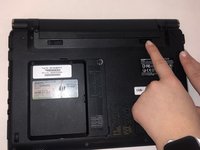
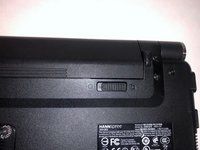
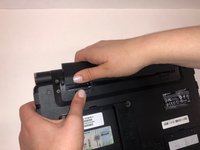
  3. Hannspree SN12E2 Hard Drive Replacement: passo 3, immagine 1 di 3 Hannspree SN12E2 Hard Drive Replacement: passo 3, immagine 2 di 3 Hannspree SN12E2 Hard Drive Replacement: passo 3, immagine 3 di 3
    • Unlatch the lock on the top right of your laptop first.

    • You will need to pull on the lock on the left side and remove the battery at the same time

    • The left lock is a spring lock and needs constant pressure applied in order to stay open.

  4. Hannspree SN12E2 Hard Drive Replacement, Hard Drive Access Door: passo 4, immagine 1 di 1
    • Remove the three 3mm Phillips #0 screws.

  5. Hannspree SN12E2 Hard Drive Replacement: passo 5, immagine 1 di 1
    • Gently pull on the access panel to remove it.

  6. Hannspree SN12E2 Hard Drive Replacement, Hard Drive: passo 6, immagine 1 di 1
    • Remove the four 4mm Phillips #0 retaining screws.

    • The hard drive caddy is the large piece of metal with black circles.

  7. Hannspree SN12E2 Hard Drive Replacement: passo 7, immagine 1 di 1
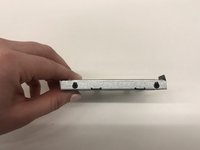
    • Next, lift up the hard drive and pull towards you. Lift up the end of the hard drive that is not plugged into the computer.

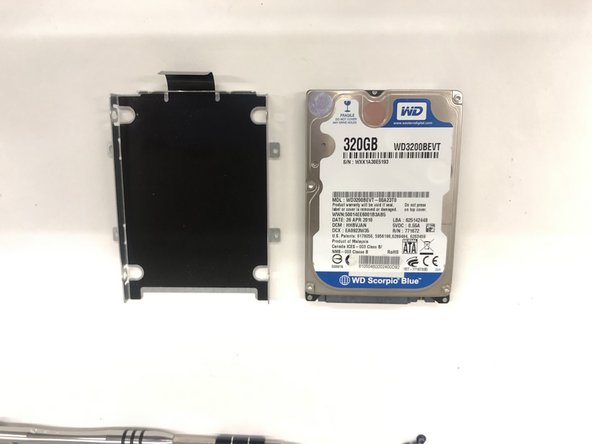
  8. Hannspree SN12E2 Hard Drive Replacement: passo 8, immagine 1 di 2 Hannspree SN12E2 Hard Drive Replacement: passo 8, immagine 2 di 2
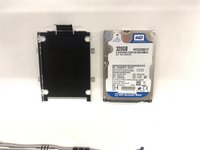
    • Slide your hard drive out of the metal piece by unscrewing the sides.

Conclusione

To reassemble your device, follow these instructions in reverse order.

Kyle Duby

Membro da: 03/26/19

193 Reputazione

2 Guide realizzate

Team

0Commenti sulla guida

Aggiungi Commento

Visualizza Statistiche:

Ultime 24 Ore: 0

Ultimi 7 Giorni: 0

Ultimi 30 Giorni: 12

Tutti i Tempi: 281